MCHOSE
MCHOSE MC-Ace68Turbo-7 65% 68-key gaming keyboard 16K polling Peach Pink
- Full-aluminum Espor…
- USB Type-C
96,99 USD
0.001239BTC
În stocAcceptăm criptomonede — astfel, criptomonedele pe care le dețineți pot cumpăra echipamente reale.Plătiți în cripto, cheltuiți-o pe echipamente reale. Livrare asigurată gratuită oriunde în lume peste 399 $. Cartoane neutre, fără marcă, expediate din Germania.Livrare asigurată gratuită peste 399 $. Cursul dumneavoastră este blocat timp de 30 de minute de la deschiderea paginii de plată.Curs blocat 30 de minute. Fiecare articol este sigilat, numărul de serie este verificat, iar produsul este acoperit de o garanție de 24 de luni.Sigilat, garantat 24 de luni.


MCHOSE
A compact 65% wired keyboard with 68 keys, Hall Effect magnetic switches, 16K polling, 256K scan rate and 0.06ms latency in a full aluminium shell
Color Berry Red
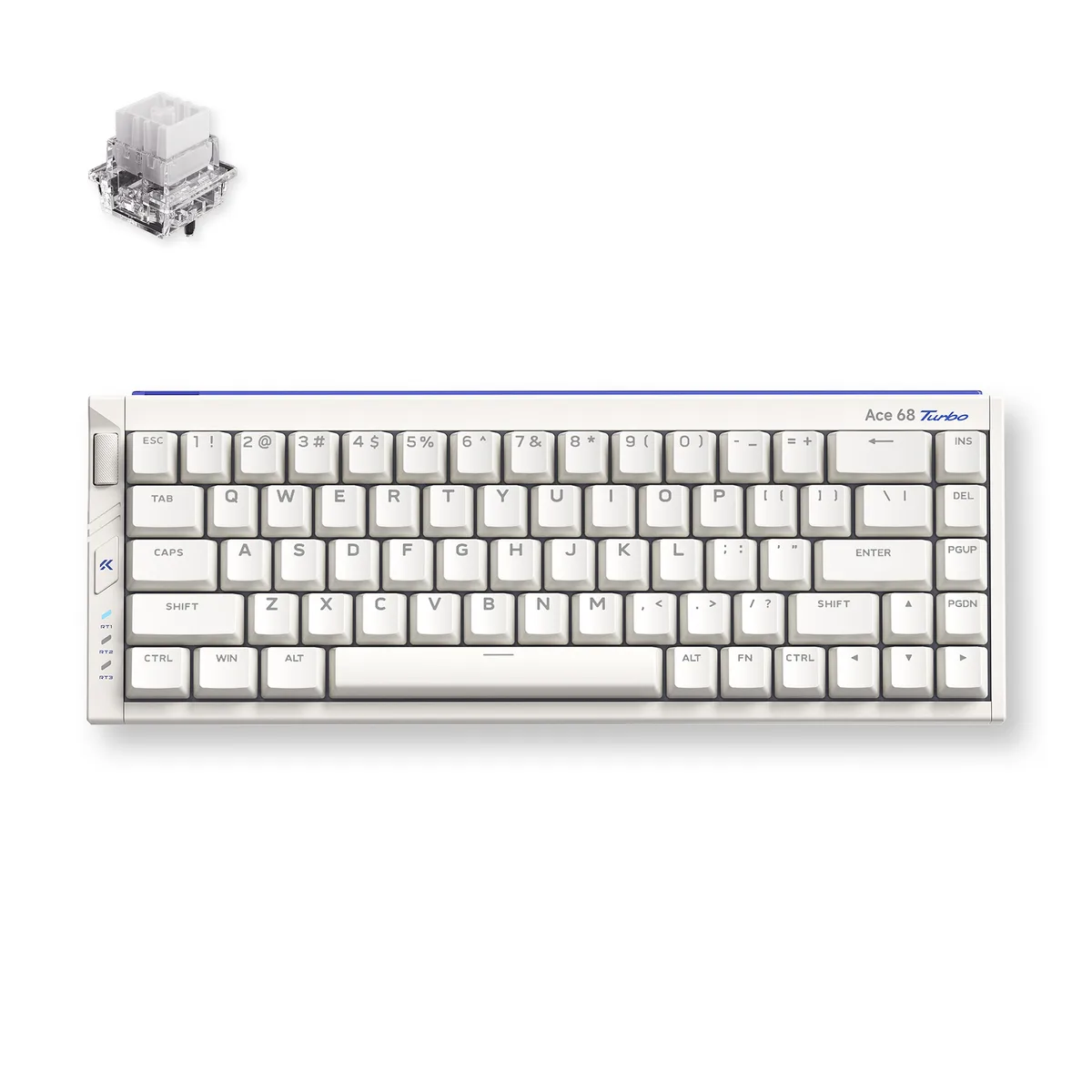
The MCHOSE Ace 68 Turbo is a 65% ANSI keyboard with 68 keys wired over USB Type-C. Its full CNC aluminium shell houses Mount Tai Magnetic GT Hall Effect switches and south-facing RGB LEDs. The compact form factor saves desk space while keeping arrow and navigation keys for first-person shooter and MOBA players who want quick actuation without a numpad.
Magnetic actuation removes physical leaf wear and lets the board achieve 0.06 ms latency with 0.001 mm precision. A 16 000 Hz polling rate and 256 000 Hz scan rate are supported on Windows; Mac tops out at 8 000 Hz. Dual-core Tianwen MCU running at 512 MHz drives the four-layer PCB. The jump is worth it for players who need rapid-trigger stops and consistent repeated presses without debounce delay.
Connect the Type-C cable and the keyboard is recognised instantly — no driver required for basic input. The box supplies a key-and-switch puller plus two spare Mount Tai Magnetic GT switches for quick replacement. Advanced features such as SOCD, rapid snap, dynamic keystroke, multi-tap, toggle modes and key macros are configured through the companion software. The aluminium chassis adds weight, so the board stays planted during aggressive keystrokes.
| Brand | MCHOSE |
|---|---|
| Name | Full-aluminum Esports Hall Effect Keyboard |
| Model | Ace 68 Turbo |
| Part Number | MC-Ace68Turbo-8 |
| Keyboard Interface | USB Type-C |
| Design Style | Compact |
| Layout | 65% ANSI (68 keys) |
| Palm Rest | No |
| Function Keys | SOCD, RS, DKS, MT, TGL, Key Macros |
| Key Switch | Mount Tai Magnetic GT Switch (16k) |
| Keycaps | Color-matching Cherry profile |
| Keyboard Color | Berry Red |
| Backlit | South-facing RGB LED Lights |
| Dimensions | 1.5" x 12.76" x 4.69" |
| Type | Wired |
| Mouse Included | No |
| Package Contents | 1 x Ace 68 Turbo HE Keyboard 1 x Function Card 1 x Type-C Cable 1 x Key & Switch Puller 2 x Spare Switches 1 x Dust Cover |
| Greutate la expediere | 2.09 kg |
| Dimensiunile coletului | 366 × 168 × 76 mm |
Alte versiuni ale acestui model
Aceeași familie, memorie, radiator sau frecvență diferite — comparați înainte de a vă decide.
The compact 65% layout measures 12.76 inches wide by 4.69 inches deep and stands 1.5 inches high, so it fits on any flat surface without brackets or mounting holes.
Connect the supplied Type-C cable to a USB port; on Windows you must select 16K polling in the MCHOSE software, otherwise the board defaults to a lower rate.
Use the included puller to remove the keycap and switch, then press in one of the two spare GT switches provided; no soldering is required.
Tot din acest raion
Același raion, aceeași finalizare a comenzii — opt monede și un curs blocat 30 de minute.
În ce monedă plătiți și în ce monedă citiți prețurile.
Trimis din portofelul dumneavoastră la finalizarea comenzii
Doar pentru afișare — catalogul este exprimat în dolari
Nicio monedă nu corespunde.
Alegeți limba în care vă vorbește site-ul.
Prima vizită?
Aveți deja un cont?
Nu există o resetare automată: acest magazin nu trimite niciun e-mail, deci nu există niciun link de unică folosință de solicitat. Lăsați adresa în cont. Va fi tratată manual.
Cerere înregistrată
Nu veți primi nimic în căsuța de e-mail — acest magazin nu trimite niciun e-mail. Cineva se ocupă de asta manual.
V-ați amintit-o?