

EN-Labs
EN-Labs U2CR525U3 5.25" Internal Card Reader USB 2.0 USB 3.0
- Internal
- Black
17,99 $
0.00022981BTC
Na zalogiSprejemamo kriptovalute — tako lahko sredstva, ki jih imate, kupijo pravo strojno opremo.Plačajte v kriptovaluti, zapravite jo za pravo strojno opremo. Brezplačna zavarovana dostava po vsem svetu nad 399 $. Nevtralni kartoni brez znamke, poslani iz Nemčije.Brezplačna zavarovana dostava nad 399 $. Vaš tečaj je zaklenjen za 30 minut, takoj ko se odpre blagajna.Tečaj zaklenjen 30 minut. Vsak izdelek je zapečaten, njegova serijska številka preverjena, in krit z 24-mesečno garancijo.Zapečateno, 24-mesečna garancija.


IOGEAR
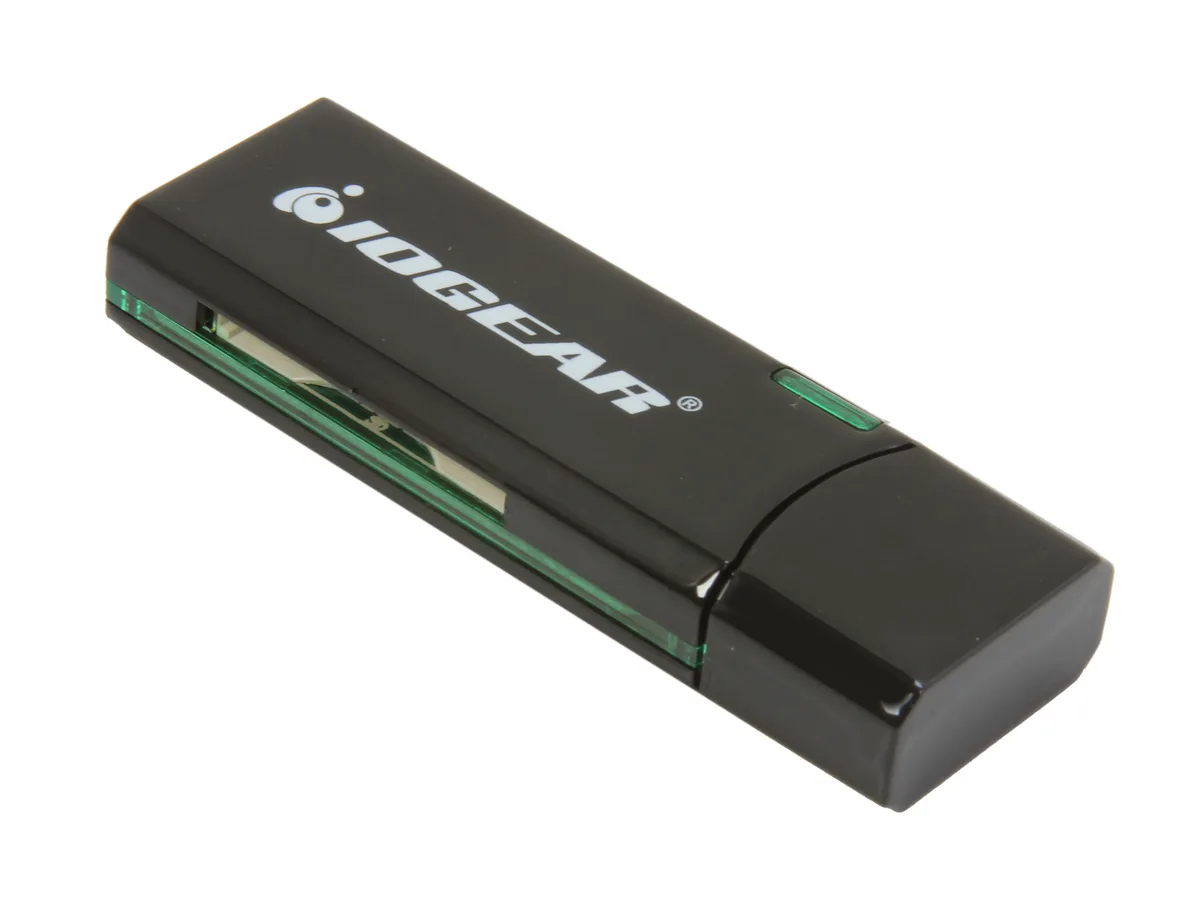
Reads SD, SDXC, MicroSD and MMC cards over USB 3.0 at up to 5 Gbps in a compact, bus-powered design
The IOGEAR GFR304SD is an external USB 3.0 card reader that handles SD, SDHC, SDXC, MicroSD and MMC media. It connects through a standard USB 3.0 port and draws power from the bus, so no separate adapter is needed. Its compact 2.5" x .8" x .4" black housing makes it easy to carry in a laptop bag or pocket.
Swapping an older USB 2.0 reader for this model raises the peak transfer rate to 5 Gbps, which shortens offload times for high-capacity SDXC and MicroSDXC cards. The jump is worth it when you regularly move multi-gigabyte photo or video batches and want the bus speed to keep pace with the card's own rating. It does not support CompactFlash or Memory Stick formats.
Verify that your computer has a free USB Type-A port for the 3.0 connection; the reader will fall back to USB 2.0 speeds on older ports. Confirm your cards are SD, SDHC, SDXC, MicroSD or MMC types, as other formats are not accepted. No driver installation is required on modern Windows or macOS systems.
| Brand | IOGEAR |
|---|---|
| Model | GFR304SD |
| Type | Flash Reader |
| Installation Type | External |
| Color | Black |
| Interface | USB 3.0 |
| Compatibility | Supporting Media List: SD/SDHC: SD, SDHC, SDXC, MicroSDXC, SD-Pro, SD-Pleomax, SD-Pro C, Ultra II SD, Ultra II Plus SD, SD-Extreme III, SD-Ultra X, SD-Turbo, SD-Supper, SD Max, Mini SD, Mini SD-Pro, Mini SD-Pleomax, MMC, MMC-Pleomax, MMC Pro, HS-MMC, MMC Plus, MMC-Plus Turbo, RS MMC, RS MMC-Pleomax, RS MMC-Speed, RS MMC-Max, MMC Mobile, MMC Mobile-ProC, MMC Mobile-Pocketnet, MMC Micro* microSD / microSDHC: microSD / microSDHC, T-Flash * Adapter required. |
| Support - Compact Flash | No |
| Support - Memory Stick | No |
| Support - MMC | Requires Card |
| Support - SD | Yes |
| Dimensions | 2.5" x 0.8" x 0.4" |
| Features | USB 3.0 High Speed data transfer rate up to 5Gbps Supports memory card types including SD / MMC Supports for SDXC cards Compact design for easy mobility Bus powered - NO external AC adapter required Requirements: PC: Windows XP, Windows Vista, and Windows 7 Available USB port (USB 3.0 port for SuperSpeed mode) Mac: Compatible with USB 2.0 and 1.1 |
| Package Contents | 1 x SuperSpeed USB 3.0 SD / MicroSD Card Reader / Writer 1 x Quick Start Guide 1 x Warranty Card |
| Teža pošiljke | 0.04 kg |
| Velikost pošiljke | 164 × 113 × 19 mm |
The reader measures 2.5 inches long, 0.8 inches wide and 0.4 inches thick, so it fits beside a laptop or behind a monitor without crowding other ports.
Users often insert the cable upside down or into a USB 2.0 port; align the blue-tabbed USB 3.0 plug with the matching blue port and push straight in until it clicks.
The SD and microSD slots share the same spring-loaded eject mechanism; if a card sticks, the whole reader is replaced because the mechanism is not user-serviceable.
Tudi v tem oddelku
Ista polica, ista blagajna — osem kriptovalut in 30-minutni zaklep tečaja.
V čem plačujete in v čem berete cene.
Poslano iz Vaše denarnice ob blagajni
Samo za prikaz — katalog je cenovno izražen v dolarjih
Nobena valuta ne ustreza.
Izberite jezik, v katerem Vam govori spletna stran.
Prvič tu?
Že imate račun?
Samodejne ponastavitve ni: ta trgovina ne pošilja e-pošte, zato ni enkratne povezave, ki bi jo lahko zahtevali. Pustite naslov na računu — nekdo ga bo obravnaval ročno.
Zahteva zabeležena
V Vašo elektronsko pošto ne prihaja nič — ta trgovina ne pošilja nobene e-pošte. Zahteve nekdo obravnava ročno.
Ste se spomnili?


