

EN-Labs
EN-Labs U2CR525U3 5.25" Internal Card Reader USB 2.0 USB 3.0
- Internal
- Black
17,99 $US
0.00022342BTC
En stockNous acceptons la cryptomonnaie — les cryptos que vous détenez peuvent ainsi acheter du matériel réel.Payez en crypto, dépensez-la en matériel réel. Livraison assurée offerte partout dans le monde au-delà de 399 $. Cartons neutres, sans marque, expédiés depuis l’Allemagne.Livraison assurée offerte au-delà de 399 $. Votre taux est bloqué pendant 30 minutes dès l’ouverture de la caisse.Taux bloqué 30 minutes. Chaque article est scellé, son numéro de série est vérifié, et il est couvert par une garantie de 24 mois.Scellé, garanti 24 mois.
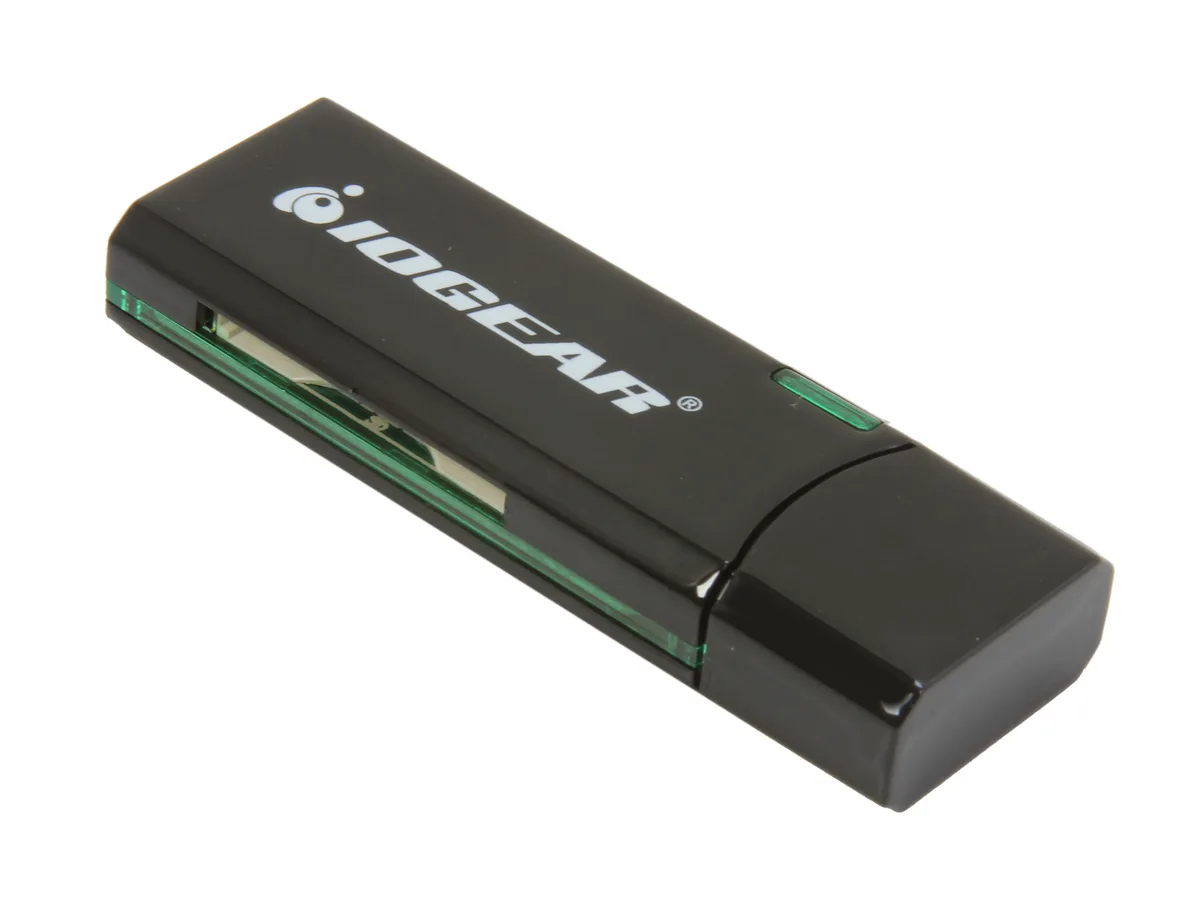


IOGEAR
Reads SD, SDXC, MicroSD and MMC cards over USB 3.0 at up to 5 Gbps in a compact, bus-powered design
The IOGEAR GFR304SD is an external USB 3.0 card reader that handles SD, SDHC, SDXC, MicroSD and MMC media. It connects through a standard USB 3.0 port and draws power from the bus, so no separate adapter is needed. Its compact 2.5" x .8" x .4" black housing makes it easy to carry in a laptop bag or pocket.
Swapping an older USB 2.0 reader for this model raises the peak transfer rate to 5 Gbps, which shortens offload times for high-capacity SDXC and MicroSDXC cards. The jump is worth it when you regularly move multi-gigabyte photo or video batches and want the bus speed to keep pace with the card's own rating. It does not support CompactFlash or Memory Stick formats.
Verify that your computer has a free USB Type-A port for the 3.0 connection; the reader will fall back to USB 2.0 speeds on older ports. Confirm your cards are SD, SDHC, SDXC, MicroSD or MMC types, as other formats are not accepted. No driver installation is required on modern Windows or macOS systems.
| Brand | IOGEAR |
|---|---|
| Model | GFR304SD |
| Type | Flash Reader |
| Installation Type | External |
| Color | Black |
| Interface | USB 3.0 |
| Compatibility | Supporting Media List: SD/SDHC: SD, SDHC, SDXC, MicroSDXC, SD-Pro, SD-Pleomax, SD-Pro C, Ultra II SD, Ultra II Plus SD, SD-Extreme III, SD-Ultra X, SD-Turbo, SD-Supper, SD Max, Mini SD, Mini SD-Pro, Mini SD-Pleomax, MMC, MMC-Pleomax, MMC Pro, HS-MMC, MMC Plus, MMC-Plus Turbo, RS MMC, RS MMC-Pleomax, RS MMC-Speed, RS MMC-Max, MMC Mobile, MMC Mobile-ProC, MMC Mobile-Pocketnet, MMC Micro* microSD / microSDHC: microSD / microSDHC, T-Flash * Adapter required. |
| Support - Compact Flash | No |
| Support - Memory Stick | No |
| Support - MMC | Requires Card |
| Support - SD | Yes |
| Dimensions | 2.5" x 0.8" x 0.4" |
| Features | USB 3.0 High Speed data transfer rate up to 5Gbps Supports memory card types including SD / MMC Supports for SDXC cards Compact design for easy mobility Bus powered - NO external AC adapter required Requirements: PC: Windows XP, Windows Vista, and Windows 7 Available USB port (USB 3.0 port for SuperSpeed mode) Mac: Compatible with USB 2.0 and 1.1 |
| Package Contents | 1 x SuperSpeed USB 3.0 SD / MicroSD Card Reader / Writer 1 x Quick Start Guide 1 x Warranty Card |
| Poids d’expédition | 0.04 kg |
| Dimensions du colis | 164 × 113 × 19 mm |
The reader measures 2.5 inches long, 0.8 inches wide and 0.4 inches thick, so it fits beside a laptop or behind a monitor without crowding other ports.
Users often insert the cable upside down or into a USB 2.0 port; align the blue-tabbed USB 3.0 plug with the matching blue port and push straight in until it clicks.
The SD and microSD slots share the same spring-loaded eject mechanism; if a card sticks, the whole reader is replaced because the mechanism is not user-serviceable.
Également dans ce rayon
Même rayon, même caisse — huit monnaies et un taux bloqué 30 minutes.
Ce que vous envoyez, et ce dans quoi vous lisez les prix.
Envoyé depuis votre portefeuille à la caisse
Affichage seul — le catalogue est libellé en dollars
Aucune monnaie ne correspond.
Choisissez la langue dans laquelle le site vous parle.
Première visite ?
Vous avez déjà un compte ?
Il n’y a pas de réinitialisation automatique : cette boutique n’envoie aucun e-mail, il n’existe donc aucun lien à usage unique à demander. Laissez l’adresse sur le compte, elle sera traitée à la main.
Demande enregistrée
Rien n’arrivera dans votre boîte de réception — cette boutique n’envoie aucun e-mail. Quelqu’un s’en occupe à la main.
Vous l’avez retrouvé ?


