

EN-Labs
EN-Labs U2CR525U3 5.25" Internal Card Reader USB 2.0 USB 3.0
- Internal
- Black
17,99 $
0.00022497BTC
Auf LagerWir akzeptieren Kryptowährungen — so können die Coins, die Sie besitzen, echte Hardware kaufen.Zahlen Sie mit Krypto, geben Sie sie für echte Hardware aus. Weltweit kostenloser versicherter Versand ab 399 $. Neutrale Kartons ohne Markenaufdruck, versendet aus Deutschland.Kostenloser versicherter Versand ab 399 $. Ihr Kurs wird 30 Minuten lang gesperrt, sobald die Kasse geöffnet wird.Kurs 30 Minuten gesperrt. Jeder Artikel ist versiegelt, die Seriennummer wird geprüft, und es gilt eine Garantie von 24 Monaten.Versiegelt, 24 Monate Garantie.
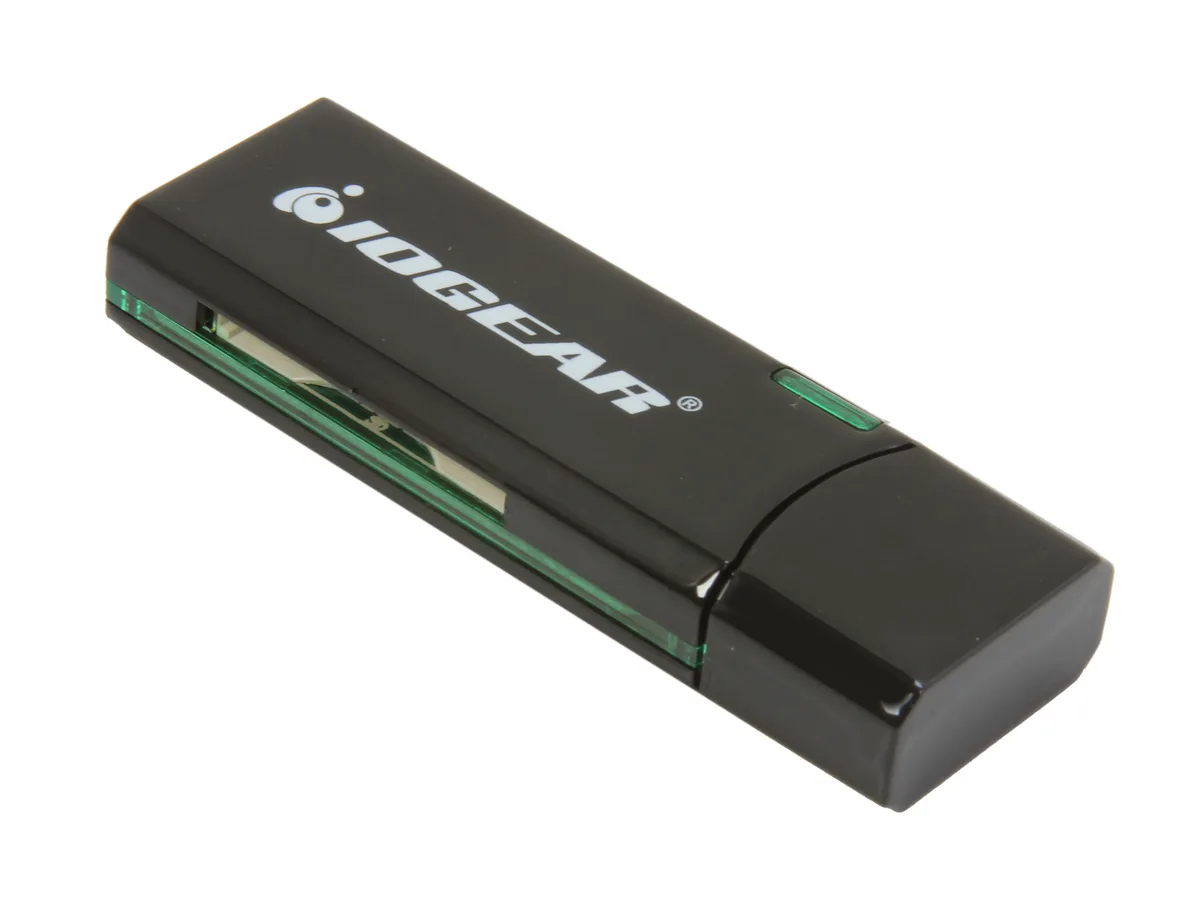


IOGEAR
Reads SD, SDXC, MicroSD and MMC cards over USB 3.0 at up to 5 Gbps in a compact, bus-powered design
The IOGEAR GFR304SD is an external USB 3.0 card reader that handles SD, SDHC, SDXC, MicroSD and MMC media. It connects through a standard USB 3.0 port and draws power from the bus, so no separate adapter is needed. Its compact 2.5" x .8" x .4" black housing makes it easy to carry in a laptop bag or pocket.
Swapping an older USB 2.0 reader for this model raises the peak transfer rate to 5 Gbps, which shortens offload times for high-capacity SDXC and MicroSDXC cards. The jump is worth it when you regularly move multi-gigabyte photo or video batches and want the bus speed to keep pace with the card's own rating. It does not support CompactFlash or Memory Stick formats.
Verify that your computer has a free USB Type-A port for the 3.0 connection; the reader will fall back to USB 2.0 speeds on older ports. Confirm your cards are SD, SDHC, SDXC, MicroSD or MMC types, as other formats are not accepted. No driver installation is required on modern Windows or macOS systems.
| Brand | IOGEAR |
|---|---|
| Model | GFR304SD |
| Type | Flash Reader |
| Installation Type | External |
| Color | Black |
| Interface | USB 3.0 |
| Compatibility | Supporting Media List: SD/SDHC: SD, SDHC, SDXC, MicroSDXC, SD-Pro, SD-Pleomax, SD-Pro C, Ultra II SD, Ultra II Plus SD, SD-Extreme III, SD-Ultra X, SD-Turbo, SD-Supper, SD Max, Mini SD, Mini SD-Pro, Mini SD-Pleomax, MMC, MMC-Pleomax, MMC Pro, HS-MMC, MMC Plus, MMC-Plus Turbo, RS MMC, RS MMC-Pleomax, RS MMC-Speed, RS MMC-Max, MMC Mobile, MMC Mobile-ProC, MMC Mobile-Pocketnet, MMC Micro* microSD / microSDHC: microSD / microSDHC, T-Flash * Adapter required. |
| Support - Compact Flash | No |
| Support - Memory Stick | No |
| Support - MMC | Requires Card |
| Support - SD | Yes |
| Dimensions | 2.5" x 0.8" x 0.4" |
| Features | USB 3.0 High Speed data transfer rate up to 5Gbps Supports memory card types including SD / MMC Supports for SDXC cards Compact design for easy mobility Bus powered - NO external AC adapter required Requirements: PC: Windows XP, Windows Vista, and Windows 7 Available USB port (USB 3.0 port for SuperSpeed mode) Mac: Compatible with USB 2.0 and 1.1 |
| Package Contents | 1 x SuperSpeed USB 3.0 SD / MicroSD Card Reader / Writer 1 x Quick Start Guide 1 x Warranty Card |
| Versandgewicht | 0.04 kg |
| Paketgröße | 164 × 113 × 19 mm |
The reader measures 2.5 inches long, 0.8 inches wide and 0.4 inches thick, so it fits beside a laptop or behind a monitor without crowding other ports.
Users often insert the cable upside down or into a USB 2.0 port; align the blue-tabbed USB 3.0 plug with the matching blue port and push straight in until it clicks.
The SD and microSD slots share the same spring-loaded eject mechanism; if a card sticks, the whole reader is replaced because the mechanism is not user-serviceable.
Ebenfalls in dieser Kategorie
Gleiche Abteilung, gleiche Kasse — acht Kryptowährungen und ein für 30 Minuten fixierter Kurs.
Womit Sie bezahlen und in welcher Währung Sie die Preise sehen.
Wird von Ihrem Wallet an der Kasse gesendet
Nur zur Anzeige — der Katalog ist in US-Dollar ausgezeichnet
Keine passende Währung gefunden.
Wählen Sie die Sprache, in der die Seite mit Ihnen spricht.
Neu hier?
Haben Sie bereits eins?
Es gibt keine automatische Zurücksetzung: Dieser Shop versendet keine E-Mails, daher gibt es auch keinen Einmal-Link, den Sie anfordern könnten. Lassen Sie die im Konto hinterlegte Adresse stehen, sie wird von Hand bearbeitet.
Anfrage vermerkt
Es ist nichts auf dem Weg in Ihr Postfach — dieser Shop versendet grundsätzlich keine E-Mails. Jemand bearbeitet diese Anfragen von Hand.
Wieder eingefallen?


