

EN-Labs
EN-Labs U2CR525U3 5.25" Internal Card Reader USB 2.0 USB 3.0
- Internal
- Black
17,99 USD
0.0002241BTC
DisponibileAccettiamo criptovalute — così le crypto che Lei possiede possono comprare hardware reale.Paghi in crypto, la spenda in hardware reale. Spedizione assicurata gratuita in tutto il mondo oltre i 399 $. Cartoni neutri, senza marchio, spediti dalla Germania.Spedizione assicurata gratuita oltre i 399 $. Il Suo tasso resta bloccato per 30 minuti dall’apertura del checkout.Tasso bloccato 30 minuti. Ogni articolo è sigillato, il numero di serie è verificato, ed è coperto da una garanzia di 24 mesi.Sigillato, garantito 24 mesi.
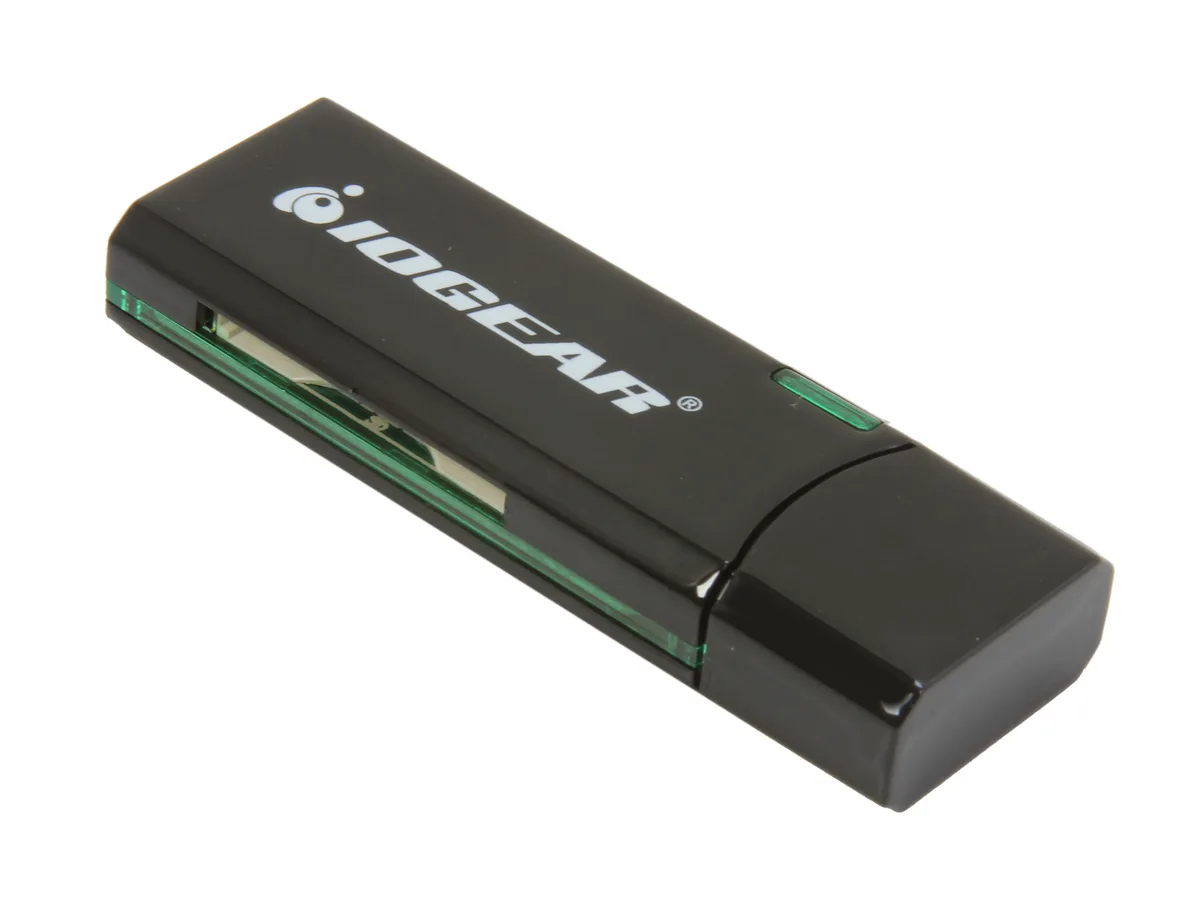


IOGEAR
Reads SD, SDXC, MicroSD and MMC cards over USB 3.0 at up to 5 Gbps in a compact, bus-powered design
The IOGEAR GFR304SD is an external USB 3.0 card reader that handles SD, SDHC, SDXC, MicroSD and MMC media. It connects through a standard USB 3.0 port and draws power from the bus, so no separate adapter is needed. Its compact 2.5" x .8" x .4" black housing makes it easy to carry in a laptop bag or pocket.
Swapping an older USB 2.0 reader for this model raises the peak transfer rate to 5 Gbps, which shortens offload times for high-capacity SDXC and MicroSDXC cards. The jump is worth it when you regularly move multi-gigabyte photo or video batches and want the bus speed to keep pace with the card's own rating. It does not support CompactFlash or Memory Stick formats.
Verify that your computer has a free USB Type-A port for the 3.0 connection; the reader will fall back to USB 2.0 speeds on older ports. Confirm your cards are SD, SDHC, SDXC, MicroSD or MMC types, as other formats are not accepted. No driver installation is required on modern Windows or macOS systems.
| Brand | IOGEAR |
|---|---|
| Model | GFR304SD |
| Type | Flash Reader |
| Installation Type | External |
| Color | Black |
| Interface | USB 3.0 |
| Compatibility | Supporting Media List: SD/SDHC: SD, SDHC, SDXC, MicroSDXC, SD-Pro, SD-Pleomax, SD-Pro C, Ultra II SD, Ultra II Plus SD, SD-Extreme III, SD-Ultra X, SD-Turbo, SD-Supper, SD Max, Mini SD, Mini SD-Pro, Mini SD-Pleomax, MMC, MMC-Pleomax, MMC Pro, HS-MMC, MMC Plus, MMC-Plus Turbo, RS MMC, RS MMC-Pleomax, RS MMC-Speed, RS MMC-Max, MMC Mobile, MMC Mobile-ProC, MMC Mobile-Pocketnet, MMC Micro* microSD / microSDHC: microSD / microSDHC, T-Flash * Adapter required. |
| Support - Compact Flash | No |
| Support - Memory Stick | No |
| Support - MMC | Requires Card |
| Support - SD | Yes |
| Dimensions | 2.5" x 0.8" x 0.4" |
| Features | USB 3.0 High Speed data transfer rate up to 5Gbps Supports memory card types including SD / MMC Supports for SDXC cards Compact design for easy mobility Bus powered - NO external AC adapter required Requirements: PC: Windows XP, Windows Vista, and Windows 7 Available USB port (USB 3.0 port for SuperSpeed mode) Mac: Compatible with USB 2.0 and 1.1 |
| Package Contents | 1 x SuperSpeed USB 3.0 SD / MicroSD Card Reader / Writer 1 x Quick Start Guide 1 x Warranty Card |
| Peso di spedizione | 0.04 kg |
| Dimensioni del pacco | 164 × 113 × 19 mm |
The reader measures 2.5 inches long, 0.8 inches wide and 0.4 inches thick, so it fits beside a laptop or behind a monitor without crowding other ports.
Users often insert the cable upside down or into a USB 2.0 port; align the blue-tabbed USB 3.0 plug with the matching blue port and push straight in until it clicks.
The SD and microSD slots share the same spring-loaded eject mechanism; if a card sticks, the whole reader is replaced because the mechanism is not user-serviceable.
Anche in questo reparto
Stesso reparto, stessa cassa — otto monete e un cambio bloccato per 30 minuti.
Cosa invia per pagare, e in quale valuta legge i prezzi.
Inviato dal Suo portafoglio alla cassa
Solo a titolo indicativo — il catalogo è espresso in dollari
Nessuna valuta corrisponde.
Scelga la lingua in cui il sito Le parla.
Prima visita?
Ne ha già uno?
Non esiste un ripristino automatico: questo negozio non invia e-mail, quindi non esiste alcun link monouso da richiedere. Lasci l’indirizzo sull’account: verrà gestito manualmente.
Richiesta registrata
Non arriverà nulla nella Sua casella di posta — questo negozio non invia e-mail. Qualcuno se ne occupa manualmente.
L’ha ritrovata?


