

SanDisk
SanDisk Cruzer Blade 8 GB USB 2.0 USB flash drive Black SDCZ50-008G-B35
US$391.99
0.00495895BTC
มีสินค้าเรารับชำระด้วยคริปโต — เหรียญที่คุณถืออยู่จึงนำมาซื้อฮาร์ดแวร์ของจริงได้จ่ายด้วยคริปโต แล้วนำไปซื้อฮาร์ดแวร์ของจริง จัดส่งฟรีพร้อมประกันภัยทั่วโลก เมื่อสั่งซื้อเกิน US$399 กล่องพัสดุเรียบไม่มีตราสินค้า จัดส่งจากประเทศเยอรมนีจัดส่งฟรีพร้อมประกันภัย เมื่อสั่งซื้อเกิน US$399 อัตราแลกเปลี่ยนของคุณจะถูกล็อกไว้ 30 นาที ทันทีที่เปิดหน้าชำระเงินล็อกอัตราแลกเปลี่ยน 30 นาที สินค้าทุกชิ้นปิดผนึกจากโรงงาน ตรวจสอบหมายเลขซีเรียล และรับประกัน 24 เดือนปิดผนึกจากโรงงาน รับประกัน 24 เดือน
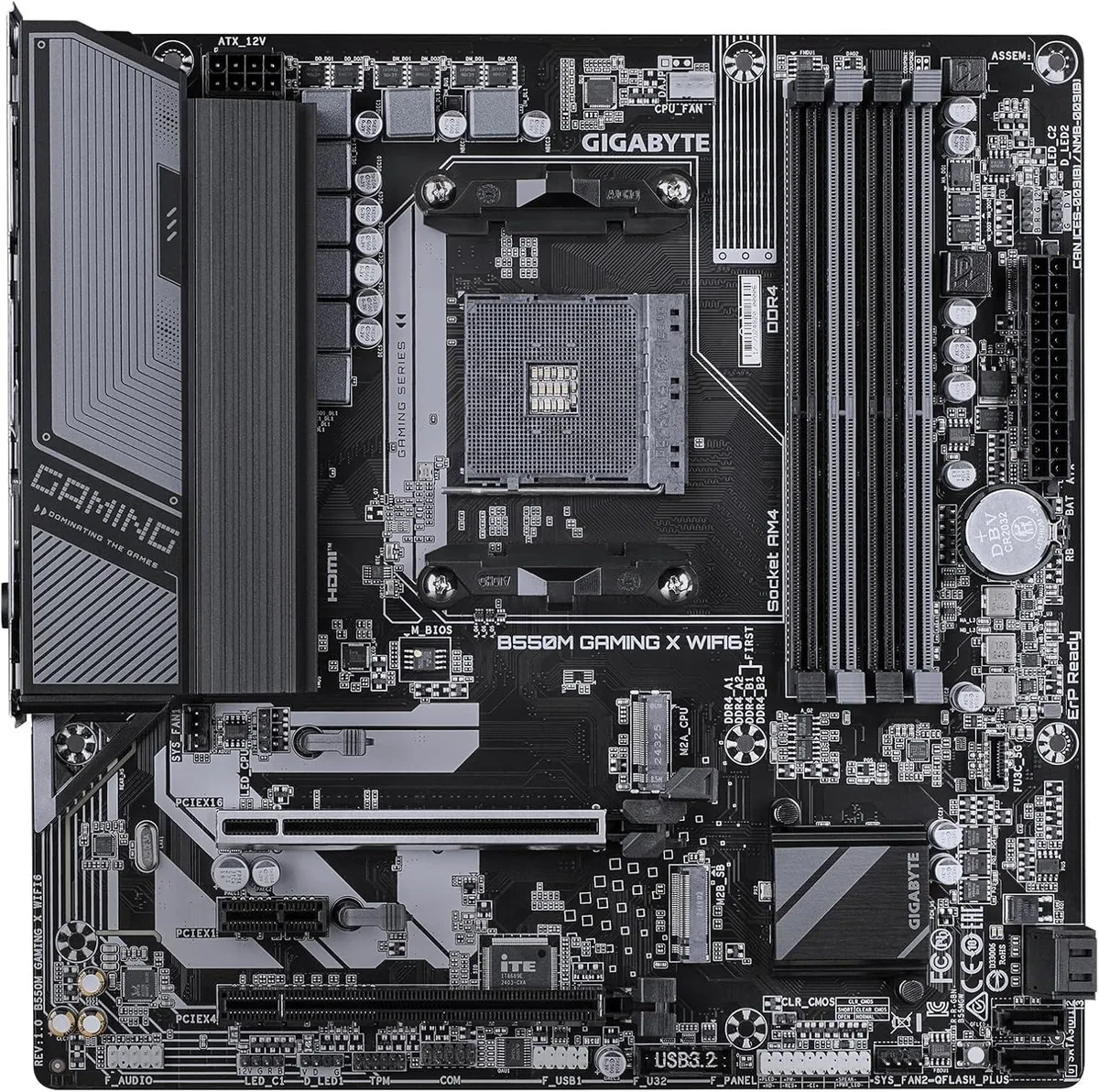


GIGABYTE
Micro-ATX AM4 board with B550 chipset, PCIe 4.0 x16, four DDR4 slots and Wi-Fi 6 for Ryzen gaming builds
The Gigabyte B550M GAMING X WIFI6 is a new microATX motherboard built around the AMD B550 chipset and AM4 socket. It supports Ryzen series processors and four DDR4 memory slots, with a PCI Express 4.0 x16 slot for modern graphics cards. Integrated WIFI6 and an RJ45 port handle networking out of the box.
This board fits builders who want a compact foundation for serious gaming on the AM4 platform. It is not for buyers who need full-size ATX expansion or more than four memory slots. It also does not suit systems that require a different CPU socket or a chipset outside the B550 family.
The single PCIe 4.0 x16 slot is the specification that decides compatibility with current high-bandwidth GPUs. If the build demands multiple x16 lanes or a different slot generation, this motherboard will not meet that requirement.
| Brand | GIGABYTE |
|---|---|
| Model | B550M GAMING X WIFI6 |
| CPU Socket Type | AM4 |
| CPU Type | Ryzen Series |
| Form Factor | microATX |
The primary x16 slot runs at PCI Express 4.0, so a compatible Ryzen CPU and graphics card will negotiate up to 4.0 speeds for that slot.
The box contains the motherboard, I/O shield, two SATA cables, M.2 mounting screws with a standoff, and Wi-Fi antennas for the WIFI6 module.
Install the I/O shield first, mount the board on microATX standoffs, plug the 24-pin and 8-pin CPU power, then attach the supplied Wi-Fi antennas before closing the case.
อื่น ๆ ในหมวดนี้
หมวดเดียวกัน การชำระเงินแบบเดียวกัน — แปดสกุลเงินคริปโตและอัตราแลกเปลี่ยนที่ล็อกไว้ 30 นาที
สิ่งที่คุณใช้ชำระ และสิ่งที่คุณใช้อ่านราคา
ส่งจากกระเป๋าเงินของคุณเมื่อชำระเงิน
แสดงผลเท่านั้น — แคตตาล็อกสินค้าตั้งราคาเป็นดอลลาร์สหรัฐ
ไม่พบสกุลเงินที่ตรงกัน
เลือกภาษาที่ต้องการให้เว็บไซต์แสดงผล
ไม่พบภาษาที่ตรงกัน
ยังไม่เคยใช้งานใช่ไหม
มีบัญชีอยู่แล้วใช่ไหม
ไม่มีการรีเซ็ตแบบอัตโนมัติ ร้านนี้ไม่ส่งอีเมลใด ๆ จึงไม่มีลิงก์ใช้ครั้งเดียวให้ขอ ปล่อยที่อยู่อีเมลนี้ไว้ในบัญชี แล้วเจ้าหน้าที่จะดำเนินการให้ด้วยตนเอง
รับคำขอแล้ว
ไม่มีอะไรถูกส่งไปยังกล่องจดหมายของคุณ — ร้านนี้ไม่ส่งอีเมลใด ๆ เลย มีคนดำเนินการเรื่องนี้ให้ด้วยมือ
นึกออกแล้วใช่ไหม



