


GIGABYTE
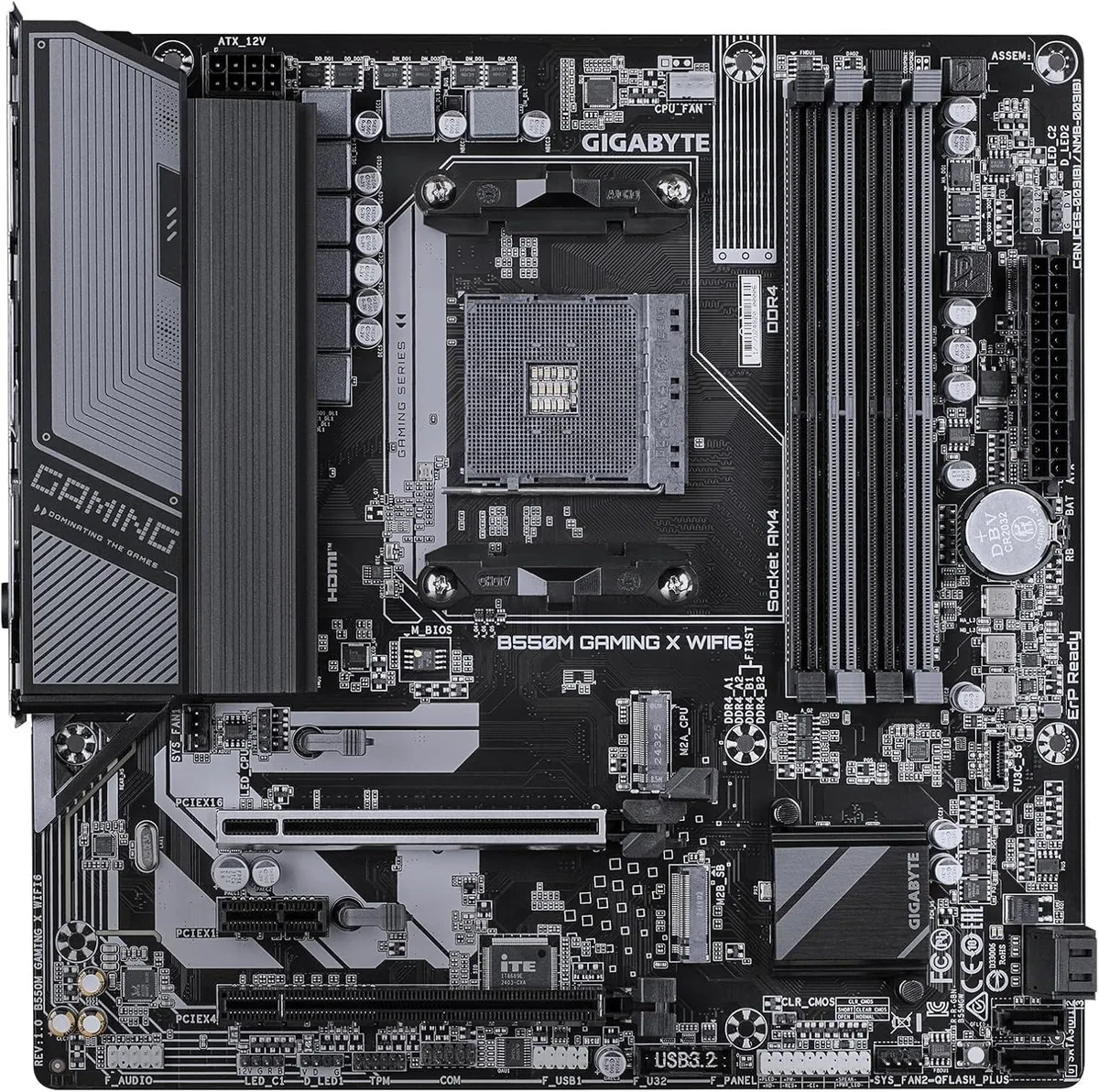
GIGABYTE B550M GAMING X WIFI6 AMD AM4 DDR4 mATX motherboard
Micro-ATX AM4 board with B550 chipset, PCIe 4.0 x16, four DDR4 slots and Wi-Fi 6 for Ryzen gaming builds
- CPU Socket TypeAM4
- CPU TypeRyzen Series
- Form FactormicroATX
- PCIe 4.0 x16 slot supports latest graphics cards
- Four DDR4 memory slots for flexible upgrades
- Integrated WIFI6 provides high-speed wireless connectivity
- Micro-ATX form factor fits compact gaming builds
- AM4 socket compatible with Ryzen series processors
Compact AM4 gaming board
The Gigabyte B550M GAMING X WIFI6 is a new microATX motherboard built around the AMD B550 chipset and AM4 socket. It supports Ryzen series processors and four DDR4 memory slots, with a PCI Express 4.0 x16 slot for modern graphics cards. Integrated WIFI6 and an RJ45 port handle networking out of the box.
Suited for small-form-factor gaming builds
This board fits builders who want a compact foundation for serious gaming on the AM4 platform. It is not for buyers who need full-size ATX expansion or more than four memory slots. It also does not suit systems that require a different CPU socket or a chipset outside the B550 family.
PCI Express 4.0 x16 graphics slot
The single PCIe 4.0 x16 slot is the specification that decides compatibility with current high-bandwidth GPUs. If the build demands multiple x16 lanes or a different slot generation, this motherboard will not meet that requirement.
Highlights
- PCIe 4.0 x16 slot supports latest graphics cards
- Four DDR4 memory slots for flexible upgrades
- Integrated WIFI6 provides high-speed wireless connectivity
- Micro-ATX form factor fits compact gaming builds
- AM4 socket compatible with Ryzen series processors
Specifications
| Brand | GIGABYTE |
|---|---|
| Model | B550M GAMING X WIFI6 |
| CPU Socket Type | AM4 |
| CPU Type | Ryzen Series |
| Form Factor | microATX |
Questions about this item
What PCIe standard does the PCI Express 4.0 x16 slot on this B550M board cap at in practice?
The primary x16 slot runs at PCI Express 4.0, so a compatible Ryzen CPU and graphics card will negotiate up to 4.0 speeds for that slot.
What physical items are included so the board can be mounted and storage connected in a microATX case?
The box contains the motherboard, I/O shield, two SATA cables, M.2 mounting screws with a standoff, and Wi-Fi antennas for the WIFI6 module.
How is the board installed and which step do builders often miss?
Install the I/O shield first, mount the board on microATX standoffs, plug the 24-pin and 8-pin CPU power, then attach the supplied Wi-Fi antennas before closing the case.
Also in this aisle
People compared these
Same shelf, same checkout — eight coins and a 30-minute rate lock.


PrimoChill
PrimoChill Praxis Wetbench Open-Air Test Bench 461.8mm
- Open-Air
$274.89
0.00355238BTC
In stock
Silverstone Technology
SilverStone Technology Strider 1200W 80 Plus Platinum Modular Power Supply
- ATX Mid Tower
- 1200W
$324.03
0.00418741BTC
In stock