

SanDisk
SanDisk Cruzer Blade 8 GB USB 2.0 USB flash drive Black SDCZ50-008G-B35
US$391.99
0.00501272BTC
มีสินค้าเรารับชำระด้วยคริปโต — เหรียญที่คุณถืออยู่จึงนำมาซื้อฮาร์ดแวร์ของจริงได้จ่ายด้วยคริปโต แล้วนำไปซื้อฮาร์ดแวร์ของจริง จัดส่งฟรีพร้อมประกันภัยทั่วโลก เมื่อสั่งซื้อเกิน US$399 กล่องพัสดุเรียบไม่มีตราสินค้า จัดส่งจากประเทศเยอรมนีจัดส่งฟรีพร้อมประกันภัย เมื่อสั่งซื้อเกิน US$399 อัตราแลกเปลี่ยนของคุณจะถูกล็อกไว้ 30 นาที ทันทีที่เปิดหน้าชำระเงินล็อกอัตราแลกเปลี่ยน 30 นาที สินค้าทุกชิ้นปิดผนึกจากโรงงาน ตรวจสอบหมายเลขซีเรียล และรับประกัน 24 เดือนปิดผนึกจากโรงงาน รับประกัน 24 เดือน
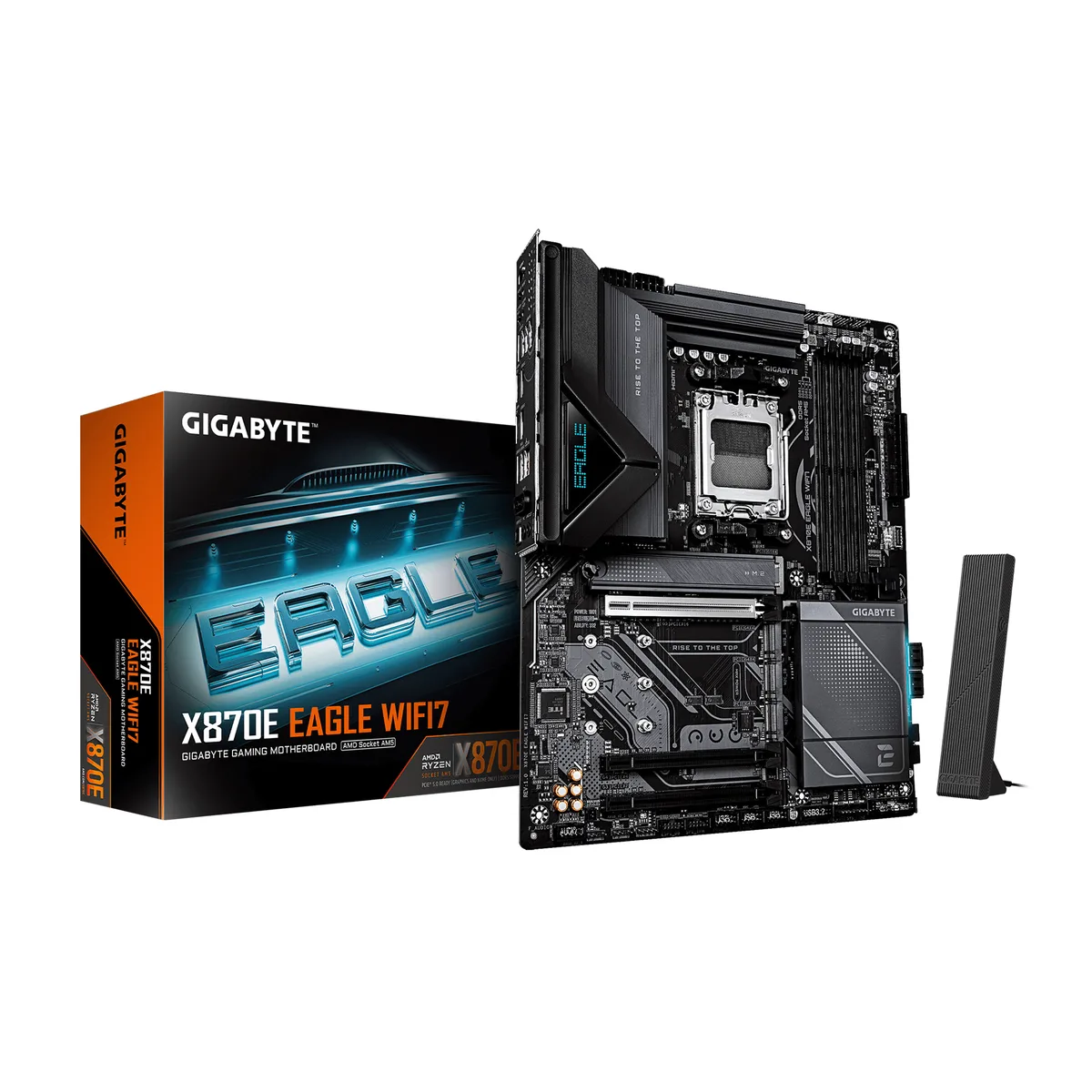


GIGABYTE
Socket AM5 ATX board for Ryzen 9000/8000/7000 CPUs with DDR5 4400 support to 256 GB, four M.2 slots, PCIe 5.0 x16, USB4, WIFI7, 5GbE LAN and EZ-Latch DIY features
This ATX motherboard uses the AMD X870E chipset and AM5 socket to support Ryzen 9000, 8000 and 7000 series processors. Four DDR5 slots accept up to 256 GB of dual-channel memory at 4400 with AMD EXPO profiles. Three PCIe x16 slots include one PCIe 5.0, one PCIe 4.0 and one PCIe 3.0 lane configuration.
Four M.2 sockets handle PCIe 5.0 x4 and PCIe 4.0 x4 drives alongside four SATA 6Gb/s ports. A rear USB4 port adds high-speed peripheral bandwidth. Networking combines a Realtek 5GbE LAN controller, WIFI7 with a directional ultra-high gain antenna and Bluetooth 5.4. Onboard audio uses the Realtek ALC1220 codec for 7.1-channel output.
PCIe EZ-Latch Plus releases the graphics card with a single click. M.2 EZ-Latch Click and Plus secure heatsinks and SSDs without screws. WIFI EZ-Plug attaches the antenna quickly. The integrated I/O shield removes a separate installation step. BIOS includes multi-theme options, AIO fan control and Q-Flash Auto Scan for firmware updates.
| Brand | GIGABYTE |
|---|---|
| CPU Socket Type | AM5 |
| CPU Type | Ryzen 9000 Series, Ryzen 8000 Series, Ryzen 7000 Series |
| Chipset | AMD X870E |
| South Bridge | AMD X870E |
| Number of Memory Slots | 4x288pin (DDR5) |
| Memory Standard | DDR5 4400 |
| Maximum Memory Supported | 256GB |
| Channel Supported | Dual Channel |
| Memory Performance Profile | AMD EXPO / Intel XMP |
| ECC Supported | Non-ECC |
| Buffer Supported | Un-buffered |
| PCI Express 5.0 x16 | 1 x PCI Express 5.0 x16 |
| PCI Express 4.0 x16 | 1 x PCI Express 4.0 x16 |
| PCI Express 3.0 x16 | 1 x PCI Express 3.0 x16 |
| PCI Express 2.0 x16 | 0 x PCI Express 2.0 x16 |
| PCI Express x16 | 3 x PCI Express x16 |
| PCI Express x4 | 1 x PCI Express x4 |
| Serial ATA (SATA) | 4 x SATA 6Gb/s |
| M.2 | 4 x M.2 (Support PCIe 5.0 x4 & PCIe 4.0 x4) |
| SATA RAID | 0/1/10 |
| Onboard Video Chipset | AMD Radeon Graphics |
| Audio Chipset | Realtek ALC1220 |
| Audio Channels | 7.1 Channels |
| LAN Chipset | Realtek 5GbE |
| Max LAN Speed | 5Gbps |
| Wireless LAN | WiFi IEEE 802.11 a / b / g / n / ac / ax / be |
| Bluetooth | Yes |
| Video Ports | HDMI + 2 x USB Type-C |
| S-Video | No |
| HDMI | 1 x HDMI port |
| RJ45 | 1 x RJ45 |
| DisplayPort | 2 x DisplayPort |
| USB 3.1 | 10 x USB 3.1 |
| USB 3.0 | 8 x USB 3.0 |
| USB 1.1/2.0 | 8 x USB 2.0/1.1 ports |
| USB Type-C | 2 x USB4 USB Type-C® ports, 1 x USB Type-C® port, with USB 3.2 Gen 2x2 support |
| S/PDIF Out | 1 x Optical |
| Game/MIDI Ports | 0 |
| Audio Ports | 3 Ports |
| Onboard USB | 1 x USB Type-C® header, with USB 3.2 Gen 2x2 + 2 x USB 3.2 + 3 x USB 2.0 |
| Form Factor | ATX |
| LED Lighting | RGB |
| Dimensions (W x L) | 30.5cm x 24.4cm |
| Power Pin | 24 Pin |
| Windows 11 | Supported |
| น้ำหนักในการจัดส่ง | 1.91 kg |
| ขนาดบรรจุภัณฑ์ | 335 × 267 × 81 mm |
Dust the VRM heatsinks and chipset armour with compressed air every six to twelve months; the board has no user-replaceable cooling parts, so regular cleaning is the only maintenance the power delivery needs.
The M.2 heatsinks share the VRM thermal armour, so the SSD controllers typically throttle before the VRM phases do; adding case airflow over the board edge delays that limit.
Both controllers are passively cooled and draw only a few watts, so they add no audible noise and barely raise board temperature; the loudest part under load will be the CPU cooler, not the networking hardware.
อื่น ๆ ในหมวดนี้
หมวดเดียวกัน การชำระเงินแบบเดียวกัน — แปดสกุลเงินคริปโตและอัตราแลกเปลี่ยนที่ล็อกไว้ 30 นาที
สิ่งที่คุณใช้ชำระ และสิ่งที่คุณใช้อ่านราคา
ส่งจากกระเป๋าเงินของคุณเมื่อชำระเงิน
แสดงผลเท่านั้น — แคตตาล็อกสินค้าตั้งราคาเป็นดอลลาร์สหรัฐ
ไม่พบสกุลเงินที่ตรงกัน
เลือกภาษาที่ต้องการให้เว็บไซต์แสดงผล
ไม่พบภาษาที่ตรงกัน
ยังไม่เคยใช้งานใช่ไหม
มีบัญชีอยู่แล้วใช่ไหม
ไม่มีการรีเซ็ตแบบอัตโนมัติ ร้านนี้ไม่ส่งอีเมลใด ๆ จึงไม่มีลิงก์ใช้ครั้งเดียวให้ขอ ปล่อยที่อยู่อีเมลนี้ไว้ในบัญชี แล้วเจ้าหน้าที่จะดำเนินการให้ด้วยตนเอง
รับคำขอแล้ว
ไม่มีอะไรถูกส่งไปยังกล่องจดหมายของคุณ — ร้านนี้ไม่ส่งอีเมลใด ๆ เลย มีคนดำเนินการเรื่องนี้ให้ด้วยมือ
นึกออกแล้วใช่ไหม



