


HP
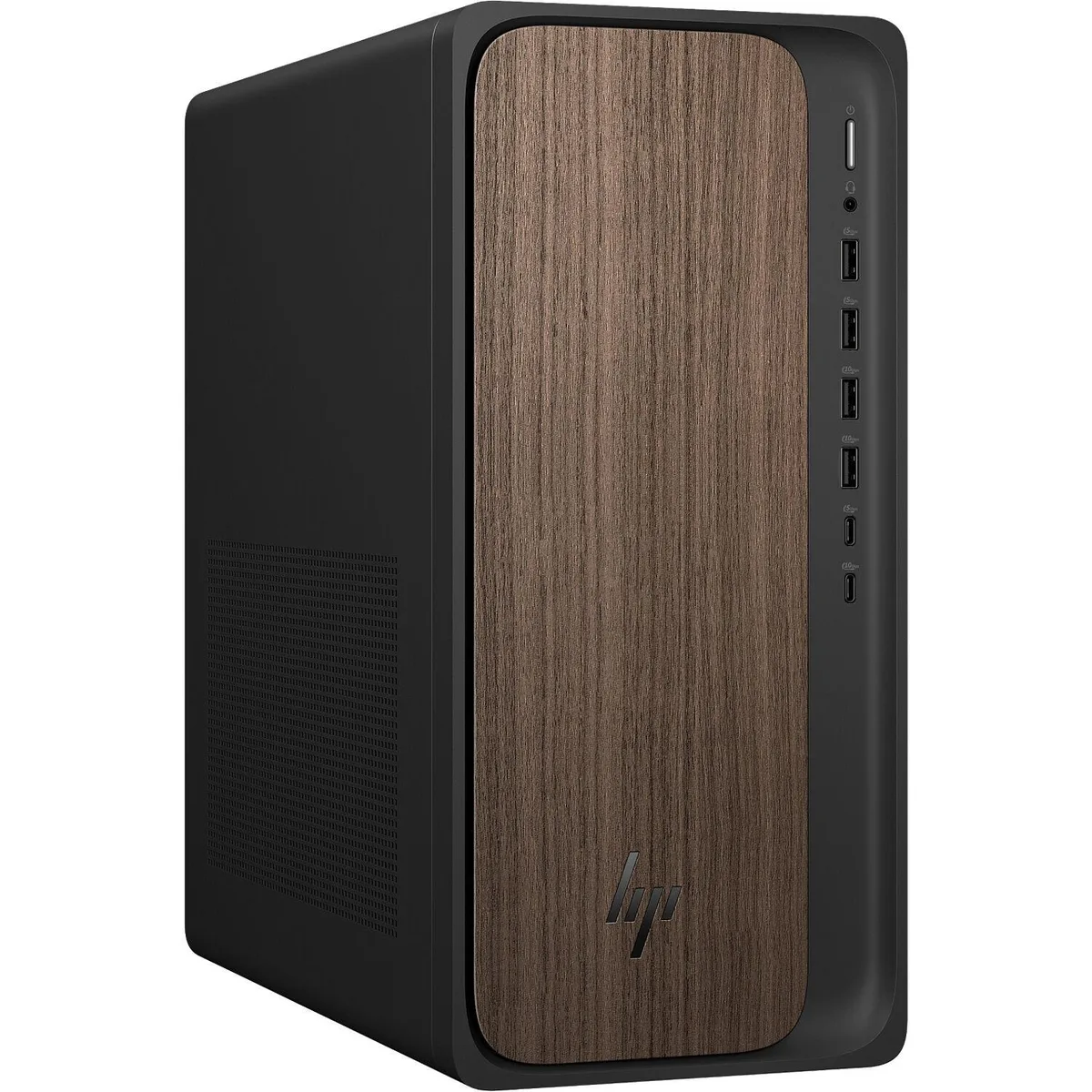
HP OmniDesk M03 gaming PC Intel Core Ultra 9 285 32GB 2TB RTX 5070 12GB Windows 11 Pro Dark Wood
Gaming tower with Intel Core Ultra 9 285 24-core processor, 32GB DDR5, 2TB NVMe storage and NVIDIA GeForce RTX 5070 12GB GDDR7 graphics
- Release Year2025
- TypeEveryday Use, Education, Business
- Form FactorTower
- ColorDark Wood
- ProcessorIntel Core Ultra 9 285
- Processor Main Features64 bit 24-Core Processor
- 24-core Intel Core Ultra 9 285 reaches 5.60 GHz for responsive AI workloads
- 32 GB DDR5 5600 MHz memory keeps multitasking smooth and fast
- 2 TB NVMe SSD provides ample space for games and projects
- NVIDIA GeForce RTX 5070 12 GB GDDR7 drives high-fidelity graphics
- Wi-Fi 6 and Bluetooth 5.4 plus Gigabit Ethernet ensure reliable connectivity
HP OmniDesk M03 Gaming Desktop
The HP OmniDesk M03 is a tower gaming desktop built around an Intel Core Ultra 9 285 processor with 24 cores and a 5.6 GHz turbo frequency. It pairs that CPU with 32GB of DDR5 5600 MHz memory and a 2TB PCIe NVMe M.2 solid state drive. An NVIDIA GeForce RTX 5070 graphics card with 12GB GDDR7 memory handles visual workloads. The system ships with Windows 11 Pro 64-bit and includes a wireless keyboard and mouse.
Dark Wood Tower Connectivity
The Dark Wood chassis measures 13.3 by 12.4 by 6.1 inches and weighs 11.77 pounds. Front and rear I/O provide one USB-C 10Gbps port, one USB-C 5Gbps port, two USB-A 10Gbps ports, two USB-A 5Gbps ports and four USB 2.0 ports. Video output uses three DisplayPort 1.4a connectors and one HDMI 2.1 connector. Audio is served by a headphone/microphone combo jack, a line input and a line output. A Gigabit Ethernet RJ-45 port, Wi-Fi 6 with MU-MIMO and Bluetooth 5.4 handle networking. A Kensington lock slot is present for physical security.
Wireless Peripherals And AI Copilot
The bundled wireless full-size keyboard and mouse remove the need for separate input purchases and support quick setup. Windows 11 Pro includes the AI Copilot feature that works with the processor's dedicated NPU rated at 13 TOPS for on-device AI acceleration. The two-year warranty and free tech support from Techno Intelligence cover hardware service after purchase. Buyers who need a monitor must purchase one separately as none is included.
أبرز المميزات
- 24-core Intel Core Ultra 9 285 reaches 5.60 GHz for responsive AI workloads
- 32 GB DDR5 5600 MHz memory keeps multitasking smooth and fast
- 2 TB NVMe SSD provides ample space for games and projects
- NVIDIA GeForce RTX 5070 12 GB GDDR7 drives high-fidelity graphics
- Wi-Fi 6 and Bluetooth 5.4 plus Gigabit Ethernet ensure reliable connectivity
المواصفات
| Brand | HP |
|---|---|
| Series | OmniDesk |
| Model | HP OmniDesk M03 |
| Release Year | 2025 |
| Type | Everyday Use, Education, Business |
| Form Factor | Tower |
| Color | Dark Wood |
| Processor | Intel Core Ultra 9 285 |
| Processor Main Features | 64 bit 24-Core Processor |
| Cache Per Processor | 36MB L3 Cache |
| Memory | 32GB |
| Storage | 2TB NVMe SSD |
| Monitor | Monitor not included |
| Keyboard | Keyboard |
| Mouse | Mouse |
| Operating System | Windows 11 Pro |
| Windows 11 | Ready |
| CPU Type | Intel Core Ultra 9 |
| CPU Name | Intel Core Ultra 9 285 |
| CPU Socket Type | LGA 1851 |
| GPU/VGA Type | NVIDIA GeForce RTX 5070 |
| Graphics Card | NVIDIA GeForce RTX 5070 12GB |
| Graphics Interface | Integrated |
| Memory Capacity | 32GB |
| Memory Speed | DDR5 5600 |
| Maximum Memory Supported | 128GB |
| SSD | 2TB |
| Touchscreen | No |
| WLAN | 802.11ax Wireless |
| Bluetooth | Bluetooth |
| Front USB | 6 |
| Video Ports | 1x HDMI, 3x DisplayPort |
| Rear USB | 4 |
| RJ45 | 1 |
| Mouse Type | Wireless Mouse |
| Keyboard Type | Wireless Keyboard |
| Package Type | Retail |
أسئلة حول هذا المنتج
What DisplayPort version does the RTX 5070 12GB output, and what resolution ceiling does that impose?
The card exposes three DisplayPort 1.4a connectors, limiting each output to the bandwidth ceiling of that standard.
What are the tower dimensions and which lock slot is provided for physical security?
The chassis measures 13.3 by 12.4 by 6.1 inches and includes a Kensington lock slot for cable anchoring.
How is the wireless keyboard and mouse pair connected during first boot, and which step is commonly missed?
Insert the single USB receiver into any front or rear Type-A port, then power on both peripherals; the step often skipped is switching on the mouse's bottom power slide.
أيضًا في هذا القسم
عملاء قارنوا هذه المنتجات
نفس القسم، ونفس صفحة الدفع — ثماني عملات رقمية وقفل سعر لمدة 30 دقيقة.



Higole
Higole 11.6" Touch All-in-One PC Celeron N5095 8GB 128GB
- 11.6"
- 1366 x 768
307.99 US$
0.00394268BTC
متوفر
Toemaagic
Toemaagic All-in-One PC 24" FHD i7 4.0GHz 16GB 512GB White
- Toemaagic
- 16 GB
318.99 US$
0.00408349BTC
متوفر
Lenovo
Lenovo A100 23.8" FHD All-in-One PC Intel N100 32GB DDR4 2TB SSD 1TB Dock Windows 11 Pro White
- All-in-One PC
- All-in-One
930.99 US$
0.01191789BTC
متوفر