
JAENFONG
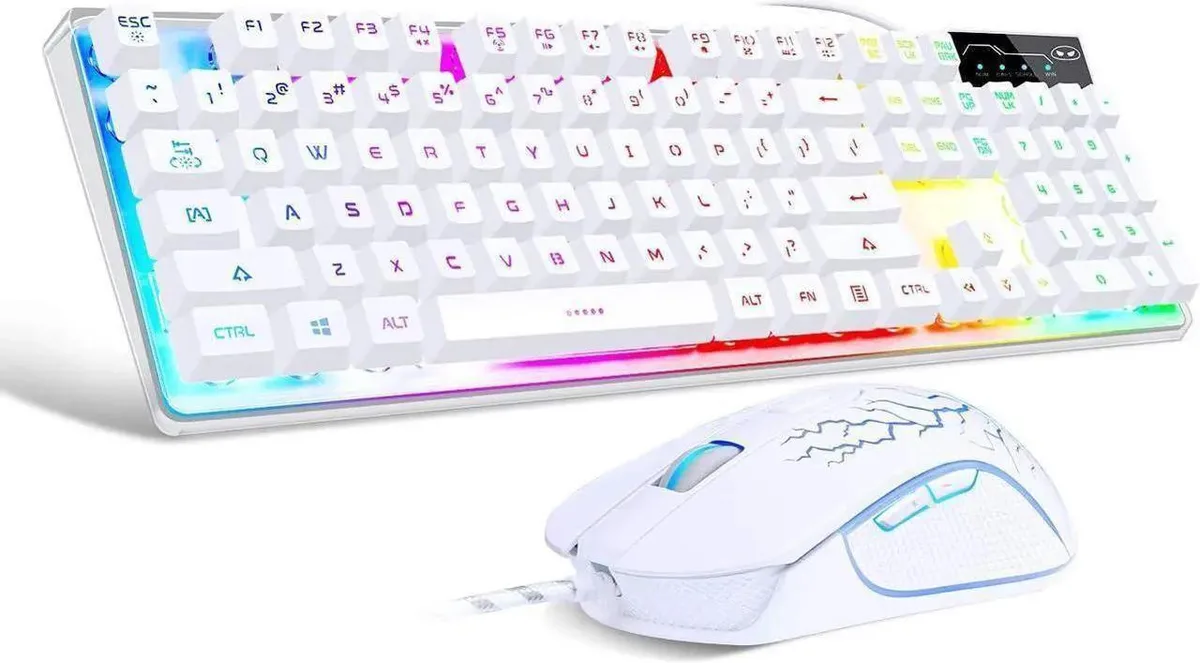
JAENFONG K1 Gaming Keyboard & Mouse Combo 104-Key Rainbow LED 800-3200 DPI
- Full-size
41.99 US$
0.00053777BTC
متوفرنقبل الدفع بالعملة المشفرة — لذلك يمكن للعملات الرقمية التي تملكها أن تشتري أجهزة حقيقية.ادفع بالعملة المشفرة، وأنفقها على أجهزة حقيقية. شحن مؤمن مجانا إلى كل أنحاء العالم لما يتجاوز 399 US$. صناديق شحن بسيطة بلا علامة تجارية، ترسل من ألمانيا.شحن مؤمن مجانا لما يتجاوز 399 US$. يُقفل سعرك لمدة 30 دقيقة بمجرد فتح صفحة الدفع.السعر مقفل لمدة 30 دقيقة. كل قطعة مختومة، ورقمها التسلسلي متحقق منه، ومشمولة بضمان 24 شهرا.مختوم، وبضمان 24 شهرا.


JAENFONG
Full-size 104-key wired keyboard with rainbow LED backlight plus a mouse offering four DPI settings up to 3200
Option Black
The JAENFONG K1 combo includes a 104-key keyboard and a wired mouse. The keyboard uses a standard layout with function row and numeric keypad, while the mouse offers four preset DPI steps of 800, 1200, 2400 and 3200. Both devices connect via USB and work immediately without driver installation.
This combo upgrades basic office peripherals that lack backlighting or adjustable mouse sensitivity. The jump is worth it when you want rainbow LED illumination on the keyboard and on-the-fly DPI switching on the mouse without configuring software. It is not for users who need mechanical switches, per-key RGB customisation, programmable macros or a wireless connection.
The keyboard's colour LED backlight makes key legends visible in low light and can be turned off when not needed. The mouse's four DPI levels cover everyday desktop work at 800, productivity at 1200, fast-paced gaming at 2400 and high-sensitivity aiming at 3200. Headroom ends at the maximum 3200 DPI setting and the fixed rainbow lighting pattern.
| Layout | Full-size |
|---|
إصدارات أخرى من هذا الطراز
نفس الفئة، بذاكرة أو مبرّد أو تردد مختلف — قارن قبل أن تقرر.
Both the keyboard and mouse use standard USB-A plugs, so you need two free USB-A ports on your PC or laptop for plug-and-play operation.
The backlight is controlled by a dedicated key combination on the keyboard itself — no software install is required, just press the indicated keys to toggle or adjust brightness.
Blow out dust from the key switches and mouse sensor every few weeks, and wipe the keycaps and mouse feet with a lightly damp cloth when they feel sticky.
أيضًا في هذا القسم
نفس القسم، ونفس صفحة الدفع — ثماني عملات رقمية وقفل سعر لمدة 30 دقيقة.
ما تدفعه، وما تُعرض به الأسعار.
يُرسَل من محفظتك عند إتمام الطلب
للعرض فقط — أسعار الكتالوج بالدولار الأمريكي
لا توجد عملة مطابقة.
اختر اللغة التي يخاطبك بها الموقع.
لا توجد لغة مطابقة.
هل أنت جديد هنا؟
لديك حساب بالفعل؟
لا توجد إعادة تعيين تلقائية: هذا المتجر لا يُرسل أي بريد، فلا يوجد رابط لمرة واحدة يمكن طلبه. اترك العنوان في الحساب، وسيُعالَج الأمر يدويًا.
تم تسجيل الطلب
لا شيء في طريقه إلى بريدك الوارد — هذا المتجر لا يُرسل أي بريد إطلاقًا. يتولّى أحدهم معالجة هذه الطلبات يدويًا.
تذكّرتها؟




