

Thermalright
Thermalright MC-2 ARGB Memory Cooler White 3200 RPM
- Fan & Heatsinks
- DDR/DDR2/DDR3/DDR4/…
22,99 US$
0.00028772BTC
SklademPřijímáme kryptoměny — takže to, co držíte, můžete utratit za skutečný hardware.Plaťte kryptem, utrácejte ho za skutečný hardware. Pojištěná doprava zdarma po celém světě nad 399 $. Neutrální přepravní krabice bez loga, odesílané z Německa.Pojištěná doprava zdarma nad 399 $. Jakmile se otevře pokladna, je váš kurz zablokovaný na 30 minut.Kurz zablokovaný na 30 minut. Každý výrobek je zapečetěný, jeho sériové číslo je zkontrolované a vztahuje se na něj 24měsíční záruka.Zapečetěno, záruka 24 měsíců.

Fans
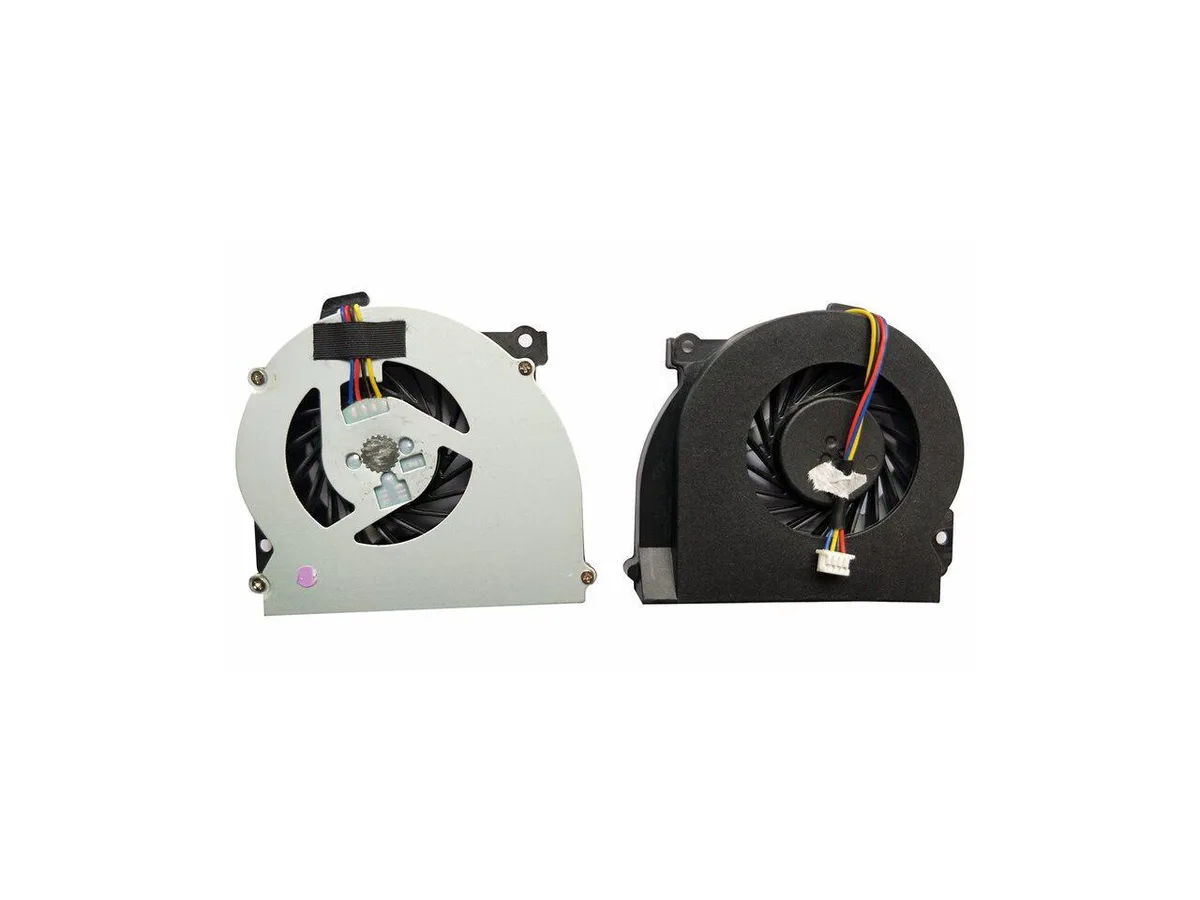
Replacement CPU cooling fan for HP EliteBook 2560 and 2570 series laptops, part number 651378-001
This new CPU cooling fan is built for the HP EliteBook 2560, 2560P, 2570 and 2570p series. It matches the original 651378-001 part number so the notebook runs at the thermal level the manufacturer intended. Install it when the stock cooler fails or becomes noisy.
The swap is worth it when the existing fan spins loudly, overheats the chassis or stops entirely. It restores the factory cooling profile without changing the form factor. Buyers who need a higher airflow design or a different mounting layout should look elsewhere.
Pro tento produkt zatím nejsou zveřejněny žádné specifikace.
Yes, it is designed for the EliteBook 2560 and 2560p series.
Remove the old cooler, clean the CPU surface, apply fresh thermal paste, then secure the new fan and reconnect its cable.
Také v této kategorii
Stejná kategorie, stejná pokladna — osm měn a kurz zamčený na 30 minut.
Měna, ve které platíte, a měna, ve které se zobrazují ceny.
Odesláno z vaší peněženky u pokladny
Pouze pro zobrazení — katalog je veden v dolarech
Žádná měna neodpovídá.
Vyberte jazyk, ve kterém s vámi bude web komunikovat.
Poprvé tady?
Už účet máte?
Neexistuje žádná automatická obnova hesla: tento obchod neposílá žádné e-maily, takže neexistuje jednorázový odkaz, o který by bylo možné požádat. Nechte adresu uvedenou u účtu, vyřídíme ji ručně.
Žádost zaznamenána
Do vaší schránky nic nedorazí — tento obchod neposílá žádné e-maily. Někdo se o to postará ručně.
Vzpomněli jste si?


