

Lenovo
Lenovo V15 G4 laptop 15.6" FHD i5-13420H 16GB 1TB PCIe Grey
- Grey
- Windows 11 Home
609,99 $
0.00782099BTC
VarastossaHyväksymme kryptoa — hallussasi olevat kolikot voivat näin ostaa oikeaa laitteistoa.Maksa kryptolla, käytä se oikeaan laitteistoon. Ilmainen vakuutettu toimitus maailmanlaajuisesti yli 399 $. Neutraalit, tuotemerkittömät ulkopakkaukset, lähetetään Saksasta.Ilmainen vakuutettu toimitus yli 399 $. Kurssisi lukitaan 30 minuutiksi heti, kun kassa avautuu.Kurssi lukittu 30 minuutiksi. Jokainen tuote on sinetöity, sen sarjanumero on tarkistettu, ja sillä on 24 kuukauden takuu.Sinetöity, 24 kuukauden takuu.


Lenovo
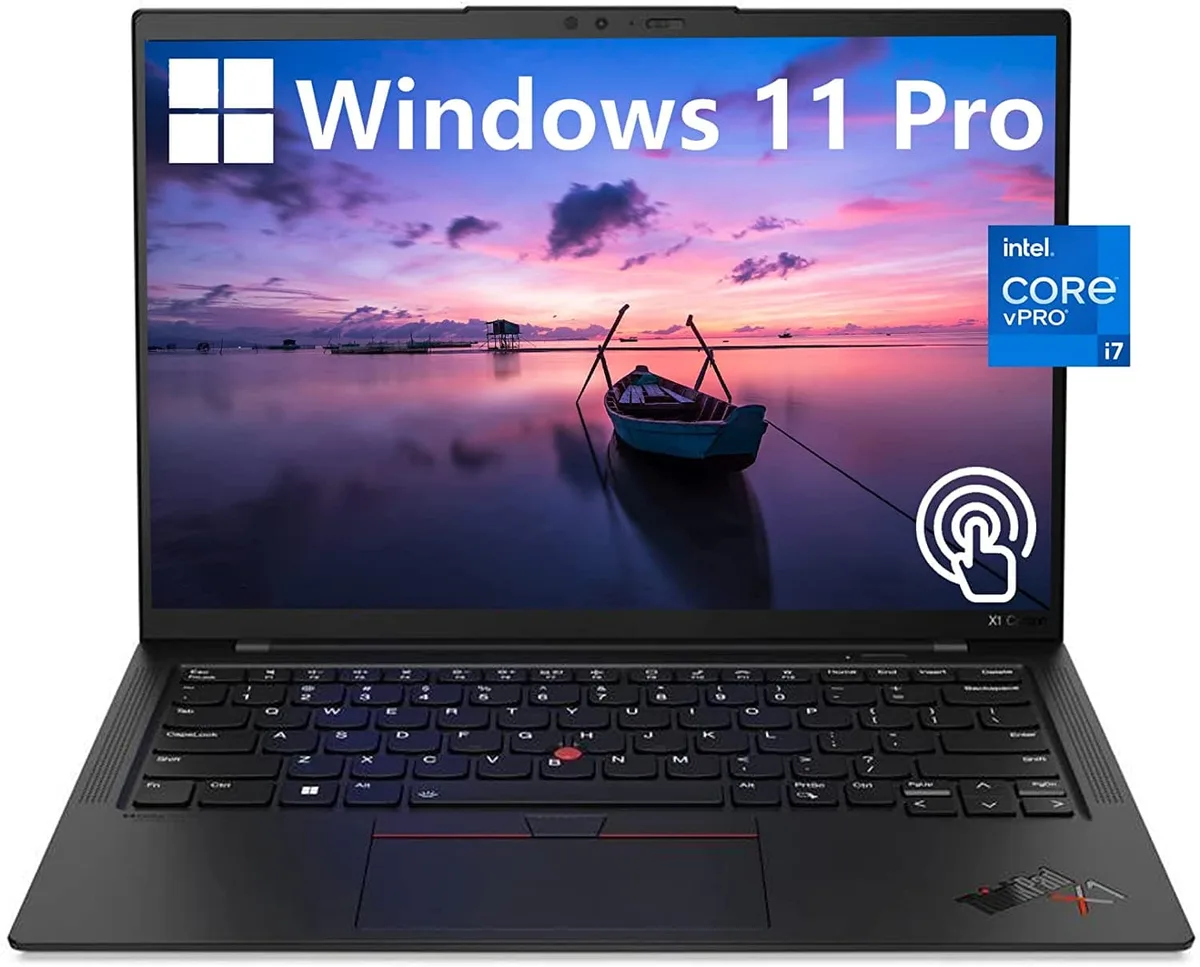
A 14.0-inch WUXGA touchscreen laptop with an Intel Core i7-1270P vPro processor, 32GB DDR4 memory, 512GB PCIe NVMe SSD and Intel Iris Xe graphics
The Lenovo ThinkPad X1 Carbon Gen 10 is a 14.0" work laptop built for professionals who need responsive performance in a light chassis. It ships with Windows 11 Pro, 32GB DDR4 memory and a 512GB PCIe NVMe M.2 SSD. The 12th Generation Intel Core i7-1270P vPro processor runs at a base frequency of 1.80GHz. A 14.0" WUXGA 1920x1200 IPS touchscreen covers 100% sRGB at 400 nits with anti-glare coating and low blue light certification.
Two USB-C Thunderbolt 4 ports handle power, display and high-speed peripherals through a single cable. Two USB-A 3.2 Gen 1 ports keep legacy accessories working without adapters. An HDMI output connects external monitors or projectors directly. The 32GB DDR4 and 512GB NVMe SSD are soldered and non-upgradable, so buyers who want more memory or storage should choose a different configuration at purchase.
Intel Iris Xe graphics share system memory and are tuned for office applications, video conferencing and light content creation rather than heavy 3D rendering. The 60Hz panel and 16:10 aspect ratio give more vertical space for documents and code. Under continuous load the thermal design balances performance with quiet operation, though extended compile or encode sessions will throttle clock speeds below the 1.80GHz base. Battery life benefits from the low-power display and WiFi 6 efficiency.
| Color | Black |
|---|---|
| Operating System | Windows 11 Pro |
| CPU Type | Intel Core i7 12th Gen |
| Processor Name | 1.80GHz |
| Screen Size | 14.0" |
| Touchscreen | Touch Screen |
| GPU/VPU | Intel Iris Xe Graphics |
| SSD | 512GB |
| HDD | No |
| Memory | 32GB |
| Type | Work / Business |
Tämän mallin muut versiot
Sama tuoteperhe, eri muisti, jäähdytin tai kellotaajuus — vertaile ennen päätöstä.
The 12th Gen Intel Core i7-1270P vPro processor manages power dynamically; under sustained load the laptop will throttle clock speeds to stay within its thermal envelope.
The ThinkPad X1 Carbon Gen 10 uses a low-power Intel Iris Xe graphics panel rated at 400 nits, helping keep heat and fan noise lower during extended use.
You need a Thunderbolt 4 or USB-C cable that supports DisplayPort Alt Mode, or a Thunderbolt dock, to drive monitors from the two USB-C Thunderbolt 4 ports.
Myös tällä osastolla
Sama osasto, sama kassa — kahdeksan kryptovaluuttaa ja 30 minuutin kurssilukko.
Valuutta, jolla maksetaan, sekä valuutta, jossa hinnat näytetään.
Lähetetään lompakostasi kassalla
Vain näyttöä varten — hinnat ovat Yhdysvaltain dollareissa
Valuuttaa ei löytynyt.
Valitse kieli, jolla sivusto puhuu sinulle.
Ei vastaavaa kieltä.
Uusi täällä?
Onko sinulla jo tili?
Automaattista palautusta ei ole: kauppa ei lähetä sähköpostia lainkaan, joten kertakäyttöistä linkkiä ei ole mistä pyytää. Jätä osoite tilille, niin se käsitellään käsin.
Pyyntö kirjattu
Mikään ei ole tulossa sähköpostiisi — tämä kauppa ei lähetä sähköpostia lainkaan. Joku käsittelee nämä pyynnöt käsin.
Muistitko sen?


