

Lenovo
Lenovo V15 G4 laptop 15.6" FHD i5-13420H 16GB 1TB PCIe Grey
- Grey
- Windows 11 Home
609,99 USD
0.00755275BTC
DostępnyAkceptujemy kryptowaluty — posiadane środki można więc wykorzystać na zakup prawdziwego sprzętu.Płatność kryptowalutą — realny sprzęt w zamian. Bezpłatna, ubezpieczona dostawa na całym świecie powyżej 399 $. Neutralne kartony, bez oznaczeń, wysyłane z Niemiec.Bezpłatna, ubezpieczona dostawa powyżej 399 $. Kurs zostaje zablokowany na 30 minut od otwarcia kasy.Kurs zablokowany na 30 minut. Każdy produkt jest fabrycznie zapieczętowany, jego numer seryjny jest sprawdzany, a całość objęta jest 24-miesięczną gwarancją.Zapieczętowane fabrycznie, 24 miesiące gwarancji.


Lenovo
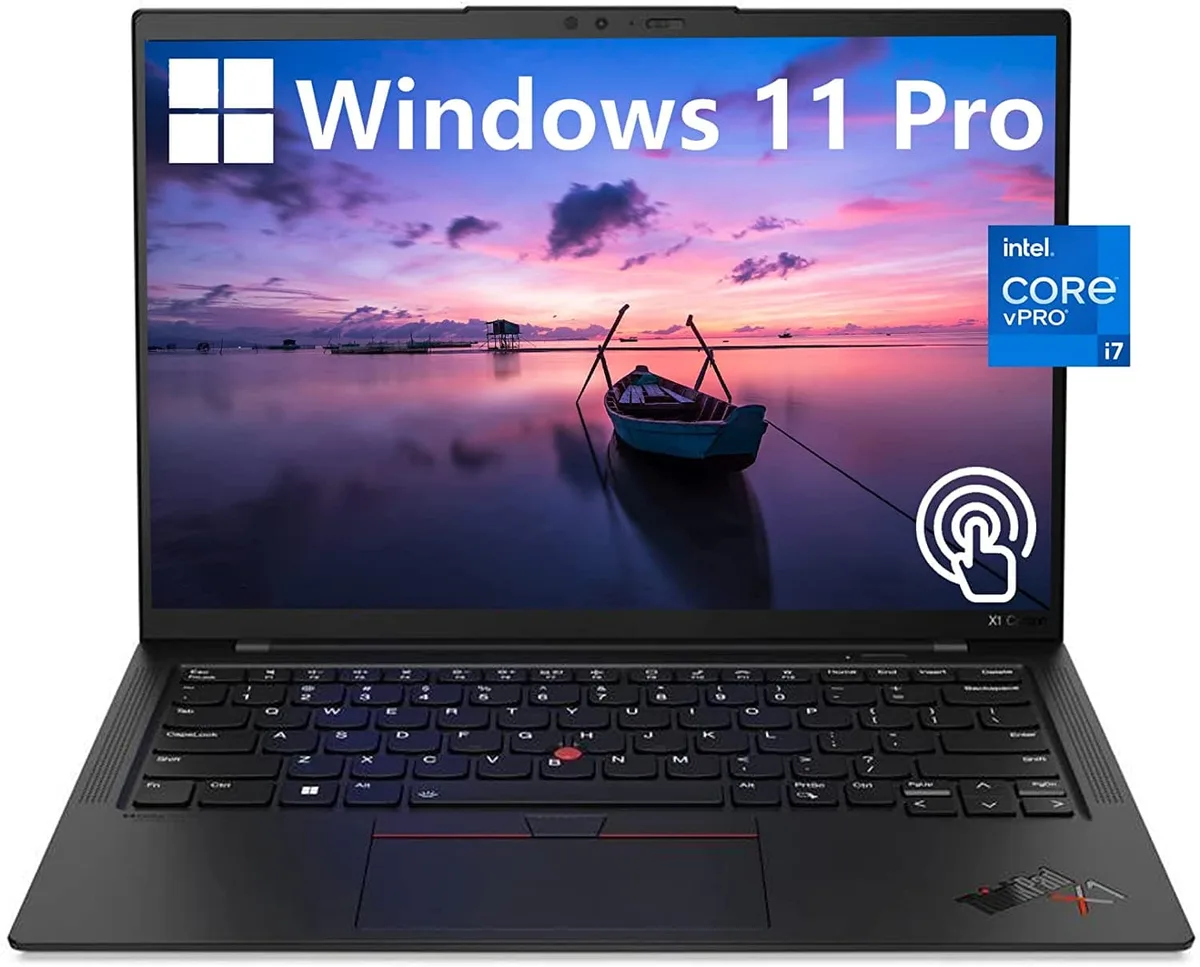
A 14.0-inch WUXGA touchscreen laptop with an Intel Core i7-1270P vPro processor, 32GB DDR4 memory, 512GB PCIe NVMe SSD and Intel Iris Xe graphics
The Lenovo ThinkPad X1 Carbon Gen 10 is a 14.0" work laptop built for professionals who need responsive performance in a light chassis. It ships with Windows 11 Pro, 32GB DDR4 memory and a 512GB PCIe NVMe M.2 SSD. The 12th Generation Intel Core i7-1270P vPro processor runs at a base frequency of 1.80GHz. A 14.0" WUXGA 1920x1200 IPS touchscreen covers 100% sRGB at 400 nits with anti-glare coating and low blue light certification.
Two USB-C Thunderbolt 4 ports handle power, display and high-speed peripherals through a single cable. Two USB-A 3.2 Gen 1 ports keep legacy accessories working without adapters. An HDMI output connects external monitors or projectors directly. The 32GB DDR4 and 512GB NVMe SSD are soldered and non-upgradable, so buyers who want more memory or storage should choose a different configuration at purchase.
Intel Iris Xe graphics share system memory and are tuned for office applications, video conferencing and light content creation rather than heavy 3D rendering. The 60Hz panel and 16:10 aspect ratio give more vertical space for documents and code. Under continuous load the thermal design balances performance with quiet operation, though extended compile or encode sessions will throttle clock speeds below the 1.80GHz base. Battery life benefits from the low-power display and WiFi 6 efficiency.
| Color | Black |
|---|---|
| Operating System | Windows 11 Pro |
| CPU Type | Intel Core i7 12th Gen |
| Processor Name | 1.80GHz |
| Screen Size | 14.0" |
| Touchscreen | Touch Screen |
| GPU/VPU | Intel Iris Xe Graphics |
| SSD | 512GB |
| HDD | No |
| Memory | 32GB |
| Type | Work / Business |
Inne wersje tego modelu
Ta sama rodzina, inna pamięć, inne chłodzenie lub taktowanie — proszę porównać przed decyzją.
The 12th Gen Intel Core i7-1270P vPro processor manages power dynamically; under sustained load the laptop will throttle clock speeds to stay within its thermal envelope.
The ThinkPad X1 Carbon Gen 10 uses a low-power Intel Iris Xe graphics panel rated at 400 nits, helping keep heat and fan noise lower during extended use.
You need a Thunderbolt 4 or USB-C cable that supports DisplayPort Alt Mode, or a Thunderbolt dock, to drive monitors from the two USB-C Thunderbolt 4 ports.
Także w tym dziale
Ten sam dział, ta sama kasa — osiem kryptowalut i 30-minutowa blokada kursu.
Waluta płatności i waluta wyświetlania cen.
Wysyłane z portfela przy kasie
Tylko podgląd — katalog wyceniony jest w dolarach
Brak pasującej waluty.
Wybierz język, w którym wyświetla się strona.
Pierwsza wizyta?
Konto już założone?
Nie ma automatycznego resetowania hasła: ten sklep nie wysyła żadnych e-maili, więc nie ma jednorazowego linku, o który można by poprosić. Adres pozostawiony przy koncie zostanie obsłużony ręcznie.
Zgłoszenie zapisane
Do skrzynki odbiorczej nic nie trafi — ten sklep nie wysyła żadnych e-maili. Zgłoszenia są obsługiwane ręcznie.
Hasło się przypomniało?


