

Lenovo
Lenovo V15 G4 laptop 15.6" FHD i5-13420H 16GB 1TB PCIe Grey
- Grey
- Windows 11 Home
609,99 $
0.00759847BTC
Auf LagerWir akzeptieren Kryptowährungen — so können die Coins, die Sie besitzen, echte Hardware kaufen.Zahlen Sie mit Krypto, geben Sie sie für echte Hardware aus. Weltweit kostenloser versicherter Versand ab 399 $. Neutrale Kartons ohne Markenaufdruck, versendet aus Deutschland.Kostenloser versicherter Versand ab 399 $. Ihr Kurs wird 30 Minuten lang gesperrt, sobald die Kasse geöffnet wird.Kurs 30 Minuten gesperrt. Jeder Artikel ist versiegelt, die Seriennummer wird geprüft, und es gilt eine Garantie von 24 Monaten.Versiegelt, 24 Monate Garantie.


Lenovo
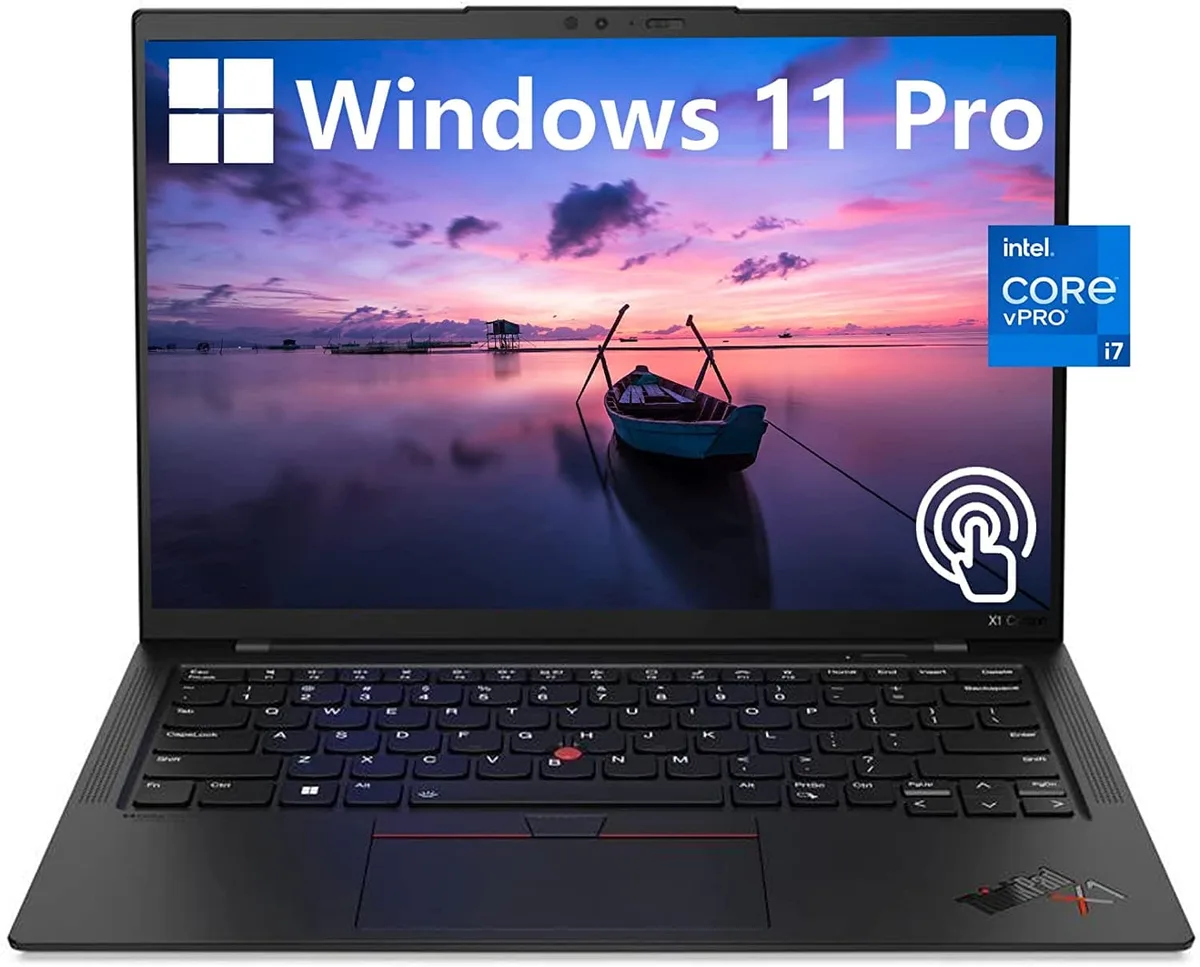
A 14.0-inch WUXGA touchscreen laptop with an Intel Core i7-1270P vPro processor, 32GB DDR4 memory, 512GB PCIe NVMe SSD and Intel Iris Xe graphics
The Lenovo ThinkPad X1 Carbon Gen 10 is a 14.0" work laptop built for professionals who need responsive performance in a light chassis. It ships with Windows 11 Pro, 32GB DDR4 memory and a 512GB PCIe NVMe M.2 SSD. The 12th Generation Intel Core i7-1270P vPro processor runs at a base frequency of 1.80GHz. A 14.0" WUXGA 1920x1200 IPS touchscreen covers 100% sRGB at 400 nits with anti-glare coating and low blue light certification.
Two USB-C Thunderbolt 4 ports handle power, display and high-speed peripherals through a single cable. Two USB-A 3.2 Gen 1 ports keep legacy accessories working without adapters. An HDMI output connects external monitors or projectors directly. The 32GB DDR4 and 512GB NVMe SSD are soldered and non-upgradable, so buyers who want more memory or storage should choose a different configuration at purchase.
Intel Iris Xe graphics share system memory and are tuned for office applications, video conferencing and light content creation rather than heavy 3D rendering. The 60Hz panel and 16:10 aspect ratio give more vertical space for documents and code. Under continuous load the thermal design balances performance with quiet operation, though extended compile or encode sessions will throttle clock speeds below the 1.80GHz base. Battery life benefits from the low-power display and WiFi 6 efficiency.
| Color | Black |
|---|---|
| Operating System | Windows 11 Pro |
| CPU Type | Intel Core i7 12th Gen |
| Processor Name | 1.80GHz |
| Screen Size | 14.0" |
| Touchscreen | Touch Screen |
| GPU/VPU | Intel Iris Xe Graphics |
| SSD | 512GB |
| HDD | No |
| Memory | 32GB |
| Type | Work / Business |
Andere Versionen dieses Modells
Gleiche Familie, unterschiedlicher Speicher, Kühler oder Takt — vergleichen Sie, bevor Sie sich entscheiden.
The 12th Gen Intel Core i7-1270P vPro processor manages power dynamically; under sustained load the laptop will throttle clock speeds to stay within its thermal envelope.
The ThinkPad X1 Carbon Gen 10 uses a low-power Intel Iris Xe graphics panel rated at 400 nits, helping keep heat and fan noise lower during extended use.
You need a Thunderbolt 4 or USB-C cable that supports DisplayPort Alt Mode, or a Thunderbolt dock, to drive monitors from the two USB-C Thunderbolt 4 ports.
Ebenfalls in dieser Kategorie
Gleiche Abteilung, gleiche Kasse — acht Kryptowährungen und ein für 30 Minuten fixierter Kurs.
Womit Sie bezahlen und in welcher Währung Sie die Preise sehen.
Wird von Ihrem Wallet an der Kasse gesendet
Nur zur Anzeige — der Katalog ist in US-Dollar ausgezeichnet
Keine passende Währung gefunden.
Wählen Sie die Sprache, in der die Seite mit Ihnen spricht.
Neu hier?
Haben Sie bereits eins?
Es gibt keine automatische Zurücksetzung: Dieser Shop versendet keine E-Mails, daher gibt es auch keinen Einmal-Link, den Sie anfordern könnten. Lassen Sie die im Konto hinterlegte Adresse stehen, sie wird von Hand bearbeitet.
Anfrage vermerkt
Es ist nichts auf dem Weg in Ihr Postfach — dieser Shop versendet grundsätzlich keine E-Mails. Jemand bearbeitet diese Anfragen von Hand.
Wieder eingefallen?


