

Lenovo
Lenovo V15 G4 laptop 15.6" FHD i5-13420H 16GB 1TB PCIe Grey
- Grey
- Windows 11 Home
609,99 US$
0.00759431BTC
Em stockAceitamos criptomoeda — para que as moedas que detém possam comprar material informático real.Pague em cripto, gaste-a em material informático real. Envio seguro gratuito para todo o mundo acima de 399 $. Caixas neutras, sem marca, expedidas a partir da Alemanha.Envio seguro gratuito acima de 399 $. A sua taxa fica bloqueada durante 30 minutos assim que abre a finalização da compra.Taxa bloqueada 30 minutos. Cada artigo é selado, o seu número de série é verificado, e está coberto por uma garantia de 24 meses.Selado, garantido 24 meses.


Lenovo
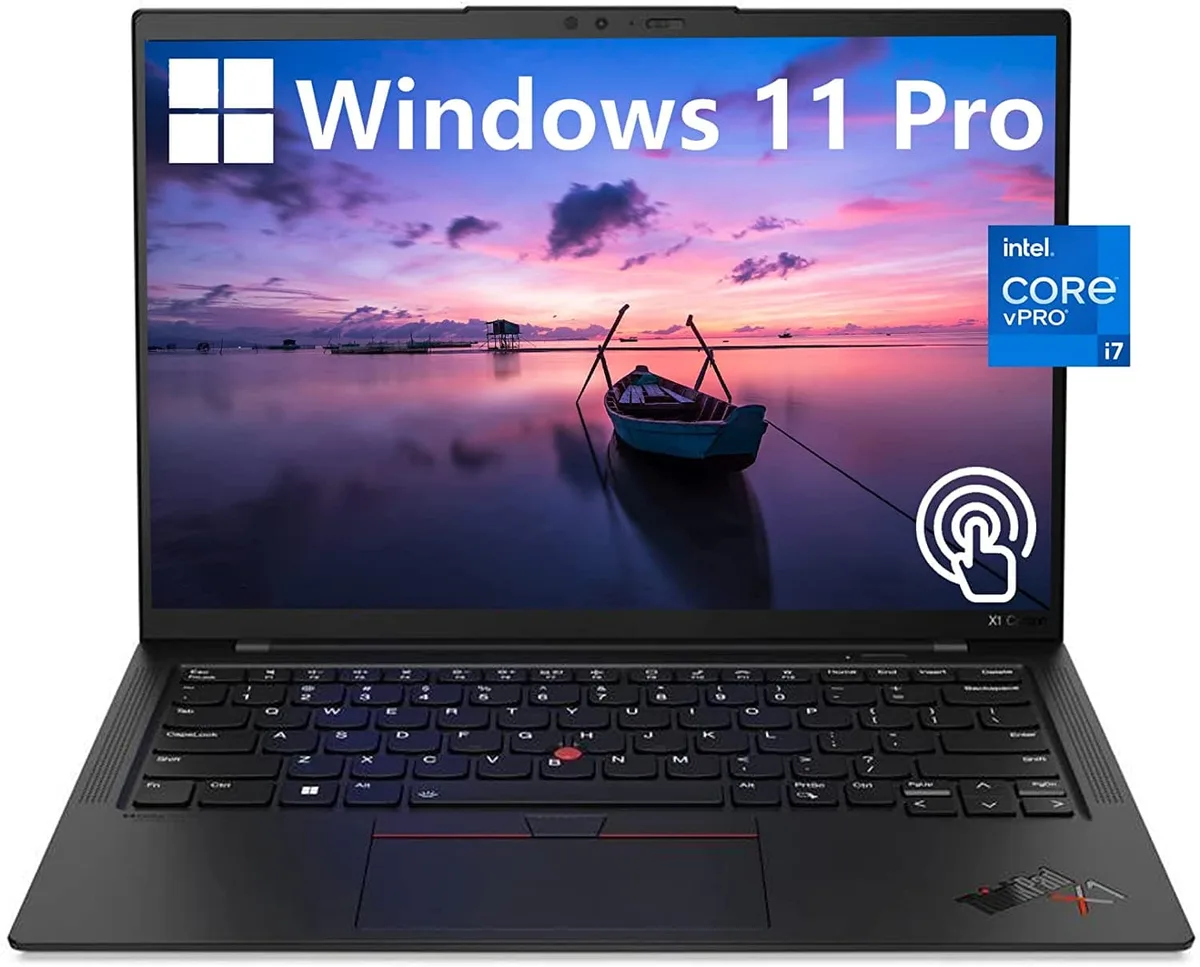
A 14.0-inch WUXGA touchscreen laptop with an Intel Core i7-1270P vPro processor, 32GB DDR4 memory, 512GB PCIe NVMe SSD and Intel Iris Xe graphics
The Lenovo ThinkPad X1 Carbon Gen 10 is a 14.0" work laptop built for professionals who need responsive performance in a light chassis. It ships with Windows 11 Pro, 32GB DDR4 memory and a 512GB PCIe NVMe M.2 SSD. The 12th Generation Intel Core i7-1270P vPro processor runs at a base frequency of 1.80GHz. A 14.0" WUXGA 1920x1200 IPS touchscreen covers 100% sRGB at 400 nits with anti-glare coating and low blue light certification.
Two USB-C Thunderbolt 4 ports handle power, display and high-speed peripherals through a single cable. Two USB-A 3.2 Gen 1 ports keep legacy accessories working without adapters. An HDMI output connects external monitors or projectors directly. The 32GB DDR4 and 512GB NVMe SSD are soldered and non-upgradable, so buyers who want more memory or storage should choose a different configuration at purchase.
Intel Iris Xe graphics share system memory and are tuned for office applications, video conferencing and light content creation rather than heavy 3D rendering. The 60Hz panel and 16:10 aspect ratio give more vertical space for documents and code. Under continuous load the thermal design balances performance with quiet operation, though extended compile or encode sessions will throttle clock speeds below the 1.80GHz base. Battery life benefits from the low-power display and WiFi 6 efficiency.
| Color | Black |
|---|---|
| Operating System | Windows 11 Pro |
| CPU Type | Intel Core i7 12th Gen |
| Processor Name | 1.80GHz |
| Screen Size | 14.0" |
| Touchscreen | Touch Screen |
| GPU/VPU | Intel Iris Xe Graphics |
| SSD | 512GB |
| HDD | No |
| Memory | 32GB |
| Type | Work / Business |
Outras versões deste modelo
Mesma família, memória, ventoinha ou frequência diferentes — compare antes de decidir.
The 12th Gen Intel Core i7-1270P vPro processor manages power dynamically; under sustained load the laptop will throttle clock speeds to stay within its thermal envelope.
The ThinkPad X1 Carbon Gen 10 uses a low-power Intel Iris Xe graphics panel rated at 400 nits, helping keep heat and fan noise lower during extended use.
You need a Thunderbolt 4 or USB-C cable that supports DisplayPort Alt Mode, or a Thunderbolt dock, to drive monitors from the two USB-C Thunderbolt 4 ports.
Também nesta secção
Mesma prateleira, mesma finalização da compra — oito moedas e uma taxa bloqueada durante 30 minutos.
O que paga, e a moeda em que vê os preços.
Enviado da sua carteira ao finalizar a compra
Apenas informativo — o catálogo está em dólares
Nenhuma moeda corresponde.
Escolha o idioma em que o site lhe fala.
Ainda não tem conta?
Já tem conta?
Não existe reposição automática: esta loja não envia qualquer e-mail, pelo que não há nenhum link de utilização única para pedir. Deixe o endereço na conta e ele será tratado manualmente.
Pedido registado
Não vai chegar nada à sua caixa de entrada — esta loja não envia qualquer e-mail. Alguém trata disto manualmente.
Recordou-se dela?


