BFKK
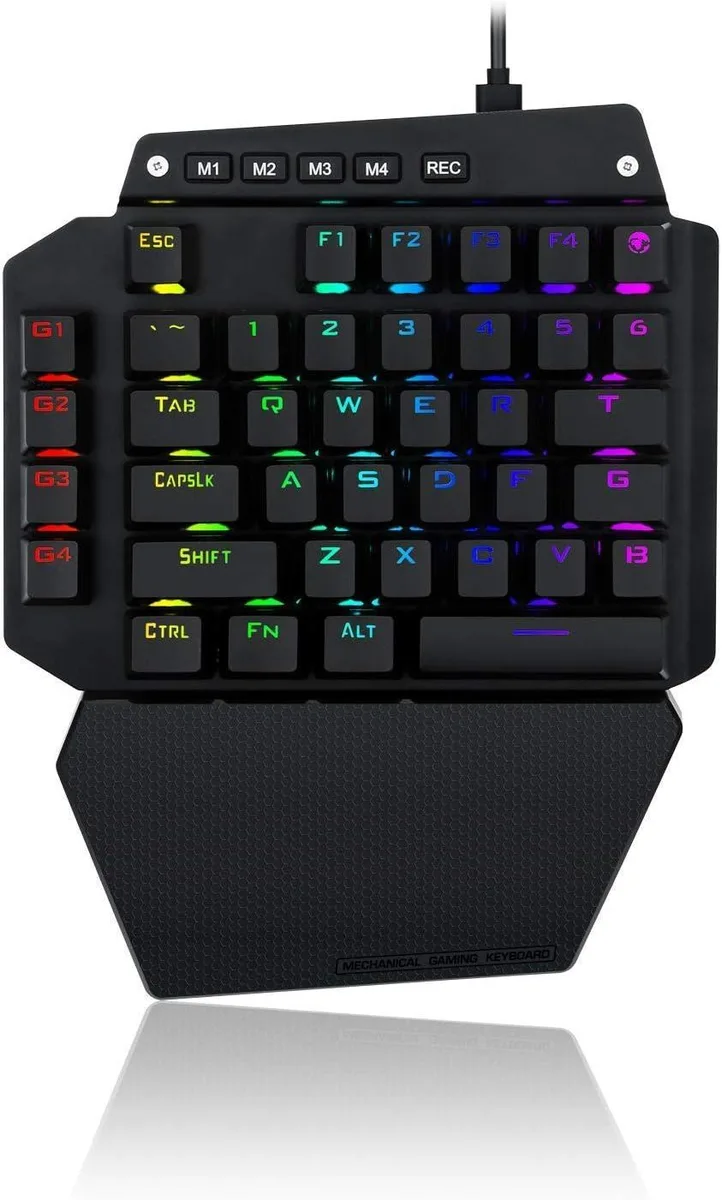
BFKK One-Handed Mechanical Gaming Keyboard, Blue Switch, 6 Macro Keys, Detachable Wrist Rest, USB-C
58,99 $US
0.00075215BTC
En stockNous acceptons la cryptomonnaie — les cryptos que vous détenez peuvent ainsi acheter du matériel réel.Payez en crypto, dépensez-la en matériel réel. Livraison assurée offerte partout dans le monde au-delà de 399 $. Cartons neutres, sans marque, expédiés depuis l’Allemagne.Livraison assurée offerte au-delà de 399 $. Votre taux est bloqué pendant 30 minutes dès l’ouverture de la caisse.Taux bloqué 30 minutes. Chaque article est scellé, son numéro de série est vérifié, et il est couvert par une garantie de 24 mois.Scellé, garanti 24 mois.


BFKK
A triple-mode keyboard and mouse combo with a customizable knob, 12 RGB backlight effects and a 5-level DPI mouse up to 4800 DPI
The BFKK BT98 pairs a full-size keyboard with a matching mouse, each offering wired, Bluetooth and 2.4 GHz wireless links that can be swapped across three devices. Both peripherals recharge via USB-C and share a black finish with per-key RGB illumination.
Upgrading makes sense when you regularly move between a desktop, a laptop and a tablet and want one keyboard and mouse to serve all three without re-pairing. The jump is less worthwhile if you only ever work at a single USB-A port and never need Bluetooth or 2.4 GHz flexibility.
Installation is simply charging the units, selecting the desired mode and pressing FN+TAB to toggle between Mac and Windows key layouts. The main friction point is remembering which of the three active device slots is currently selected on each peripheral.
| Keyboard Color | Black |
|---|
Yes, the 2.4G wireless mode uses a USB receiver that plugs into a standard USB-A port on your PC or laptop.
Hold the Bluetooth pairing key until the indicator flashes, then select the keyboard in your device's Bluetooth settings; the common miss is forgetting to press FN+TAB first if you are on a Mac.
The set is rated for 12 months standby on one charge; plug the included USB-C cables into any USB power source when the backlight dims or response slows.
Également dans ce rayon
Même rayon, même caisse — huit monnaies et un taux bloqué 30 minutes.
Ce que vous envoyez, et ce dans quoi vous lisez les prix.
Envoyé depuis votre portefeuille à la caisse
Affichage seul — le catalogue est libellé en dollars
Aucune monnaie ne correspond.
Choisissez la langue dans laquelle le site vous parle.
Première visite ?
Vous avez déjà un compte ?
Il n’y a pas de réinitialisation automatique : cette boutique n’envoie aucun e-mail, il n’existe donc aucun lien à usage unique à demander. Laissez l’adresse sur le compte, elle sera traitée à la main.
Demande enregistrée
Rien n’arrivera dans votre boîte de réception — cette boutique n’envoie aucun e-mail. Quelqu’un s’en occupe à la main.
Vous l’avez retrouvé ?