
HighPoint Technologies, Inc.
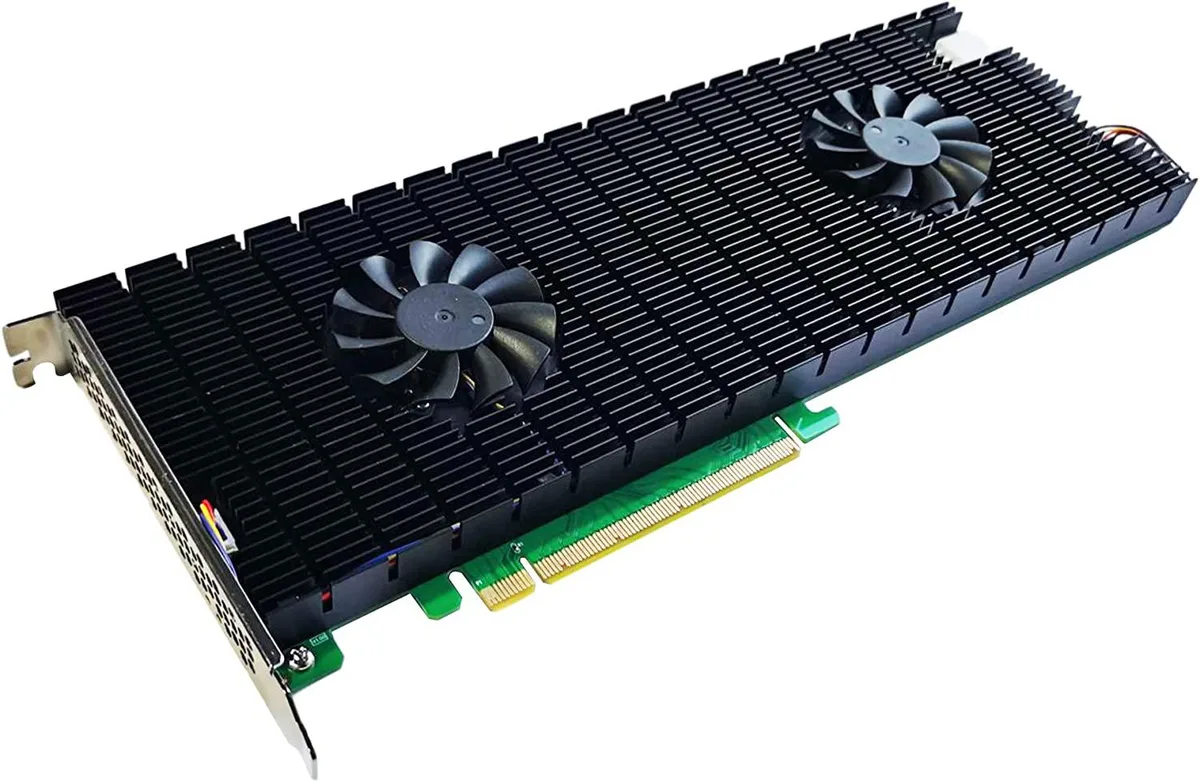
HighPoint Technologies, Inc. SSD7540 8-Port NVMe RAID AIC
1 749,99 $US
0.02223226BTC
En stockNous acceptons la cryptomonnaie — les cryptos que vous détenez peuvent ainsi acheter du matériel réel.Payez en crypto, dépensez-la en matériel réel. Livraison assurée offerte partout dans le monde au-delà de 399 $. Cartons neutres, sans marque, expédiés depuis l’Allemagne.Livraison assurée offerte au-delà de 399 $. Votre taux est bloqué pendant 30 minutes dès l’ouverture de la caisse.Taux bloqué 30 minutes. Chaque article est scellé, son numéro de série est vérifié, et il est couvert par une garantie de 24 mois.Scellé, garanti 24 mois.


DELL
A compact desktop with a six-core Intel Core i5-9500, 16 GB of DDR3 memory and a 500 GB SSD, pre-loaded with Windows 11 Pro and a GeForce 1030 graphics card
The Dell OptiPlex 3070 is a desktop computer built around an Intel Core i5-9500 processor with 16 GB of DDR3 memory and a 500 GB SATA SSD. It ships with Windows 11 Pro and includes a GeForce 1030 graphics card, a wired keyboard, a USB mouse and an oversized mouse pad.
This system suits office workers, students and home users who need a ready-to-use PC for web browsing, email, video calls and document editing. It is not for buyers who need more than two memory slots, more than 32 GB of total memory, or a graphics card with higher 3D performance than the GeForce 1030 provides.
The motherboard uses an LGA 1151 socket and supports a maximum of 32 GB across two DDR3 slots, so anyone planning a future memory upgrade must stay within that DDR3 limit and slot count.
| Brand | DELL |
|---|---|
| Series | OptiPlex |
| Release Year | 2021 |
| Form Factor | Desktop |
| Color | Black |
| Processor | Intel 9th Generation Core i5 |
| Memory | 16 GB |
| Operating System | Windows 11 Pro |
| CPU Type | Intel Core i5 9th Gen |
| CPU Name | Intel Core i5-9500 |
| CPU Socket Type | LGA 1151 |
| Memory Capacity | 16GB DDR3 |
| Memory Spec | 16 GB x 1 |
| Memory Slot (Total) | 2 |
| Maximum Memory Supported | 32 GB |
| SSD | 500GB |
| HDD | 500GB |
| HDD Interface | SATA |
| Keyboard Type | Standard |
| Mouse Type | USB Mouse |
| Weight | 14.19 |
| Package Contents | wired gaming keyboard and mouse,oversized mouse pad |
Open the chassis, align the notch on the 16 GB DDR3 module with the slot key, press firmly until the side clips click, then verify the firmware recognises the full 16 GB before closing the case.
The 500 GB SSD has no moving parts, so no mechanical service is required; monitor its health in Windows 11 Pro and replace the drive only if the SMART status reports a failure.
The 2 GB frame buffer on the GeForce 1030 fills quickly, forcing the driver to swap textures to system memory and reducing frame rates before the GPU core reaches its thermal ceiling.
Également dans ce rayon
Même rayon, même caisse — huit monnaies et un taux bloqué 30 minutes.
Ce que vous envoyez, et ce dans quoi vous lisez les prix.
Envoyé depuis votre portefeuille à la caisse
Affichage seul — le catalogue est libellé en dollars
Aucune monnaie ne correspond.
Choisissez la langue dans laquelle le site vous parle.
Première visite ?
Vous avez déjà un compte ?
Il n’y a pas de réinitialisation automatique : cette boutique n’envoie aucun e-mail, il n’existe donc aucun lien à usage unique à demander. Laissez l’adresse sur le compte, elle sera traitée à la main.
Demande enregistrée
Rien n’arrivera dans votre boîte de réception — cette boutique n’envoie aucun e-mail. Quelqu’un s’en occupe à la main.
Vous l’avez retrouvé ?


