
HighPoint Technologies, Inc.
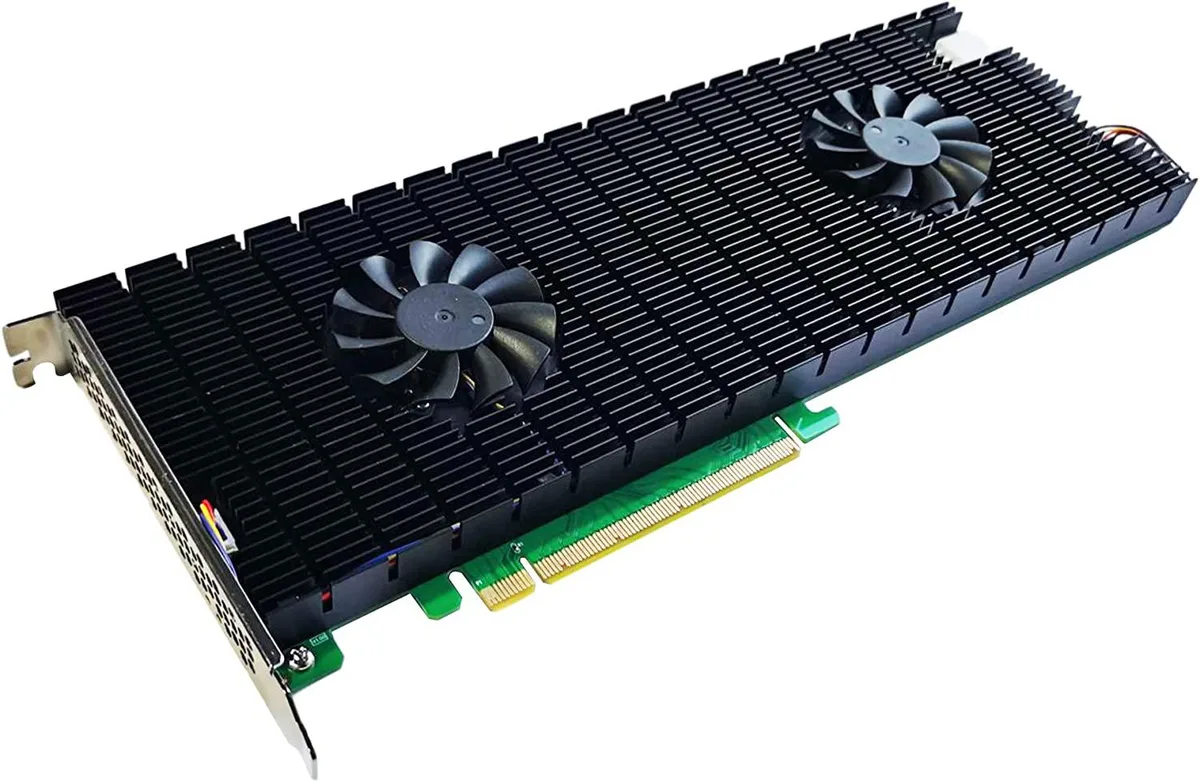
HighPoint Technologies, Inc. SSD7540 8-Port NVMe RAID AIC
1 749,99 $US
0.02223226BTC
En stockNous acceptons la cryptomonnaie — les cryptos que vous détenez peuvent ainsi acheter du matériel réel.Payez en crypto, dépensez-la en matériel réel. Livraison assurée offerte partout dans le monde au-delà de 399 $. Cartons neutres, sans marque, expédiés depuis l’Allemagne.Livraison assurée offerte au-delà de 399 $. Votre taux est bloqué pendant 30 minutes dès l’ouverture de la caisse.Taux bloqué 30 minutes. Chaque article est scellé, son numéro de série est vérifié, et il est couvert par une garantie de 24 mois.Scellé, garanti 24 mois.


DELL
A compact desktop with a 6-core Intel i7, 8 GB memory, 256 GB SSD, integrated Intel UHD Graphics 630 and a 22-inch LCD, running Windows 11 Home
The Dell OptiPlex Micro is a space-saving desktop computer built around a six-core Intel Core i7 processor with 8 GB of memory and a 256 GB SSD. Windows 11 Home Premium comes pre-installed and the system ships with a 22-inch LCD display. Integrated Intel UHD Graphics 630 drives video output through the available DisplayPort connection.
This configuration fits workers who need a quiet, small-footprint PC for browser-based apps, document editing and video calls on one external monitor. Buyers who require a discrete graphics card for 3D rendering, multiple high-resolution displays or large local storage arrays should look at a larger chassis with expansion slots and additional drive bays.
The UHD 630 graphics engine shares system memory and has no dedicated fan, so sustained 3D or compute workloads will throttle once the thermal envelope of the micro chassis is reached. Light GPU tasks such as hardware-accelerated video playback and basic UI composition run continuously, while heavier loads drop to lower clocks after a short period.
| Series | OptiPlex |
|---|---|
| Form Factor | Mini PC |
| Color | Black |
| Operating System | Windows 11 Home Premium |
| Software Included | Windows OS |
| CPU Name | 6 Core |
| CPU Main Features | 6-Core |
| GPU/VGA Type | Intel UHD Graphics 630 |
| Graphics Card | Intel UHD Graphics 630 |
| Graphics Interface | Integrated video |
| Memory Capacity | 8GB |
| Memory Slots (Available/Total) | 2 |
| Maximum Memory Supported | 32GB |
| SSD | 256GB |
| HDD Interface | SSD |
| Storage Spec | 256GB SSD |
| Screen Size | 22" |
| Modem | USB WiFi Adapter |
The 22" LCD requires its own mains power cable; the Micro's DisplayPort carries video only, so you will need a free wall socket or power strip for the monitor.
Yes, the Micro's USB ports are backward compatible, so a USB 2.0 keyboard and mouse will work without any adapter or driver installation.
Open Windows Settings > System > Display and verify the resolution shown matches the monitor's native setting; the adapter listed should read Intel UHD Graphics 630.
Également dans ce rayon
Même rayon, même caisse — huit monnaies et un taux bloqué 30 minutes.
Ce que vous envoyez, et ce dans quoi vous lisez les prix.
Envoyé depuis votre portefeuille à la caisse
Affichage seul — le catalogue est libellé en dollars
Aucune monnaie ne correspond.
Choisissez la langue dans laquelle le site vous parle.
Première visite ?
Vous avez déjà un compte ?
Il n’y a pas de réinitialisation automatique : cette boutique n’envoie aucun e-mail, il n’existe donc aucun lien à usage unique à demander. Laissez l’adresse sur le compte, elle sera traitée à la main.
Demande enregistrée
Rien n’arrivera dans votre boîte de réception — cette boutique n’envoie aucun e-mail. Quelqu’un s’en occupe à la main.
Vous l’avez retrouvé ?


