
HighPoint Technologies, Inc.
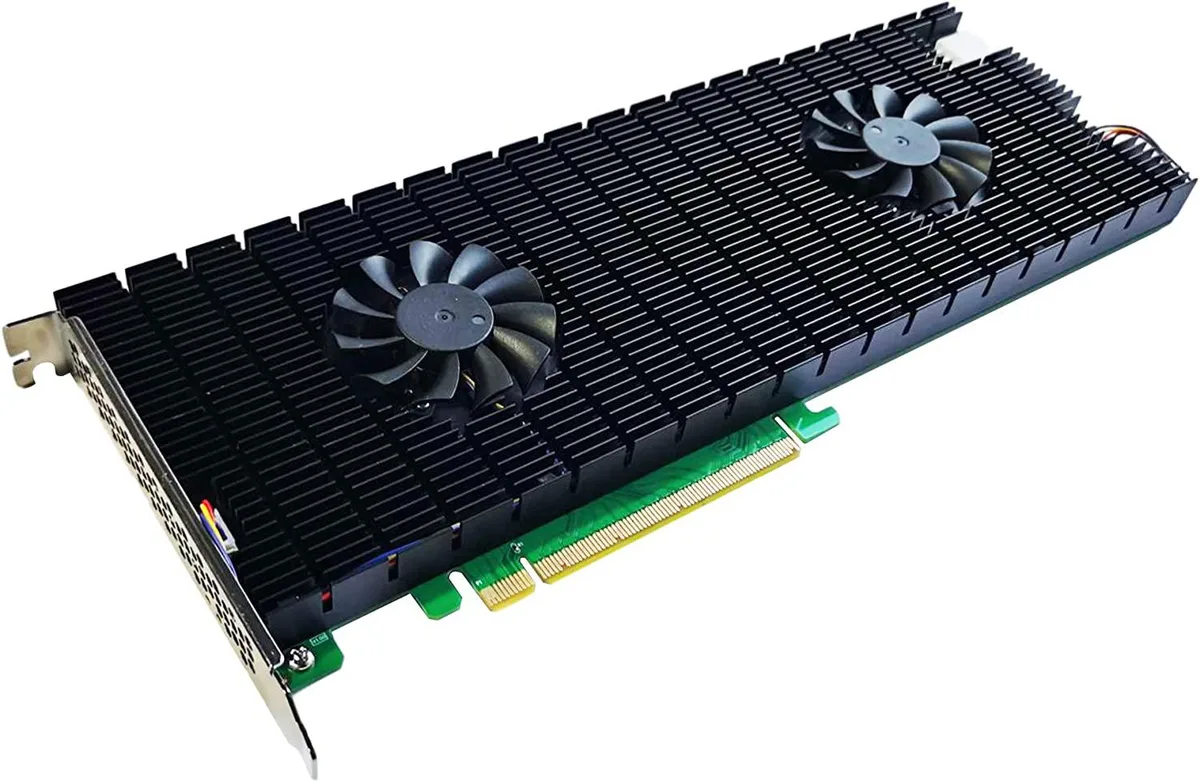
HighPoint Technologies, Inc. SSD7540 8-Port NVMe RAID AIC
1 749,99 $US
0.02224667BTC
En stockNous acceptons la cryptomonnaie — les cryptos que vous détenez peuvent ainsi acheter du matériel réel.Payez en crypto, dépensez-la en matériel réel. Livraison assurée offerte partout dans le monde au-delà de 399 $. Cartons neutres, sans marque, expédiés depuis l’Allemagne.Livraison assurée offerte au-delà de 399 $. Votre taux est bloqué pendant 30 minutes dès l’ouverture de la caisse.Taux bloqué 30 minutes. Chaque article est scellé, son numéro de série est vérifié, et il est couvert par une garantie de 24 mois.Scellé, garanti 24 mois.


GRI
Gaming desktop with Intel Core i7-13700K, 16GB DDR4, RTX 3060 Ti and 2TB NVMe storage in a Zalman ARGB case with WiFi 6E
This GRI gaming desktop pairs an Intel Core i7 13700K processor with a GeForce RTX 3060 Ti graphics card. It ships with Windows 11 Pro pre-installed and activated, ready for immediate play and productivity.
The 16 GB DDR4 kit and 13th-generation i7 give strong frame rates at 1440p and handle live encoding while gaming. Buyers who need higher VRAM or raw raster power for 4K ultra settings should look at a different system.
A single 2 TB NVMe drive holds the operating system, applications and a large game library without extra drives. The 650 W power supply and B660M motherboard leave headroom for a second SSD if more space is required later.
| Power Supply | 650W |
|---|---|
| Operating System | Windows 11 Pro |
| CPU Type | Intel Core i7 13th Gen |
| GPU/VGA Type | GeForce RTX 3060 Ti |
| Memory Capacity | 16GB DDR4 |
| SSD | 2TB NVMe |
| Screen Size | No Screen |
Yes — the board uses DDR4 slots, so any compatible DDR4 sticks you already own can be added without changing memory type.
Open Device Manager, expand Display adapters, right-click the RTX 3060 Ti entry, choose Properties, then check the Driver tab for version and the Resources tab for a PCIe x16 link width.
The case ships with four 120 mm ARGB fans pre-mounted; no extra fans are required for the standard airflow layout.
Également dans ce rayon
Même rayon, même caisse — huit monnaies et un taux bloqué 30 minutes.
Ce que vous envoyez, et ce dans quoi vous lisez les prix.
Envoyé depuis votre portefeuille à la caisse
Affichage seul — le catalogue est libellé en dollars
Aucune monnaie ne correspond.
Choisissez la langue dans laquelle le site vous parle.
Première visite ?
Vous avez déjà un compte ?
Il n’y a pas de réinitialisation automatique : cette boutique n’envoie aucun e-mail, il n’existe donc aucun lien à usage unique à demander. Laissez l’adresse sur le compte, elle sera traitée à la main.
Demande enregistrée
Rien n’arrivera dans votre boîte de réception — cette boutique n’envoie aucun e-mail. Quelqu’un s’en occupe à la main.
Vous l’avez retrouvé ?


