

ebest
ebest Vertical Wireless Gaming Mouse 800/1200/1600 DPI 6 Buttons Black
37,99 $US
0.00048263BTC
En stockNous acceptons la cryptomonnaie — les cryptos que vous détenez peuvent ainsi acheter du matériel réel.Payez en crypto, dépensez-la en matériel réel. Livraison assurée offerte partout dans le monde au-delà de 399 $. Cartons neutres, sans marque, expédiés depuis l’Allemagne.Livraison assurée offerte au-delà de 399 $. Votre taux est bloqué pendant 30 minutes dès l’ouverture de la caisse.Taux bloqué 30 minutes. Chaque article est scellé, son numéro de série est vérifié, et il est couvert par une garantie de 24 mois.Scellé, garanti 24 mois.
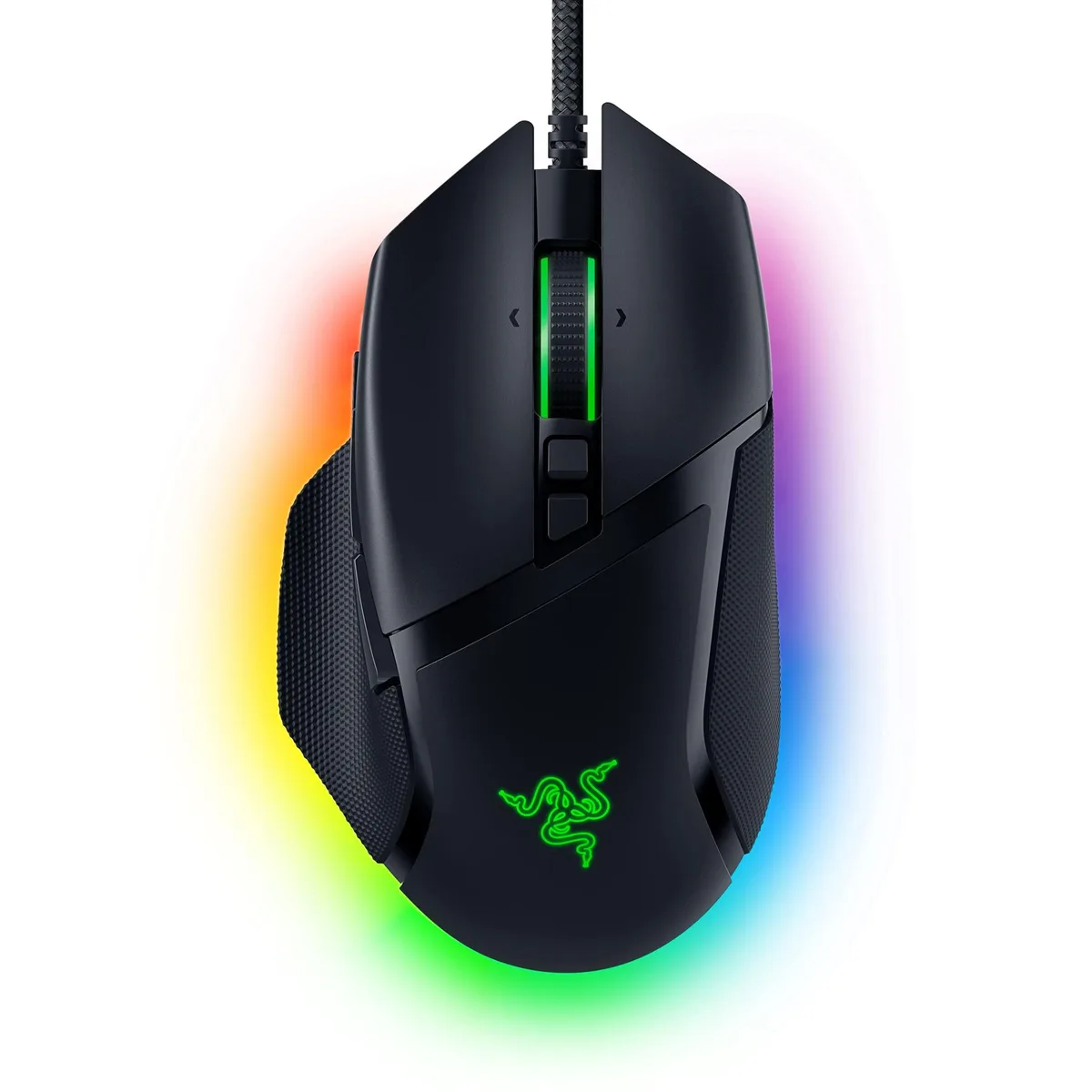


Right-handed ergonomic gaming mouse with 26000 DPI optical sensor, 11 programmable buttons, HyperScroll tilt wheel and 11 Chroma RGB zones
The Razer Basilisk V3 is a wired USB gaming mouse built for right-handed users who want a shaped shell with a thumb rest. Its Focus+ optical sensor reaches 26000 DPI and tracks without smoothing. Eleven programmable buttons and a HyperScroll tilt wheel give extensive control options. Chroma RGB lighting spans 11 zones with 16.8 million colours.
The button count and tilt wheel help gamers who map many abilities or need rapid weapon switching. The fixed right-handed shape excludes left-handed players. Buyers who want a lighter chassis or wireless freedom should look elsewhere. The 3.56-ounce weight is fixed with no adjustable system.
The Focus+ sensor tops out at 26000 DPI and provides zero-smoothing tracking for pixel-precise aim. If your play style demands that ceiling or the intelligent functions that accompany it, this mouse matches the requirement. If you operate at far lower sensitivities, the extra headroom may go unused.
| Brand | RAZER |
|---|---|
| Series | Basilisk V3 |
| Name | Basilisk V3 Razer |
| Model | Basilisk V3 |
| Part Number | RZ01-04000100-R3U1 |
| Type | USB |
| Color | Black |
| Interface | USB |
| Mouse Grip Style | Ergonomic Design |
| Tracking Method | Optical |
| Sensor | Optical |
| Resolution (DPI) | 26000 dots_per_inch |
| Hand Orientation | Right Hand |
| Buttons | 11 |
| Mouse Adjustable Weight | Ergonomic Design |
| Acceleration | Ergonomic Design, Optical |
| Dimension | 5.4102 cm x 10.1092 cm x 15.6972 cm |
| Weight | 3.56 ounces |
| System Requirement | USB port |
| Features | Ergonomic Design |
| Package Contents | Razer Basilisk V3, Important Product Information Guide |
Yes, the Basilisk V3 connects through a wired USB interface and requires an available USB port on the computer.
Basic movement and clicks work immediately, but assigning macros to the 11 buttons or changing the three scroll-wheel modes requires the Razer Synapse application.
Open Razer Synapse, set the DPI stages to 26000, then move the mouse on a uniform surface; the on-screen cursor should travel the full configured distance without smoothing or acceleration.
Également dans ce rayon
Même rayon, même caisse — huit monnaies et un taux bloqué 30 minutes.
Ce que vous envoyez, et ce dans quoi vous lisez les prix.
Envoyé depuis votre portefeuille à la caisse
Affichage seul — le catalogue est libellé en dollars
Aucune monnaie ne correspond.
Choisissez la langue dans laquelle le site vous parle.
Première visite ?
Vous avez déjà un compte ?
Il n’y a pas de réinitialisation automatique : cette boutique n’envoie aucun e-mail, il n’existe donc aucun lien à usage unique à demander. Laissez l’adresse sur le compte, elle sera traitée à la main.
Demande enregistrée
Rien n’arrivera dans votre boîte de réception — cette boutique n’envoie aucun e-mail. Quelqu’un s’en occupe à la main.
Vous l’avez retrouvé ?


