
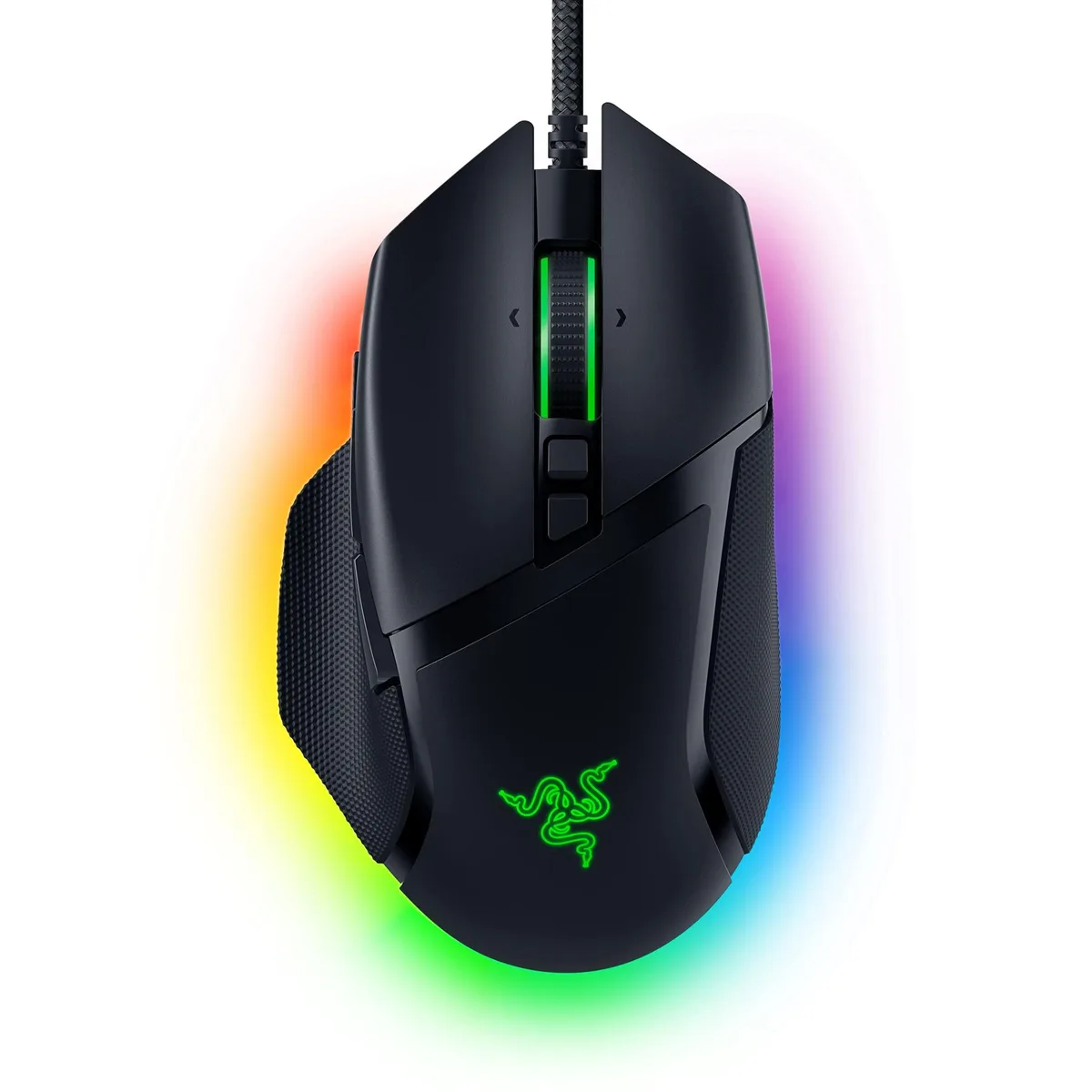


Razer Basilisk V3 Ergonomic Gaming Mouse 26000 DPI 11 Buttons Black
Right-handed ergonomic gaming mouse with 26000 DPI optical sensor, 11 programmable buttons, HyperScroll tilt wheel and 11 Chroma RGB zones
- NameBasilisk V3 Razer
- TypeUSB
- ColorBlack
- InterfaceUSB
- Mouse Grip StyleErgonomic Design
- Tracking MethodOptical
- Iconic ergonomic design with thumb rest supports the hand for comfortable extended play
- 11 programmable buttons let you assign macros and secondary functions for faster in-game actions
- HyperScroll tilt wheel offers free-spin and tactile modes for versatile scrolling control
- 11 Razer Chroma RGB lighting zones with 16.8 million colours react dynamically with 150 integrated games
- Optical mouse switches Gen-2 actuate at 0.2ms for up to 70 million clicks with zero misclicks
Right-Handed Ergonomic Mouse for Custom Play
The Razer Basilisk V3 is a wired USB gaming mouse built for right-handed users who want a shaped shell with a thumb rest. Its Focus+ optical sensor reaches 26000 DPI and tracks without smoothing. Eleven programmable buttons and a HyperScroll tilt wheel give extensive control options. Chroma RGB lighting spans 11 zones with 16.8 million colours.
Suits MMO and MOBA Players; Not for Left-Handed Use
The button count and tilt wheel help gamers who map many abilities or need rapid weapon switching. The fixed right-handed shape excludes left-handed players. Buyers who want a lighter chassis or wireless freedom should look elsewhere. The 3.56-ounce weight is fixed with no adjustable system.
26000 DPI Optical Sensor Decides Fit
The Focus+ sensor tops out at 26000 DPI and provides zero-smoothing tracking for pixel-precise aim. If your play style demands that ceiling or the intelligent functions that accompany it, this mouse matches the requirement. If you operate at far lower sensitivities, the extra headroom may go unused.
Highlights
- Iconic ergonomic design with thumb rest supports the hand for comfortable extended play
- 11 programmable buttons let you assign macros and secondary functions for faster in-game actions
- HyperScroll tilt wheel offers free-spin and tactile modes for versatile scrolling control
- 11 Razer Chroma RGB lighting zones with 16.8 million colours react dynamically with 150 integrated games
- Optical mouse switches Gen-2 actuate at 0.2ms for up to 70 million clicks with zero misclicks
Specifications
| Brand | RAZER |
|---|---|
| Series | Basilisk V3 |
| Name | Basilisk V3 Razer |
| Model | Basilisk V3 |
| Part Number | RZ01-04000100-R3U1 |
| Type | USB |
| Color | Black |
| Interface | USB |
| Mouse Grip Style | Ergonomic Design |
| Tracking Method | Optical |
| Sensor | Optical |
| Resolution (DPI) | 26000 dots_per_inch |
| Hand Orientation | Right Hand |
| Buttons | 11 |
| Mouse Adjustable Weight | Ergonomic Design |
| Acceleration | Ergonomic Design, Optical |
| Dimension | 5.4102 cm x 10.1092 cm x 15.6972 cm |
| Weight | 3.56 ounces |
| System Requirement | USB port |
| Features | Ergonomic Design |
| Package Contents | Razer Basilisk V3, Important Product Information Guide |
Questions about this item
Does this mouse need a USB port on my PC to work?
Yes, the Basilisk V3 connects through a wired USB interface and requires an available USB port on the computer.
Can I use the 11 programmable buttons and HyperScroll wheel without installing extra software?
Basic movement and clicks work immediately, but assigning macros to the 11 buttons or changing the three scroll-wheel modes requires the Razer Synapse application.
How can I verify the Focus+ sensor is tracking at the advertised 26000 DPI after setup?
Open Razer Synapse, set the DPI stages to 26000, then move the mouse on a uniform surface; the on-screen cursor should travel the full configured distance without smoothing or acceleration.
Also in this aisle
People compared these
Same shelf, same checkout — eight coins and a 30-minute rate lock.


Lofree
Lofree EP115 Rose Gold Potato Chip gaming mouse 800-3600 DPI Bluetooth 4.0 2.4G 98g
$49.99
0.00063805BTC
In stock