Cswur
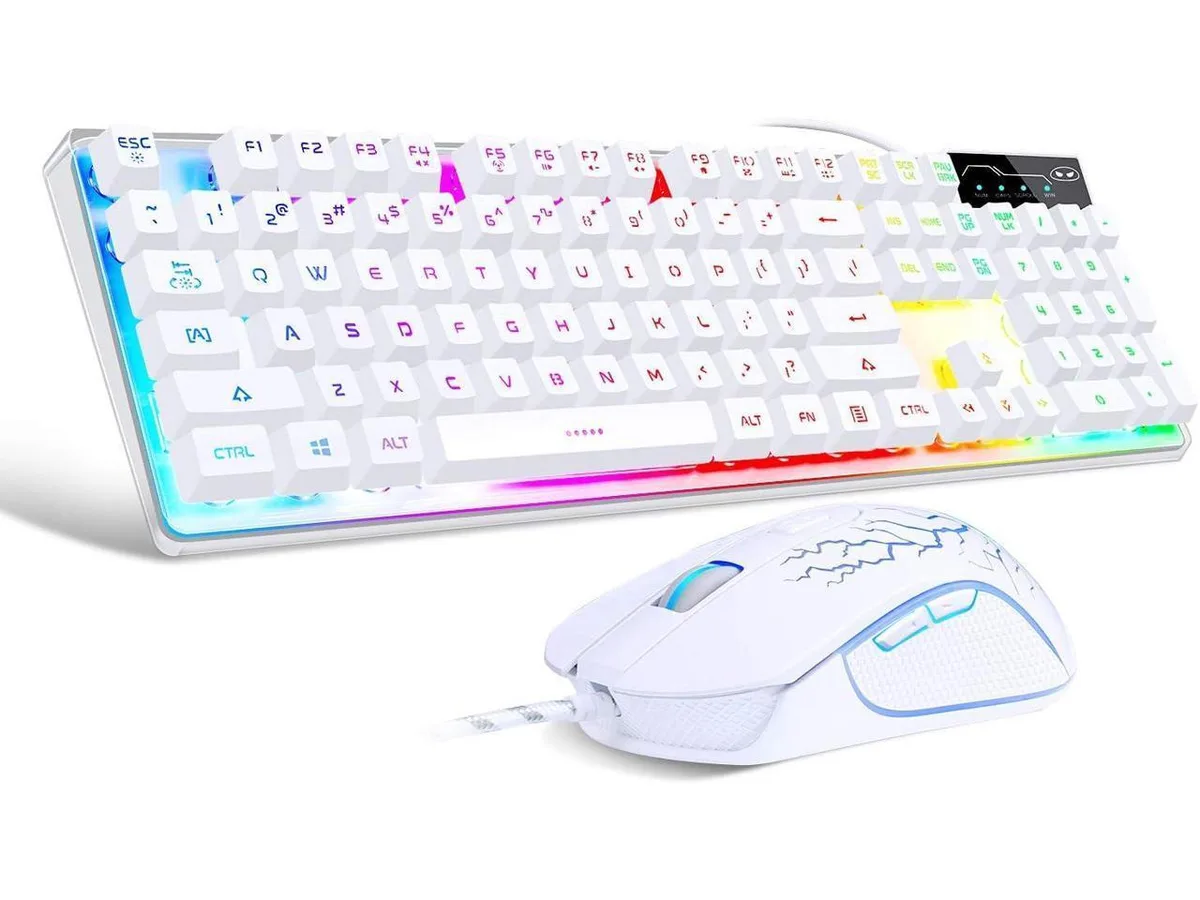
Cswur 104-Key Mechanical Gaming Keyboard Outemu Brown Switches Aluminum Frame Rainbow Backlight
- Full-size
86,99 $US
0.00110793BTC
En stockNous acceptons la cryptomonnaie — les cryptos que vous détenez peuvent ainsi acheter du matériel réel.Payez en crypto, dépensez-la en matériel réel. Livraison assurée offerte partout dans le monde au-delà de 399 $. Cartons neutres, sans marque, expédiés depuis l’Allemagne.Livraison assurée offerte au-delà de 399 $. Votre taux est bloqué pendant 30 minutes dès l’ouverture de la caisse.Taux bloqué 30 minutes. Chaque article est scellé, son numéro de série est vérifié, et il est couvert par une garantie de 24 mois.Scellé, garanti 24 mois.


SteelSeries
Gaming keyboard with OmniPoint switches adjustable from .4 to 3.6 mm actuation, an OLED smart display, per-key RGB lighting with 16.8 million colours.
The SteelSeries Apex Pro uses OmniPoint switches that let you set the actuation point anywhere between .4 millimeter and 3.6 millimeter. This range suits gamers who want hair-trigger response and writers who prefer a deeper press. Per-key RGB lighting offers 16.8 million colour options. A magnetic wrist rest and aircraft-grade aluminium frame complete the package.
The keyboard connects through a standard USB port and works with Windows, macOS, Xbox and PlayStation. On Windows 7 or newer and macOS 10.11 or newer you can run SteelSeries Engine 3.15 to reconfigure actuation, lighting and the OLED smart display. Console systems do not support the configuration software, so adjustments made on a PC are carried over but cannot be changed on the console itself.
Basic typing and default lighting work immediately after plugging the cable in. To customise actuation curves, OLED content or per-key colours you must install SteelSeries Engine on a supported computer. The most common issue is forgetting to update the firmware through the software, which can leave the OLED display or actuation settings unresponsive until the update is applied.
| Key Switch | No |
|---|---|
| Keyboard Color | Black |
Use the SteelSeries Engine software or the OLED smart display to set each key anywhere between 0.4 mm for rapid response and 3.6 mm for deliberate presses, matching your play style or typing preference.
At 0.4 mm the keys register with a feather-light touch for fast flicks, while at 3.6 mm they require a deeper press to avoid accidental inputs during intense moments.
The keyboard connects via a standard USB port; the connection supplies power and data for the OLED display, per-key RGB, and adjustable switches without needing extra drivers beyond SteelSeries Engine 3.15.
Également dans ce rayon
Même rayon, même caisse — huit monnaies et un taux bloqué 30 minutes.
Ce que vous envoyez, et ce dans quoi vous lisez les prix.
Envoyé depuis votre portefeuille à la caisse
Affichage seul — le catalogue est libellé en dollars
Aucune monnaie ne correspond.
Choisissez la langue dans laquelle le site vous parle.
Première visite ?
Vous avez déjà un compte ?
Il n’y a pas de réinitialisation automatique : cette boutique n’envoie aucun e-mail, il n’existe donc aucun lien à usage unique à demander. Laissez l’adresse sur le compte, elle sera traitée à la main.
Demande enregistrée
Rien n’arrivera dans votre boîte de réception — cette boutique n’envoie aucun e-mail. Quelqu’un s’en occupe à la main.
Vous l’avez retrouvé ?