DELL
DELL DELL-P2725DE 27" 2560x1440 100Hz USB-C monitor
- 27
562,49 $US756,99 $US−26%
0.00729313BTC
En stockNous acceptons la cryptomonnaie — les cryptos que vous détenez peuvent ainsi acheter du matériel réel.Payez en crypto, dépensez-la en matériel réel. Livraison assurée offerte partout dans le monde au-delà de 399 $. Cartons neutres, sans marque, expédiés depuis l’Allemagne.Livraison assurée offerte au-delà de 399 $. Votre taux est bloqué pendant 30 minutes dès l’ouverture de la caisse.Taux bloqué 30 minutes. Chaque article est scellé, son numéro de série est vérifié, et il est couvert par une garantie de 24 mois.Scellé, garanti 24 mois.


ViewSonic
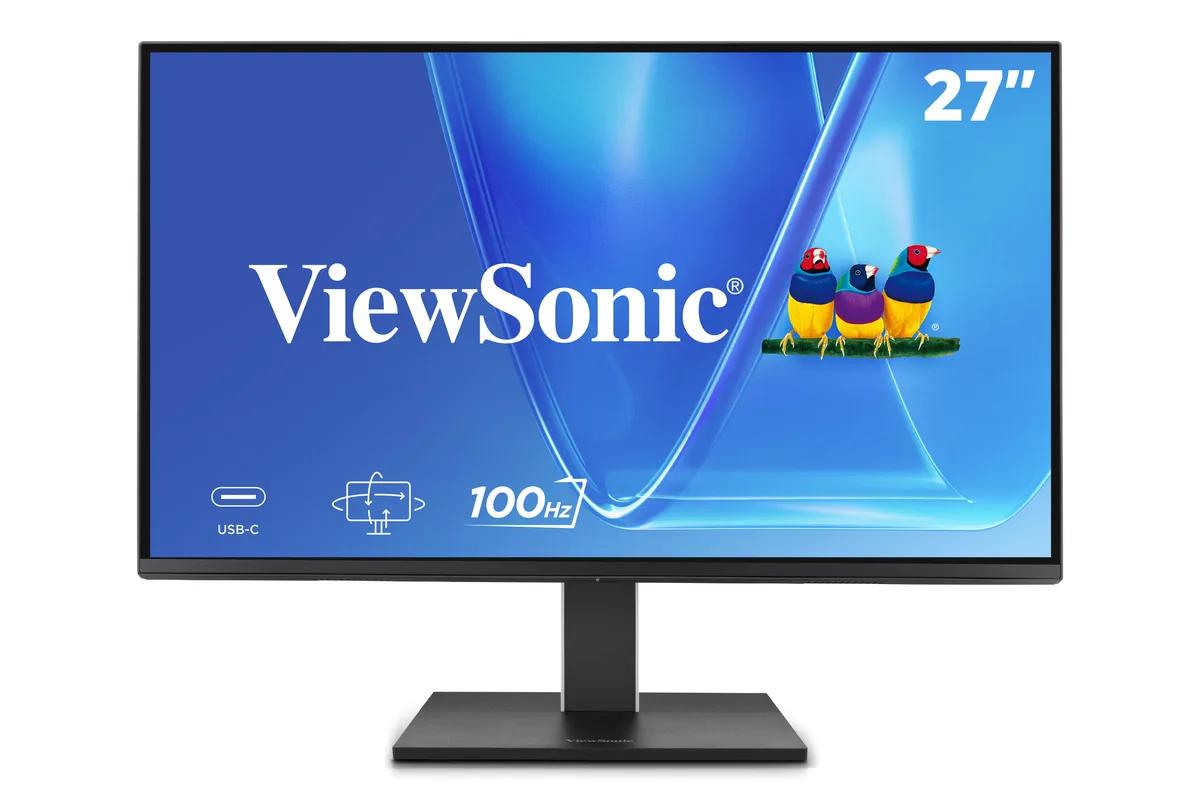
A 27 inch 1440p IPS monitor with a 100Hz refresh rate, ergonomic stand, and 65W USB-C connectivity
The ViewSonic VG2752-2K is a 27-inch IPS display with a 2560x1440 resolution and a 100Hz refresh rate. It targets office professionals and home workers who need accurate colour across a wide 178-degree viewing angle. A 65W USB-C upstream port handles video, data and laptop charging through a single cable. The anti-glare panel and 350 cd/m2 brightness suit brightly lit environments.
This monitor fits users who want a tidy desk with one cable for power, video and peripherals via the integrated USB 3.2 Gen2 hub. The ergonomic stand offers tilt, swivel, pivot and height adjustment, plus a 35-degree tilt range for standing-desk use. Buyers who need higher refresh rates for competitive gaming or HDR-grade contrast should look elsewhere. The static contrast sits at 1500:1 without local dimming.
Flicker-Free backlighting and a built-in Blue Light Filter reduce eye strain across extended workdays. The IPS panel maintains consistent colour and brightness at the rated 5ms response time without overdrive artefacts. Thermal design keeps surface temperatures stable during continuous 100Hz operation. A quick-release stand with a carrying handle simplifies re-deployment when desk layouts change.
| Brand | ViewSonic |
|---|---|
| Model | VG2752-2K |
| Cabinet Color | Black |
| Screen Size | 27" |
| Glare Screen | Anti-glare |
| LED Backlight | IPS/WLED |
| Widescreen | No |
| Maximum Resolution | 2560x1440 |
| Refresh Rate | 100Hz |
| Viewing Angle | 178° (H) / 178° (V) |
| Display Colors | 16.7 Million |
| Brightness | 350 cd/m2 |
| Contrast Ratio | 1500:1 Static Contrast Ratio |
| Aspect Ratio | 16:9 Aspect Ratio |
| Response Time | 5ms |
| Panel | IPS Panel |
| Display Type | 1440P |
| Connectors | HDMI x x1 (v2.0), DisplayPort in x x1 (v1.4), USB Type A x x2 (Downstream), USB Type C x x1 (Upstream, v3.2 Gen2, DP Alt mode, 65W); x2 (Downstream, v3.2 Gen2, 15W) |
| DVI | No |
| HDMI | 1 |
| Thunderbolt 2 | No |
| DisplayPort | 1 |
| Power Supply | 100 - 240 VAC, 50/60Hz |
| Stand Adjustments | Height, Pivot, Swivel, Tilt |
| Built-in Speakers | Yes |
| Built-in Webcam | No |
| VESA Compatibility - Mountable | 100 x 100mm |
| Package Contents | VG2752-2K x1, 3-pin Plug x1, DisplayPort Cable x1, USB Type-C Gen2 Cable x1, Quick Start Guide x1 |
Use the included DisplayPort 1.4 cable or an HDMI 2.0 cable; both support the full 2560x1440 resolution at 100Hz refresh rate.
HDMI 1.4 is limited to 1440p at 60Hz; you will get the full resolution but the refresh rate will drop to 60Hz on that port.
Check your laptop's battery or power settings while connected; it should report 65W charging from the monitor's USB-C upstream port.
Également dans ce rayon
Même rayon, même caisse — huit monnaies et un taux bloqué 30 minutes.
Ce que vous envoyez, et ce dans quoi vous lisez les prix.
Envoyé depuis votre portefeuille à la caisse
Affichage seul — le catalogue est libellé en dollars
Aucune monnaie ne correspond.
Choisissez la langue dans laquelle le site vous parle.
Première visite ?
Vous avez déjà un compte ?
Il n’y a pas de réinitialisation automatique : cette boutique n’envoie aucun e-mail, il n’existe donc aucun lien à usage unique à demander. Laissez l’adresse sur le compte, elle sera traitée à la main.
Demande enregistrée
Rien n’arrivera dans votre boîte de réception — cette boutique n’envoie aucun e-mail. Quelqu’un s’en occupe à la main.
Vous l’avez retrouvé ?