

SanDisk
SanDisk Cruzer Blade 8 GB USB 2.0 USB flash drive Black SDCZ50-008G-B35
$391.99
0.00501548BTC
在庫あり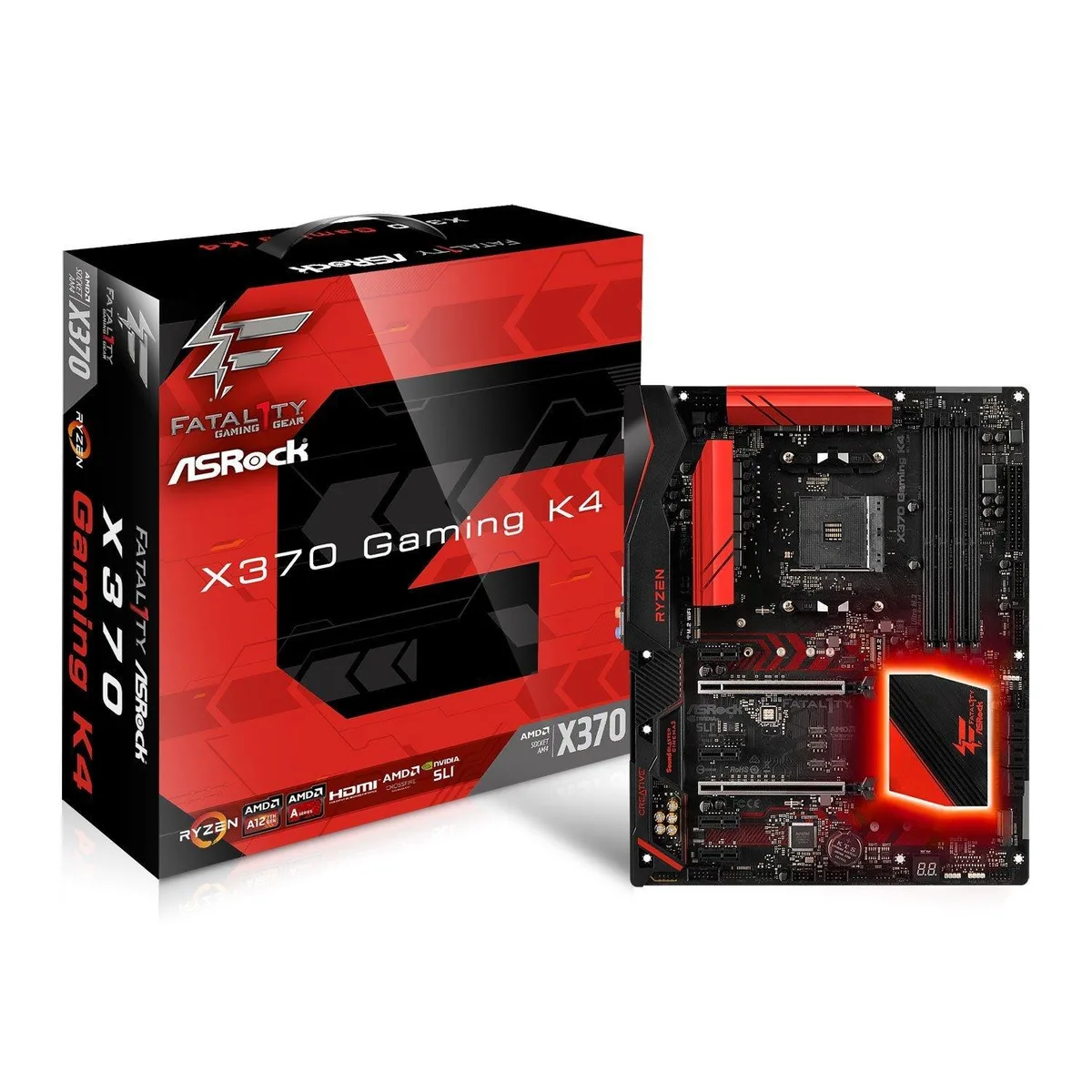


ASRock
AM4 motherboard with X370 chipset supporting DDR4 2933 OC memory, dual PCIe 3.0 x16 slots and 7.1 audio
This ASRock board fits the AM4 socket and the X370 chipset, accepting Ryzen Summit Ridge CPUs and A-Series Bristol Ridge APUs. It is aimed at builders assembling a desktop around AMD processors from that platform.
The layout provides two PCIe 3.0 x16 slots and four PCIe 2.0 x1 slots, supporting one graphics card at full bandwidth or two at reduced speeds. Builders who need three or more full-length expansion cards should look elsewhere.
Verify that your chosen cooler fits the ATX mounting holes and does not block the four DDR4 slots. Ryzen CPUs enable DDR4 up to 2933 MHz when overclocked, while A-Series APUs run at 2400 MHz.
| Brand | ASRock |
|---|
The board supports AMD Socket AM4 A-Series APUs (Bristol Ridge) and Ryzen Series CPUs (Summit Ridge).
Yes, the four PCIe 2.0 x1 slots accept older PCIe 2.0 cards at their native speed.
Open the OS sound control panel, select the onboard audio device, and choose the 7.1 speaker configuration in the spatial sound or speaker setup tab.
同じ売り場の商品
同じ売り場、同じレジ — 8種類のコインと30分間のレートロック。
お支払いに使うコインと、価格表示に使う通貨です。
チェックアウト時にウォレットから送信されます。
表示のみ—カタログの価格は米ドル建てです。
該当する通貨がありません。
サイトの表示言語を選択してください。
一致する言語がありません。
初めてのご利用ですか?
すでにお持ちですか?
自動的な再設定はありません。当店はメールを送信しないため、ワンタイムリンクをお送りすることもできません。アカウントにメールアドレスを残しておいていただければ、担当者が手作業で確認いたします。
リクエストを受け付けました
受信箱に何かが届くことはありません — 当店はメールを一切送信していません。担当者が手作業で確認いたします。
思い出しましたか?



