

SanDisk
SanDisk Cruzer Blade 8 GB USB 2.0 USB flash drive Black SDCZ50-008G-B35
US$391.99
0.00501831BTC
재고 있음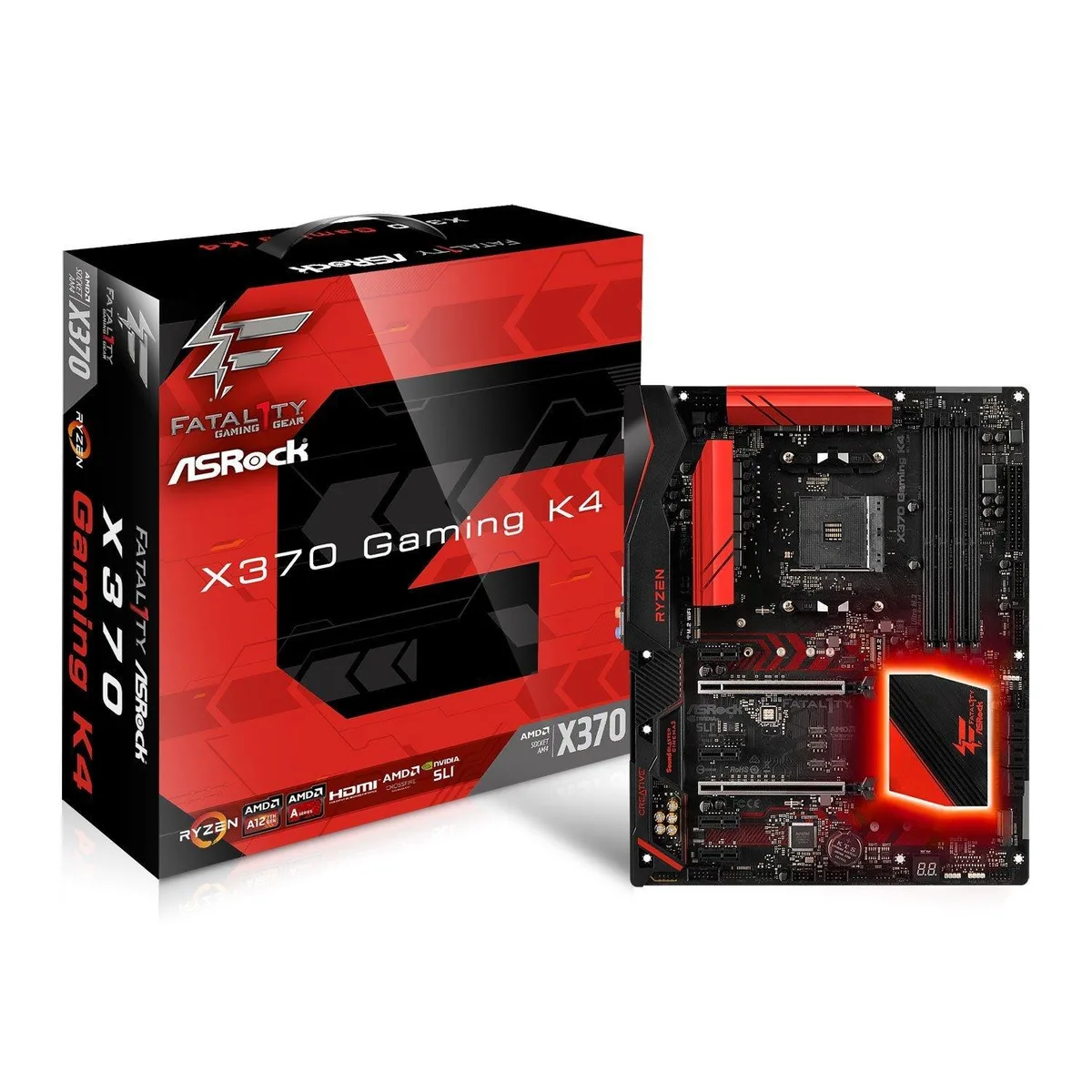


ASRock
AM4 motherboard with X370 chipset supporting DDR4 2933 OC memory, dual PCIe 3.0 x16 slots and 7.1 audio
This ASRock board fits the AM4 socket and the X370 chipset, accepting Ryzen Summit Ridge CPUs and A-Series Bristol Ridge APUs. It is aimed at builders assembling a desktop around AMD processors from that platform.
The layout provides two PCIe 3.0 x16 slots and four PCIe 2.0 x1 slots, supporting one graphics card at full bandwidth or two at reduced speeds. Builders who need three or more full-length expansion cards should look elsewhere.
Verify that your chosen cooler fits the ATX mounting holes and does not block the four DDR4 slots. Ryzen CPUs enable DDR4 up to 2933 MHz when overclocked, while A-Series APUs run at 2400 MHz.
| Brand | ASRock |
|---|
The board supports AMD Socket AM4 A-Series APUs (Bristol Ridge) and Ryzen Series CPUs (Summit Ridge).
Yes, the four PCIe 2.0 x1 slots accept older PCIe 2.0 cards at their native speed.
Open the OS sound control panel, select the onboard audio device, and choose the 7.1 speaker configuration in the spatial sound or speaker setup tab.
이 진열대의 다른 상품
같은 진열대, 같은 체크아웃 — 코인 8종, 환율 잠금 30분.
결제할 코인과 가격을 확인할 통화입니다.
체크아웃 시 지갑에서 전송됩니다.
표시 전용 — 카탈로그 가격은 달러 기준입니다.
일치하는 통화가 없습니다.
사이트에서 사용할 언어를 선택하십시오.
일치하는 언어가 없습니다.
처음 방문하셨나요?
이미 계정이 있으신가요?
자동 재설정 기능은 없습니다. 이 쇼핑몰은 어떠한 메일도 보내지 않으므로 요청할 일회용 링크 자체가 없습니다. 계정에 등록된 이메일 주소를 그대로 두시면 담당자가 직접 확인해 처리합니다.
요청 접수
받은편지함으로 오는 것은 아무것도 없습니다 — 이 쇼핑몰은 메일을 전혀 보내지 않습니다. 담당자가 직접 확인해 처리합니다.
기억나셨나요?



