


EN-Labs
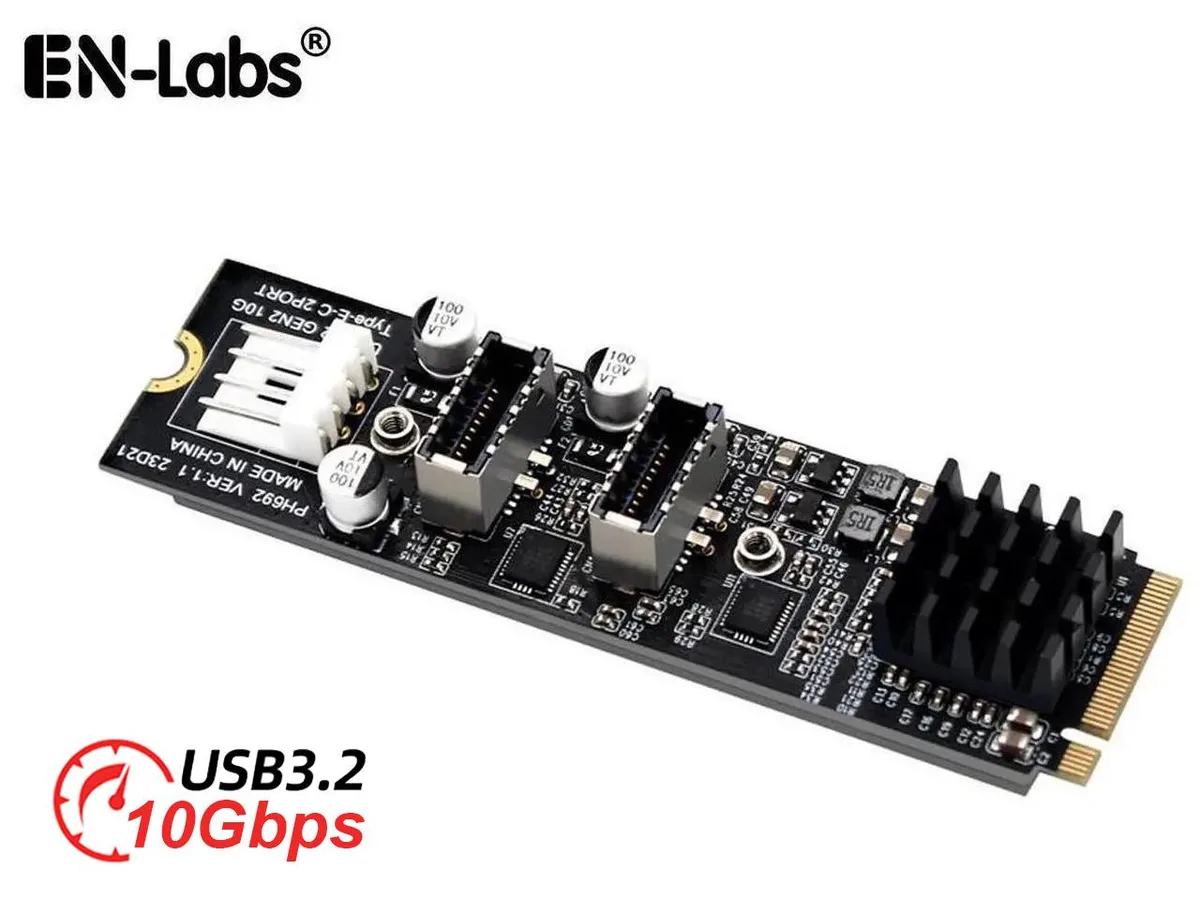
EN-Labs M.2 M-key NVMe to 2× USB 3.2 Type-E 20-pin expansion card
Adds two 10 Gbps USB 3.2 Type-E 20-pin headers to an M.2 M-key NVMe slot with 10 W power output
- Add two front-panel USB-C ports from a single M.2 M-key NVMe slot
- 10 Gbps data throughput when connected to PCIe 3.0 or 4.0 NVMe
- Each USB 3.2 Type-E header delivers up to 10 W (5 V / 2 A)
- ASMedia ASM3142 controller handles dual 20-pin internal connections
- Data-only design — no DisplayPort alt-mode or power-delivery charging
M.2 M-key NVMe to dual USB 3.2 Type-E adapter
This add-on card converts a single M.2 M-key NVMe slot into two internal USB 3.2 Type-E 20-pin headers. It is aimed at builders who need extra front-panel or rear-panel USB-C connectors and have a spare M.2 slot available. The ASMedia ASM3142 chipset handles the protocol conversion. No video or audio alternate modes are supported.
Dual 20-pin headers with 10 W power per port
Each Type-E header delivers up to 10 watts at 5 V 2 A, allowing high-power USB-C front-panel devices, hubs or card readers to operate without an external power brick. The 20-pin connectors match standard motherboard USB 3.2 internal header pinouts for straightforward cabling. Installation simply requires a compatible M.2 M-key slot and the supplied mounting screw.
Passive cooling with PCIe 3.0 or 4.0 NVMe source
The card draws power directly from the M.2 slot and uses no active cooling, so it adds no fan noise to the system. Maximum data throughput of 10 Gbps is achieved when the host slot provides PCIe 3.0 or 4.0 NVMe protocol bandwidth. Power draw scales with attached USB devices but remains within the slot’s standard delivery limits.
特長
- Add two front-panel USB-C ports from a single M.2 M-key NVMe slot
- 10 Gbps data throughput when connected to PCIe 3.0 or 4.0 NVMe
- Each USB 3.2 Type-E header delivers up to 10 W (5 V / 2 A)
- ASMedia ASM3142 controller handles dual 20-pin internal connections
- Data-only design — no DisplayPort alt-mode or power-delivery charging
仕様
この商品の仕様はまだ公開されていません。
この商品に関する質問
How fast can the USB 3.2 Type-E headers run and what limits them?
The two USB 3.2 Type-E headers share a 10 Gbps ceiling. To reach that speed the card must be plugged into a PCIe 3.0 or PCIe 4.0 NVMe M-key slot; a slower slot caps the throughput below 10 Gbps.
What motherboard slot and headers are required to install the card?
You need one free M.2 M-key NVMe slot on the motherboard and two internal USB 3.2 Type-E 20-pin headers to connect the front-panel or rear-panel cables.
How is the card installed and which step is often missed?
Insert the card into the M.2 M-key NVMe slot and secure it with the motherboard standoff screw, then attach both 20-pin cables to the motherboard's USB 3.2 Type-E headers; the step people forget is plugging in both power cables so each port can deliver 5 V 2 A.
同じ売り場の商品
よく比較されている商品
同じ売り場、同じレジ — 8種類のコインと30分間のレートロック。


Mushkin Enhanced
Mushkin Enhanced 4GB DDR2-800 CL6 SoDIMM Apple 971741A memory upgrade
$104.99
0.00133157BTC
在庫あり

SK hynix
SK hynix HYMD232M646C6-J 256MB DDR 333MHz PC2700 CL2.5 SODIMM laptop RAM
- 4GB (2 x 2GB)
$7.99
0.00010134BTC
在庫あり