

Huilian Cloud Technology (Shenzhen) Co.,
Huilian Cloud Technology (Shenzhen) Co., Mini PC Intel Core i3-10100 8GB 256GB barebone mini PC
$375.99
0.00475582BTC
在庫あり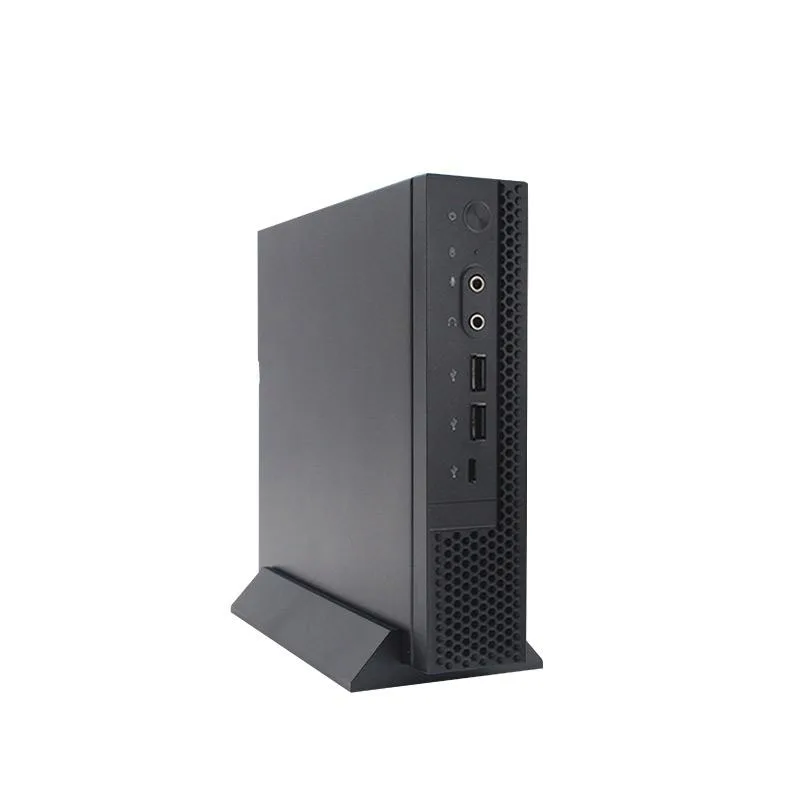


Huilian Cloud Technology (Shenzhen) Co.,
A compact Windows 10 desktop with a Celeron N5095 quad-core processor, 8 GB DDR4 memory and a 512 GB SSD for everyday office tasks
CPU Type intel celeron N5095
The Huilian Cloud Technology barebone mini PC arrives with an Intel Celeron N5095 quad-core processor, 8 GB DDR4 memory and a 512 GB SSD. Windows 10 trial version is pre-installed. The fan-cooled chassis measures 196 by 184 by 42.5 mm and weighs about 1.5 kg. It targets everyday business and home-office tasks.
This unit suits users who need a quiet, small desktop for web browsing, document editing and video playback. Buyers who require more processing cores, discrete graphics or larger memory capacity for demanding applications should consider other platforms.
The four-core, four-thread CPU runs at 2.0 GHz with integrated graphics. It defines the overall speed ceiling for office software and media streaming. Connectivity includes HDMI, VGA, four USB 3.0 ports, two USB 2.0 ports, Gigabit Ethernet and optional 2.4G Wi-Fi with BT 4.0.
この商品の仕様はまだ公開されていません。
このモデルの他のバージョン
同じファミリーで、メモリ・クーラー・クロックが異なります — 購入前に比較してください。
Connect the 12V 3A adapter to the DC port, attach monitor via HDMI or VGA, plug in keyboard and mouse to USB 3.0 or 2.0 ports, then press the power button. The step often missed is confirming the 2.4G WiFi and BT 4.0 modules are fitted, as they are optional.
The thermostat fan should be cleaned of dust periodically to maintain cooling. The 512GB SSD and 8GB DDR4-2666 memory are not user-replaceable in this barebone. The Win10 Trial Version will require activation or upgrade.
The thermostat fan spins up as the integrated graphics and quad-core CPU reach thermal limits under continuous load, throttling performance before the Gigabit Ethernet or USB 3.0 ports saturate.
同じ売り場の商品
同じ売り場、同じレジ — 8種類のコインと30分間のレートロック。
お支払いに使うコインと、価格表示に使う通貨です。
チェックアウト時にウォレットから送信されます。
表示のみ—カタログの価格は米ドル建てです。
該当する通貨がありません。
サイトの表示言語を選択してください。
一致する言語がありません。
初めてのご利用ですか?
すでにお持ちですか?
自動的な再設定はありません。当店はメールを送信しないため、ワンタイムリンクをお送りすることもできません。アカウントにメールアドレスを残しておいていただければ、担当者が手作業で確認いたします。
リクエストを受け付けました
受信箱に何かが届くことはありません — 当店はメールを一切送信していません。担当者が手作業で確認いたします。
思い出しましたか?


