

OWC
OWC 16GB DDR4 3200MHz CL22 1.2V 260pin SODIMM Alienware X17 R1
- 16GB
- 260-Pin DDR4 Non-EC…
$82.99
0.00106888BTC
在庫あり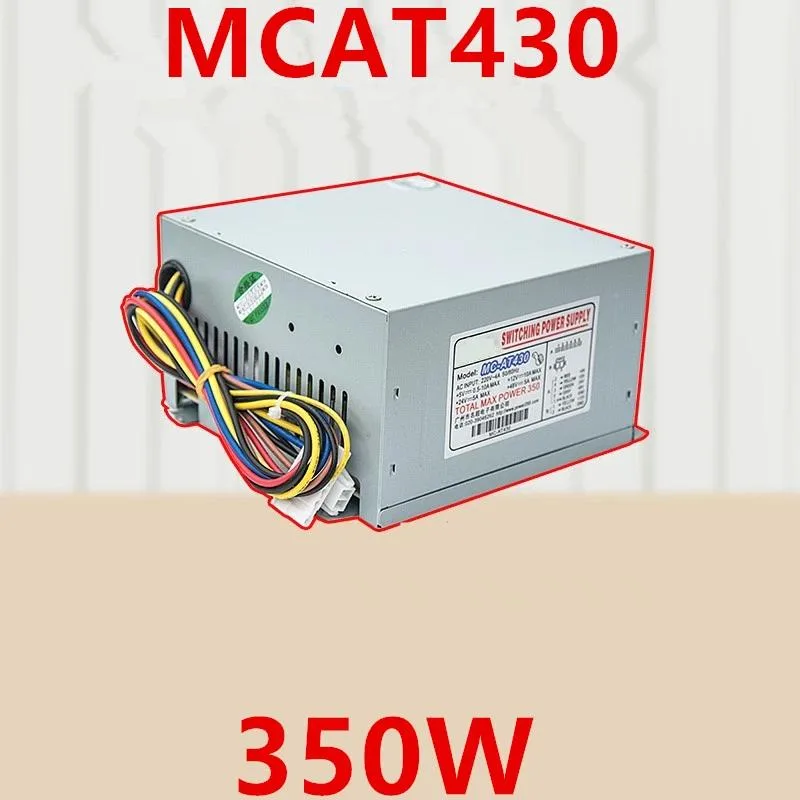
KHACHIMO
ATX power supply delivering 350 W with 80 PLUS Gold efficiency, zero-RPM fan mode and Modern Standby support
The KHACHIMO MCAT430 delivers 350 watts of continuous power through a standard ATX form factor. It targets builders assembling compact or office PCs that rely on fast sleep and wake cycles. The unit carries 80 PLUS Gold certification for high efficiency across typical load ranges.
Swapping out an older supply that lacks Gold-rated efficiency or a semi-passive fan mode reduces heat output and eliminates fan noise at idle. The resonant LLC topology with DC-to-DC conversion also suppresses coil whine, making the upgrade worthwhile when acoustic comfort matters.
Confirm the case accepts a standard ATX power supply and that the motherboard uses a 24-pin main connector plus the necessary CPU and peripheral leads. The 220 V AC input rating suits mains voltage in supported regions.
| Type | ATX |
|---|
The unit follows the ATX form factor, so it uses the standard four-screw mounting pattern and depth used by most mid- and full-tower cases.
Plug the 24-pin connector fully until the latch clicks, then attach the 4+4-pin CPU cable near the socket; the step often missed is seating the CPU power connector completely before routing cables.
The Zero RPM mode keeps the fan off at low and medium loads, reducing wear; typical sleeve-bearing fans last several years before noise or failure signals a replacement.
同じ売り場の商品
同じ売り場、同じレジ — 8種類のコインと30分間のレートロック。
お支払いに使うコインと、価格表示に使う通貨です。
チェックアウト時にウォレットから送信されます。
表示のみ—カタログの価格は米ドル建てです。
該当する通貨がありません。
サイトの表示言語を選択してください。
初めてのご利用ですか?
すでにお持ちですか?
自動的な再設定はありません。当店はメールを送信しないため、ワンタイムリンクをお送りすることもできません。アカウントにメールアドレスを残しておいていただければ、担当者が手作業で確認いたします。
リクエストを受け付けました
受信箱に何かが届くことはありません — 当店はメールを一切送信していません。担当者が手作業で確認いたします。
思い出しましたか?



