

SanDisk
SanDisk Cruzer Blade 8 GB USB 2.0 USB flash drive Black SDCZ50-008G-B35
US$391.99
0.00501805BTC
재고 있음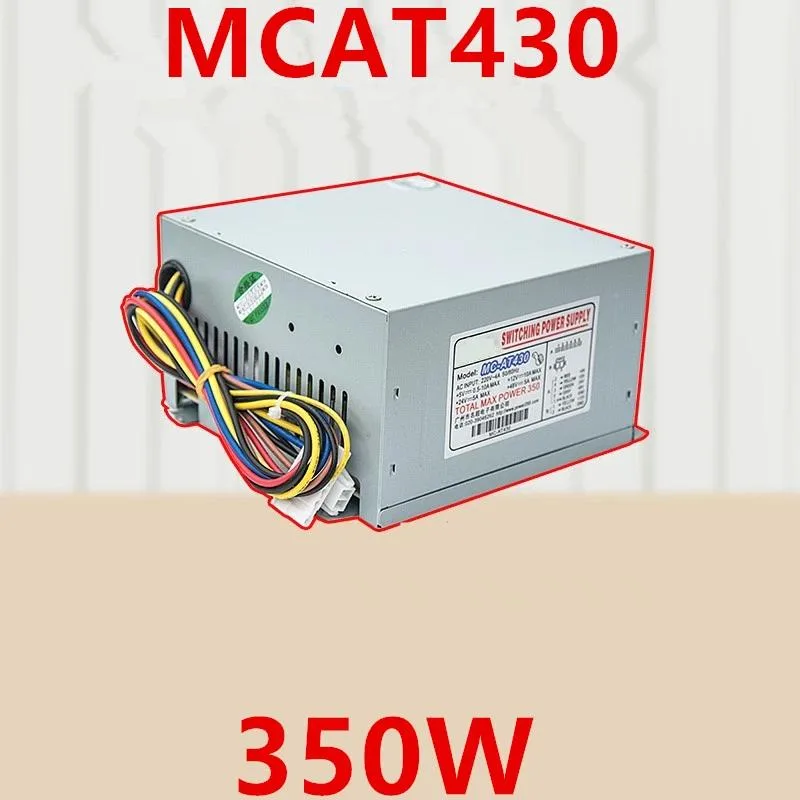
KHACHIMO
ATX power supply delivering 350 W with 80 PLUS Gold efficiency, zero-RPM fan mode and Modern Standby support
The KHACHIMO MCAT430 delivers 350 watts of continuous power through a standard ATX form factor. It targets builders assembling compact or office PCs that rely on fast sleep and wake cycles. The unit carries 80 PLUS Gold certification for high efficiency across typical load ranges.
Swapping out an older supply that lacks Gold-rated efficiency or a semi-passive fan mode reduces heat output and eliminates fan noise at idle. The resonant LLC topology with DC-to-DC conversion also suppresses coil whine, making the upgrade worthwhile when acoustic comfort matters.
Confirm the case accepts a standard ATX power supply and that the motherboard uses a 24-pin main connector plus the necessary CPU and peripheral leads. The 220 V AC input rating suits mains voltage in supported regions.
| Type | ATX |
|---|
The unit follows the ATX form factor, so it uses the standard four-screw mounting pattern and depth used by most mid- and full-tower cases.
Plug the 24-pin connector fully until the latch clicks, then attach the 4+4-pin CPU cable near the socket; the step often missed is seating the CPU power connector completely before routing cables.
The Zero RPM mode keeps the fan off at low and medium loads, reducing wear; typical sleeve-bearing fans last several years before noise or failure signals a replacement.
이 진열대의 다른 상품
같은 진열대, 같은 체크아웃 — 코인 8종, 환율 잠금 30분.
결제할 코인과 가격을 확인할 통화입니다.
체크아웃 시 지갑에서 전송됩니다.
표시 전용 — 카탈로그 가격은 달러 기준입니다.
일치하는 통화가 없습니다.
사이트에서 사용할 언어를 선택하십시오.
일치하는 언어가 없습니다.
처음 방문하셨나요?
이미 계정이 있으신가요?
자동 재설정 기능은 없습니다. 이 쇼핑몰은 어떠한 메일도 보내지 않으므로 요청할 일회용 링크 자체가 없습니다. 계정에 등록된 이메일 주소를 그대로 두시면 담당자가 직접 확인해 처리합니다.
요청 접수
받은편지함으로 오는 것은 아무것도 없습니다 — 이 쇼핑몰은 메일을 전혀 보내지 않습니다. 담당자가 직접 확인해 처리합니다.
기억나셨나요?



