

SanDisk
SanDisk Cruzer Blade 8 GB USB 2.0 USB flash drive Black SDCZ50-008G-B35
US$391.99
0.00501426BTC
現貨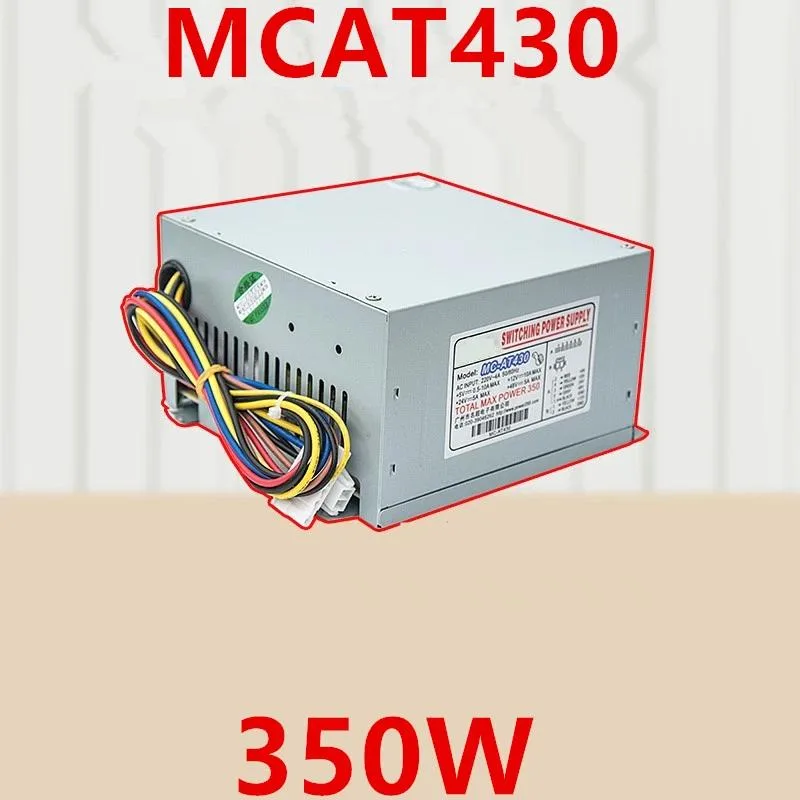
KHACHIMO
ATX power supply delivering 350 W with 80 PLUS Gold efficiency, zero-RPM fan mode and Modern Standby support
The KHACHIMO MCAT430 delivers 350 watts of continuous power through a standard ATX form factor. It targets builders assembling compact or office PCs that rely on fast sleep and wake cycles. The unit carries 80 PLUS Gold certification for high efficiency across typical load ranges.
Swapping out an older supply that lacks Gold-rated efficiency or a semi-passive fan mode reduces heat output and eliminates fan noise at idle. The resonant LLC topology with DC-to-DC conversion also suppresses coil whine, making the upgrade worthwhile when acoustic comfort matters.
Confirm the case accepts a standard ATX power supply and that the motherboard uses a 24-pin main connector plus the necessary CPU and peripheral leads. The 220 V AC input rating suits mains voltage in supported regions.
| Type | ATX |
|---|
The unit follows the ATX form factor, so it uses the standard four-screw mounting pattern and depth used by most mid- and full-tower cases.
Plug the 24-pin connector fully until the latch clicks, then attach the 4+4-pin CPU cable near the socket; the step often missed is seating the CPU power connector completely before routing cables.
The Zero RPM mode keeps the fan off at low and medium loads, reducing wear; typical sleeve-bearing fans last several years before noise or failure signals a replacement.
同類商品
同一分類,同一套結帳流程 — 支援八種加密貨幣,匯率鎖定 30 分鐘。
您支付所用的幣種,以及查看價格所用的貨幣。
結帳時由您的錢包發送
僅供顯示 — 商品目錄以美元計價
查無符合的貨幣。
請選擇網站使用的語言。
查無符合的語言。
初次造訪?
已經有帳戶了嗎?
本店沒有自動重設密碼的機制:由於不寄送電子郵件,也就沒有一次性連結可供申請。只要將地址留在帳戶中,之後將由專人處理。
請求已收到
不會有任何郵件寄到您的信箱 — 本商店完全不寄送電子郵件。會有人親自處理這些申請。
想起來了嗎?



