

SanDisk
SanDisk Cruzer Blade 8 GB USB 2.0 USB flash drive Black SDCZ50-008G-B35
$391.99
0.00501503BTC
在庫あり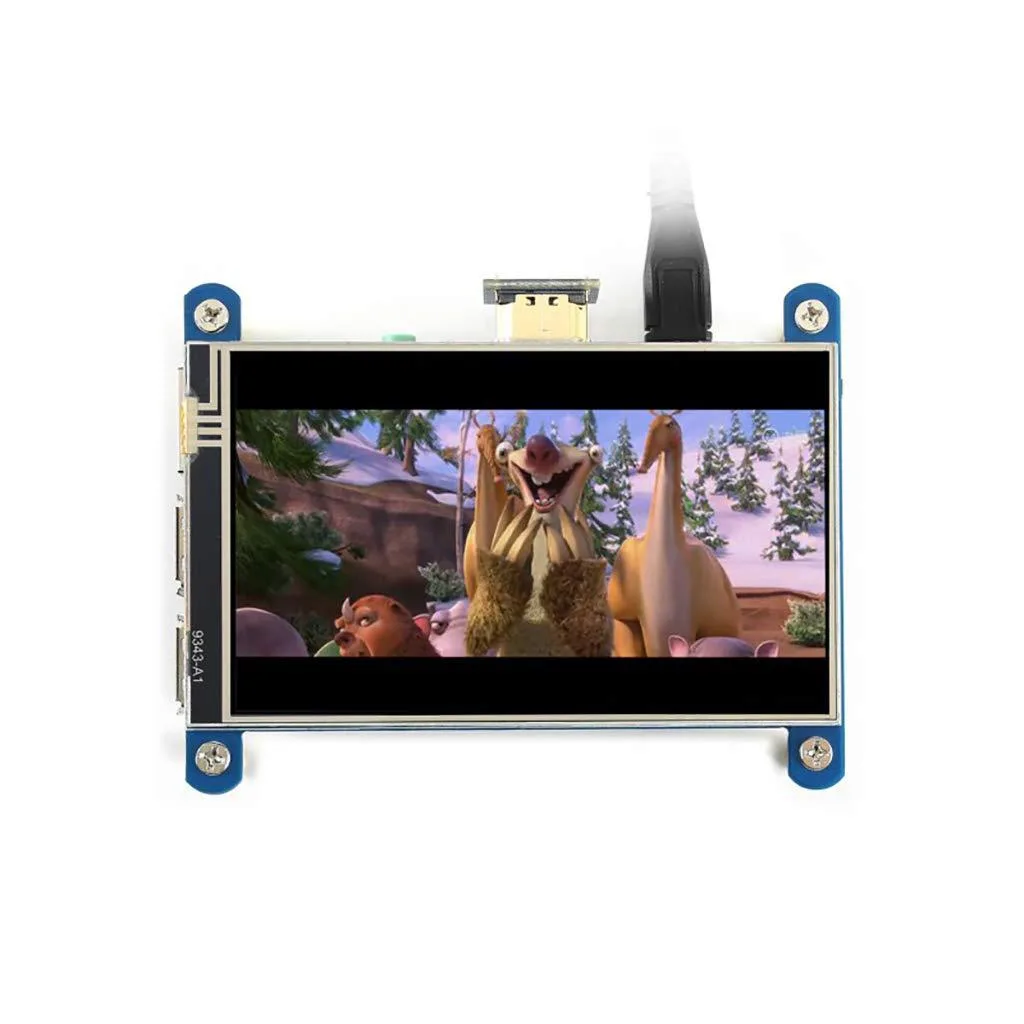


LORDWORLD
A 4-inch IPS resistive touch display with 480x800 resolution and 3.5 mm audio jack, directly compatible with most Raspberry Pi revisions
The LORDWORLD 4-inch IPS resistive touch screen offers a 480x800 hardware resolution and a 3.5 mm audio jack with HDMI audio output. It connects directly to any revision of Raspberry Pi except the Pi 1 Model B or Pi Zero, which need an HDMI cable. Drivers are supplied for Raspbian, Ubuntu, Kali and Retropie systems. The HDMI interface handles video without using GPIO pins, though the touch panel still requires I/O connections.
This board upgrades a standard HDMI monitor by adding integrated resistive touch control and direct GPIO mounting for Raspberry Pi boards. The jump is worth it when you need a compact, self-contained display with touch input for portable or embedded projects. It removes the need for a separate screen, cables and mounting hardware while keeping the same HDMI video path. Builders who need a second independent display or a purely HDMI-driven monitor without touch should look elsewhere.
The 480x800 panel comfortably handles Raspberry Pi desktop environments, media playback and retro-gaming interfaces at native resolution. The resistive layer supports single-touch operation for menus, buttons and on-screen keyboards. Headroom runs out with multi-touch gestures, high-DPI applications or capacitive-style swipes, which the resistive technology cannot detect. When used as a generic computer monitor the touch function is disabled, leaving only the 480x800 video display.
| Brand | LORDWORLD |
|---|
The display plugs straight onto the 40-pin header and uses the pins needed for resistive touch control; the remaining GPIO lines stay accessible for other add-ons.
Write the supplied driver overlay to the boot partition and enable it in config.txt before the first boot; skipping this step leaves the touch layer unresponsive.
Resistive touch panels do not have a user-replaceable overlay; normal stylus or fingertip use lasts for years, and the whole display module is swapped only if the layer fails.
同じ売り場の商品
同じ売り場、同じレジ — 8種類のコインと30分間のレートロック。
お支払いに使うコインと、価格表示に使う通貨です。
チェックアウト時にウォレットから送信されます。
表示のみ—カタログの価格は米ドル建てです。
該当する通貨がありません。
サイトの表示言語を選択してください。
一致する言語がありません。
初めてのご利用ですか?
すでにお持ちですか?
自動的な再設定はありません。当店はメールを送信しないため、ワンタイムリンクをお送りすることもできません。アカウントにメールアドレスを残しておいていただければ、担当者が手作業で確認いたします。
リクエストを受け付けました
受信箱に何かが届くことはありません — 当店はメールを一切送信していません。担当者が手作業で確認いたします。
思い出しましたか?



