

OWC
OWC 16GB DDR4 3200MHz CL22 1.2V 260pin SODIMM Alienware X17 R1
- 16GB
- 260-Pin DDR4 Non-EC…
$82.99
0.00106793BTC
在庫あり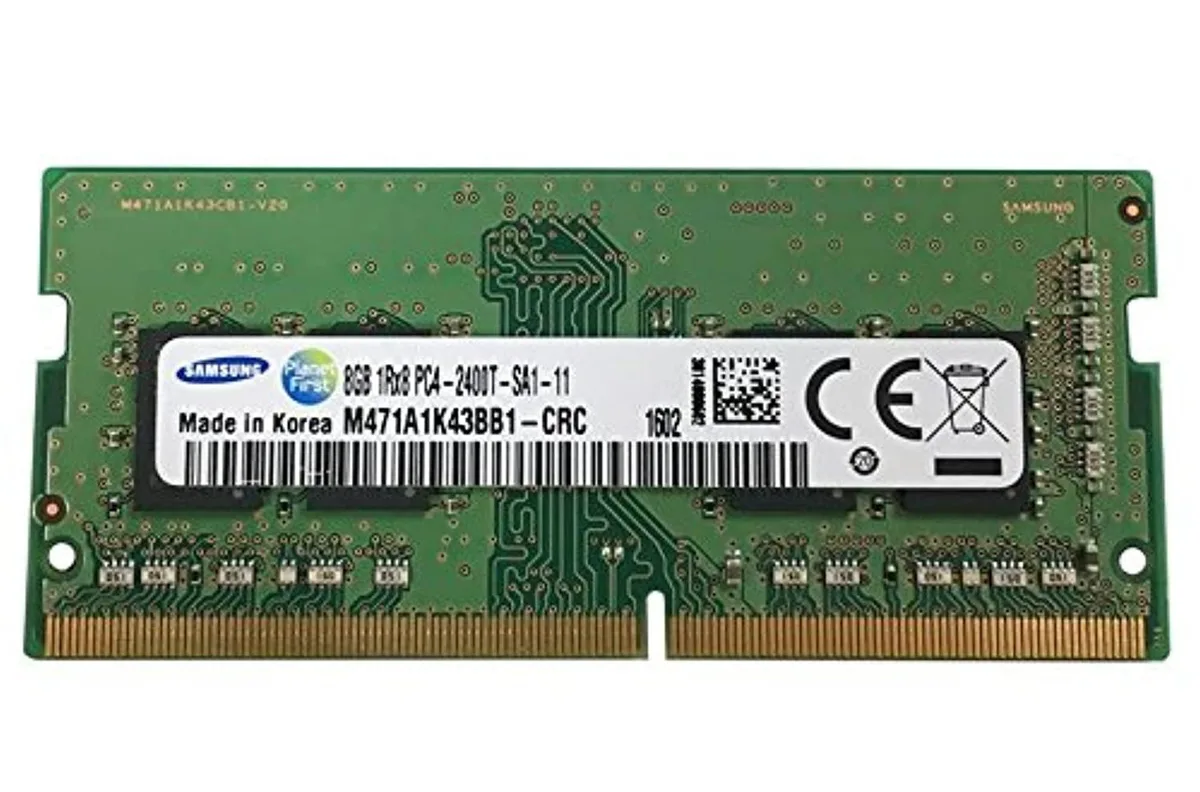


SAMSUNG
Adds 8 GB of DDR4 memory at 2400 MHz in a SODIMM module for desktop upgrades
This Samsung memory module delivers 8GB of DDR4 capacity at 2400MHz. It uses a SODIMM form factor suitable for compatible desktop systems. The single-rank 1Rx8 organisation supports PC4-19200 bandwidth.
Buyers whose motherboards require standard DIMM modules cannot use this SODIMM stick. Systems limited to speeds below 2400MHz will not gain the rated frequency. Builds needing more than 8GB per slot should consider higher-density options.
The physical SODIMM layout is the single specification that determines whether this module installs in a given desktop board. Verify the motherboard manual for SODIMM slot presence before purchase.
この商品の仕様はまだ公開されていません。
Yes, this 8 GB stick is a DDR4 SO-DIMM rated at 2400 MHz PC4-19200, so the board must provide a DDR4 SO-DIMM socket.
The memory controller will down-clock all installed modules to the speed of the slowest stick, so this module will operate at the lower frequency.
Check the memory speed reported in the BIOS or a system-information tool such as CPU-Z; it should show 2400 MT/s for this module.
同じ売り場の商品
同じ売り場、同じレジ — 8種類のコインと30分間のレートロック。
お支払いに使うコインと、価格表示に使う通貨です。
チェックアウト時にウォレットから送信されます。
表示のみ—カタログの価格は米ドル建てです。
該当する通貨がありません。
サイトの表示言語を選択してください。
初めてのご利用ですか?
すでにお持ちですか?
自動的な再設定はありません。当店はメールを送信しないため、ワンタイムリンクをお送りすることもできません。アカウントにメールアドレスを残しておいていただければ、担当者が手作業で確認いたします。
リクエストを受け付けました
受信箱に何かが届くことはありません — 当店はメールを一切送信していません。担当者が手作業で確認いたします。
思い出しましたか?



