

EN-Labs
EN-Labs 11-001-366 PCIe x4 USB 3.2 10Gbps 5-port card
- no
- 12CM Case fan,screw…
US$31.99
0.00041181BTC
재고 있음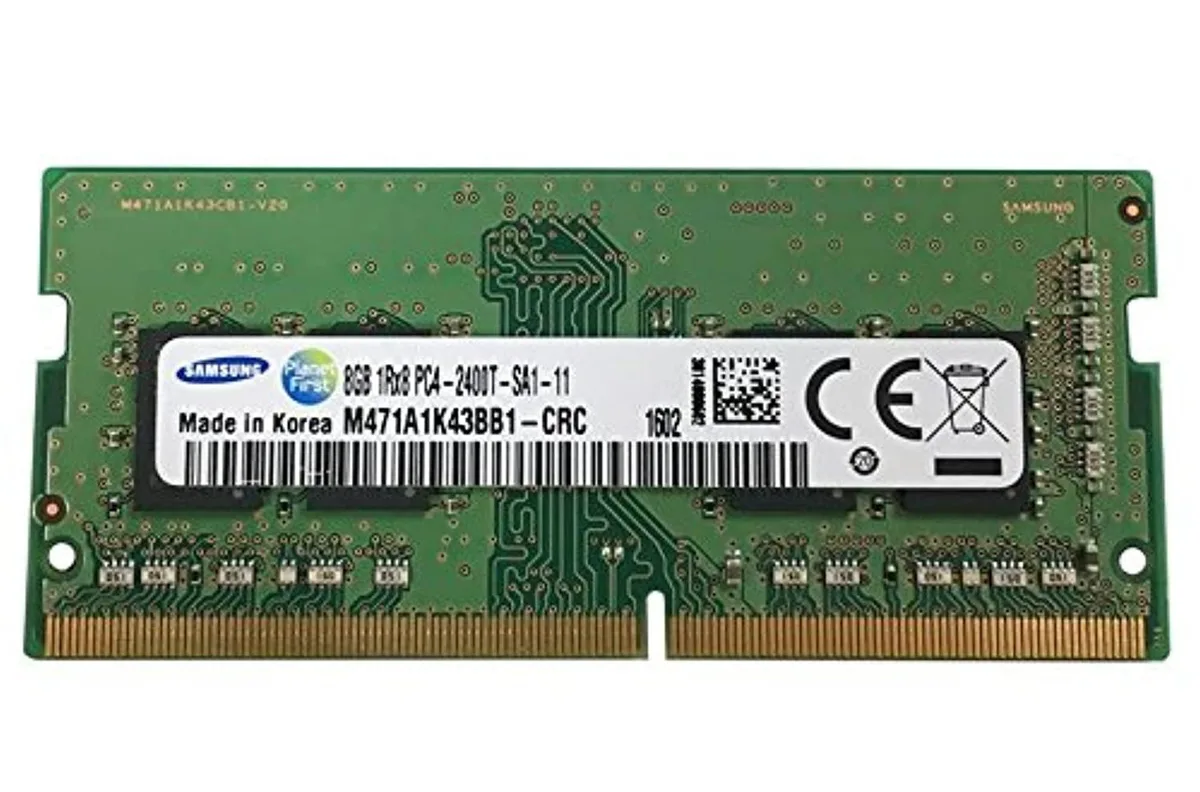


SAMSUNG
Adds 8 GB of DDR4 memory at 2400 MHz in a SODIMM module for desktop upgrades
This Samsung memory module delivers 8GB of DDR4 capacity at 2400MHz. It uses a SODIMM form factor suitable for compatible desktop systems. The single-rank 1Rx8 organisation supports PC4-19200 bandwidth.
Buyers whose motherboards require standard DIMM modules cannot use this SODIMM stick. Systems limited to speeds below 2400MHz will not gain the rated frequency. Builds needing more than 8GB per slot should consider higher-density options.
The physical SODIMM layout is the single specification that determines whether this module installs in a given desktop board. Verify the motherboard manual for SODIMM slot presence before purchase.
이 상품에 대해 아직 공개된 사양이 없습니다.
Yes, this 8 GB stick is a DDR4 SO-DIMM rated at 2400 MHz PC4-19200, so the board must provide a DDR4 SO-DIMM socket.
The memory controller will down-clock all installed modules to the speed of the slowest stick, so this module will operate at the lower frequency.
Check the memory speed reported in the BIOS or a system-information tool such as CPU-Z; it should show 2400 MT/s for this module.
이 진열대의 다른 상품
같은 진열대, 같은 체크아웃 — 코인 8종, 환율 잠금 30분.
결제할 코인과 가격을 확인할 통화입니다.
체크아웃 시 지갑에서 전송됩니다.
표시 전용 — 카탈로그 가격은 달러 기준입니다.
일치하는 통화가 없습니다.
사이트에서 사용할 언어를 선택하십시오.
처음 방문하셨나요?
이미 계정이 있으신가요?
자동 재설정 기능은 없습니다. 이 쇼핑몰은 어떠한 메일도 보내지 않으므로 요청할 일회용 링크 자체가 없습니다. 계정에 등록된 이메일 주소를 그대로 두시면 담당자가 직접 확인해 처리합니다.
요청 접수
받은편지함으로 오는 것은 아무것도 없습니다 — 이 쇼핑몰은 메일을 전혀 보내지 않습니다. 담당자가 직접 확인해 처리합니다.
기억나셨나요?



