

STARTECH
STARTECH SM2NGFFMBU33 M.2 SATA drive enclosure USB 3.0 UASP aluminum
- Black
- See Details
$27.99
0.00036075BTC
在庫あり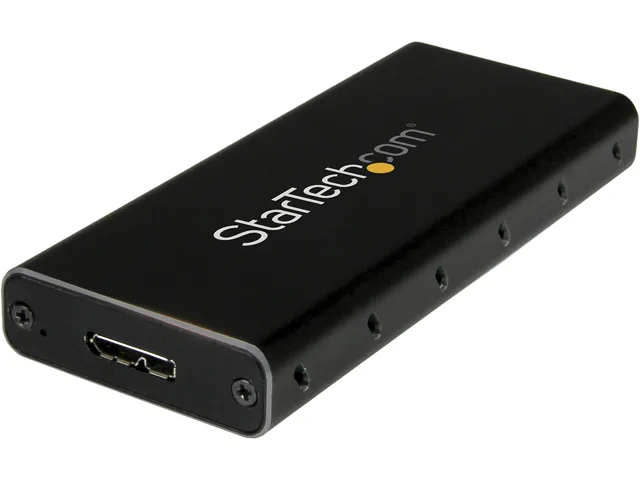


STARTECH
An aluminum enclosure that turns an M.2 SATA drive into a 10Gbps USB-C portable storage device for Thunderbolt 3 hosts
Color Black / Silver
External Interface USB 3.1 Type-C
The STARTECH SM21BMU31C3 converts a 2280 M.2 SATA solid-state drive into a portable USB 3.1 Gen 2 device. It targets users who want to reuse an internal SATA stick as external storage for a USB-C laptop such as a MacBook Pro or Dell XPS.
The black and silver aluminium shell acts as a heatsink, so the drive runs silently with no fan and draws power solely from the host port. At .5 by 1.6 by 3.9 inches and 1.90 oz it adds negligible bulk while keeping surface temperatures low during sustained transfers.
This unit replaces older 5 Gbps enclosures and doubles the interface ceiling to 10 Gbps, making the jump worthwhile when the source SSD can saturate SATA III. It does not support NVMe or PCIe AHCI drives, so buyers needing those protocols must choose a different model.
| Brand | StarTech.com |
|---|---|
| Model | SM21BMU31C3 |
| Color | Black / Silver |
| Type | See Details |
| Internal Interface | SATA I/II/III |
| External Interface | USB 3.1 Type-C |
| Features | Turn your M.2 NGFF SATA drive into an ultra-fast and portable storage solution for USB C enabled host including MacBook or Chromebook Pixel or Dell XPS M.2 NGFF SATA enclosure USB 3.1 Gen 2 (10Gbps) external enclosure with USB C Portable M.2 SSD drive enclosure for USB Type-C enabled host USB-C hard disk box for M.2 SATA SSDs Compatible with Thunderbolt 3 USB C port Aluminum M.2 SSD enclosure with ventilation Supports SATA III (6Gbps) |
| Dimensions | Height:0.5" x Width:1.6" x Depth:3.9" |
| Weight | 1.90 oz |
| Package Contents | M.2 NGFF SATA Enclosure - USB 3.1 1 x USB C To Micro B Cable 1 x M.2 Screw Kit 1 x Screwdriver 1 x Quick Install Guide |
| 配送重量 | 0.14 kg |
| 梱包サイズ | 157 × 130 × 30 mm |
このモデルの他のバージョン
同じファミリーで、メモリ・クーラー・クロックが異なります — 購入前に比較してください。
Open the aluminum case, insert the M.2 SATA drive at an angle into the internal SATA connector, secure it with the supplied M.2 screw, then close the case and connect the USB-C cable; the step most often missed is using the included screw to lock the drive down, which prevents disconnects when the enclosure is moved.
The enclosure itself has no moving parts and requires no scheduled maintenance; only the installed M.2 SATA SSD may eventually wear out and need replacement, while the supplied USB-C to Micro-B cable can be swapped if the connector becomes loose.
The internal SATA III interface caps sustained throughput at roughly 6 Gbps, so even though the external USB 3.1 Gen 2 link supports 10 Gbps, the drive’s own SATA speed becomes the bottleneck during long transfers.
同じ売り場の商品
同じ売り場、同じレジ — 8種類のコインと30分間のレートロック。
お支払いに使うコインと、価格表示に使う通貨です。
チェックアウト時にウォレットから送信されます。
表示のみ—カタログの価格は米ドル建てです。
該当する通貨がありません。
サイトの表示言語を選択してください。
初めてのご利用ですか?
すでにお持ちですか?
自動的な再設定はありません。当店はメールを送信しないため、ワンタイムリンクをお送りすることもできません。アカウントにメールアドレスを残しておいていただければ、担当者が手作業で確認いたします。
リクエストを受け付けました
受信箱に何かが届くことはありません — 当店はメールを一切送信していません。担当者が手作業で確認いたします。
思い出しましたか?


