


ASUS
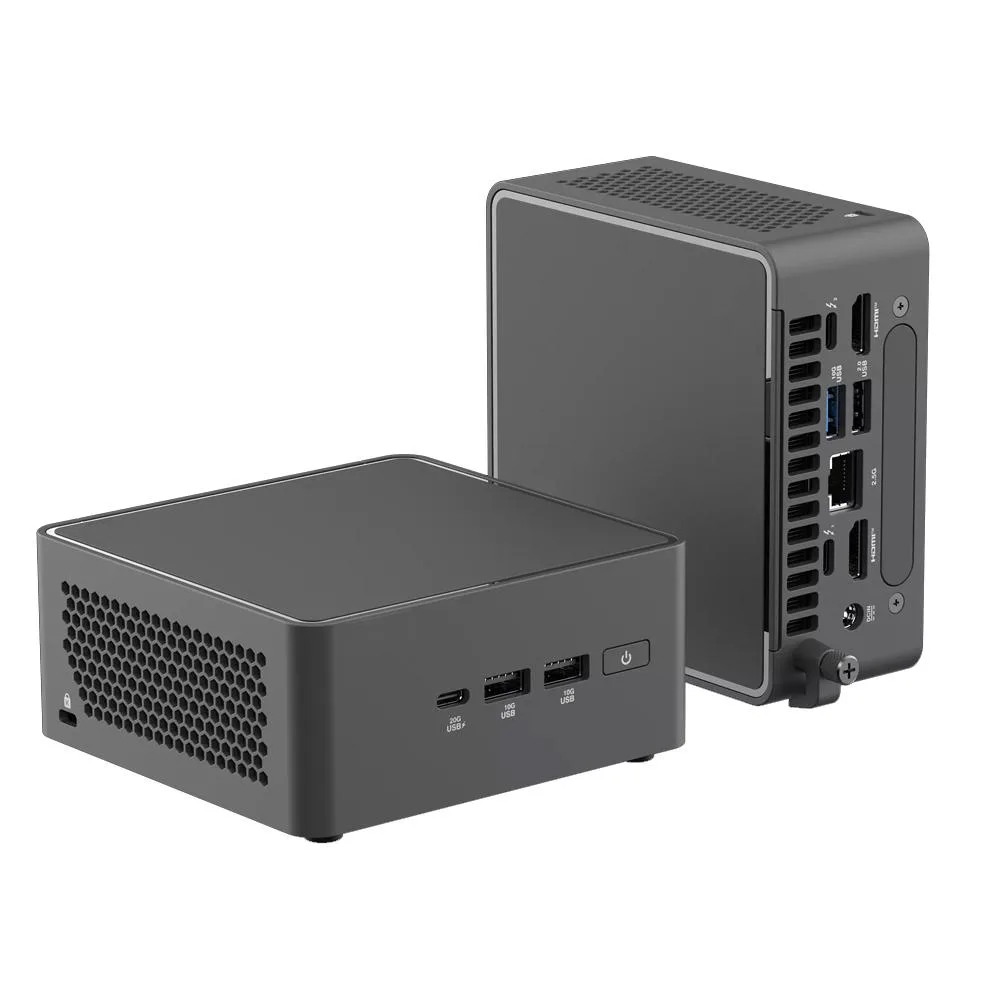
ASUS NUC 15 Pro NUC15CRHC7 Core 7 240H 64GB 1TB barebone mini PC
Compact 0.48L mini PC with Core 7 240H, 64GB DDR5-5600, 1TB NVMe, Arc 140T graphics, Wi-Fi 7 and Bluetooth 5.4
Group 64GB RAM+1TB SSD
- 64GB RAM+1TB SSD
- Barebone system
- 8GB RAM+256GB SSD
- 8GB RAM+512GB SSD
- 8GB RAM+1TB SSD
- 16GB RAM+256GB SSD
- 16GB RAM+512GB SSD
- 16GB RAM+1TB SSD
- 32GB RAM+256GB SSD
- 32GB RAM+512GB SSD
- 32GB RAM+1TB SSD
- 32GB RAM+2TB SSD
구성 2개 더 보기
- Intel Core 7 240H processor powers demanding workloads
- 64GB DDR5-5600 RAM enables smooth multitasking
- 1TB NVMe SSD provides fast storage
- Intel Arc 140T GPU handles graphics tasks
- 48L compact design fits tight spaces
Ready-to-run mini PC
The ASUS NUC 15 Pro NUC15CRHC7 arrives with an Intel Core 7 240H processor, 64GB of DDR5-5600 memory and a 1TB PCIe Gen5 NVMe SSD already installed. Windows 11 Pro 64-bit is pre-loaded, so the system boots straight to a working desktop. The 0.48L chassis uses integrated Intel Arc 140T graphics for display output. Wireless connectivity comes from Wi-Fi 7 and Bluetooth 5.4.
Suits compact workstations and embedded deployments
This unit fits professionals who need a quiet, space-saving PC for office suites, light content creation or digital-signage playback. The small footprint allows VESA mounting behind a display or placement on a crowded desk. Buyers who require discrete GPU performance, more than two M.2 slots or user-replaceable memory should look at larger chassis designs. The barebone category also means the board and cooling are fixed to this specific platform.
Key spec: pre-installed 64GB DDR5-5600 memory
The board supports up to 96GB across its SO-DIMM slots, but the 64GB kit is already fitted and validated. If your workloads demand the full 96GB capacity you will need to replace the existing modules rather than add to them. That single detail decides whether the configuration matches your memory ceiling or requires an immediate upgrade.
주요 특징
- Intel Core 7 240H processor powers demanding workloads
- 64GB DDR5-5600 RAM enables smooth multitasking
- 1TB NVMe SSD provides fast storage
- Intel Arc 140T GPU handles graphics tasks
- 48L compact design fits tight spaces
사양
이 상품에 대해 아직 공개된 사양이 없습니다.
이 모델의 다른 버전
같은 라인업에서 5개 더
같은 제품군에서 메모리·쿨러·클럭이 다릅니다 — 결정 전에 비교해 보세요.


이 상품에 대한 질문
What are the M.2 slot sizes and PCIe generations available for adding storage to the NUC15CRHC7?
The system provides one M.2 2280 slot wired for PCIe Gen5 x4 and one M.2 2242 slot wired for PCIe Gen4 x4. Both accept NVMe SSDs from 128 GB up to 8 TB and 2 TB respectively.
How is the DDR5 memory installed in the ASUS NUC 15 Pro, and what mistake should be avoided?
The board uses two SO-DIMM slots. Insert each module at an angle until the gold contacts disappear, then press down firmly until the side clips click. The common error is stopping before the clips engage, leaving the stick loose.
When will the pre-installed 64 GB of DDR5-5600 memory need to be replaced or upgraded?
The 64 GB kit fills both SO-DIMM slots. Replacement is only needed if you want the maximum 96 GB capacity supported by the Core 7 240H processor or if a module fails.
이 진열대의 다른 상품
고객들이 함께 비교한 상품
같은 진열대, 같은 체크아웃 — 코인 8종, 환율 잠금 30분.


Mushkin Enhanced
Mushkin Enhanced 4GB DDR2-800 CL6 SoDIMM Apple 971741A memory upgrade
US$104.99
0.001328BTC
재고 있음

SK hynix
SK hynix HYMD232M646C6-J 256MB DDR 333MHz PC2700 CL2.5 SODIMM laptop RAM
- 4GB (2 x 2GB)
US$7.99
0.00010106BTC
재고 있음