TP-Link
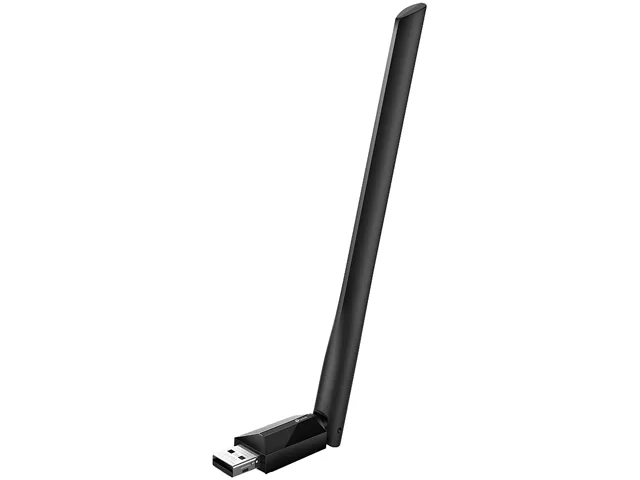
TP-Link Archer TXE72E Wi-Fi 6E Bluetooth 5.3 PCIe Adapter
- PCIE Wi-Fi Adapter
- Black
US$35.99US$38.49−6%
0.00046116BTC
재고 있음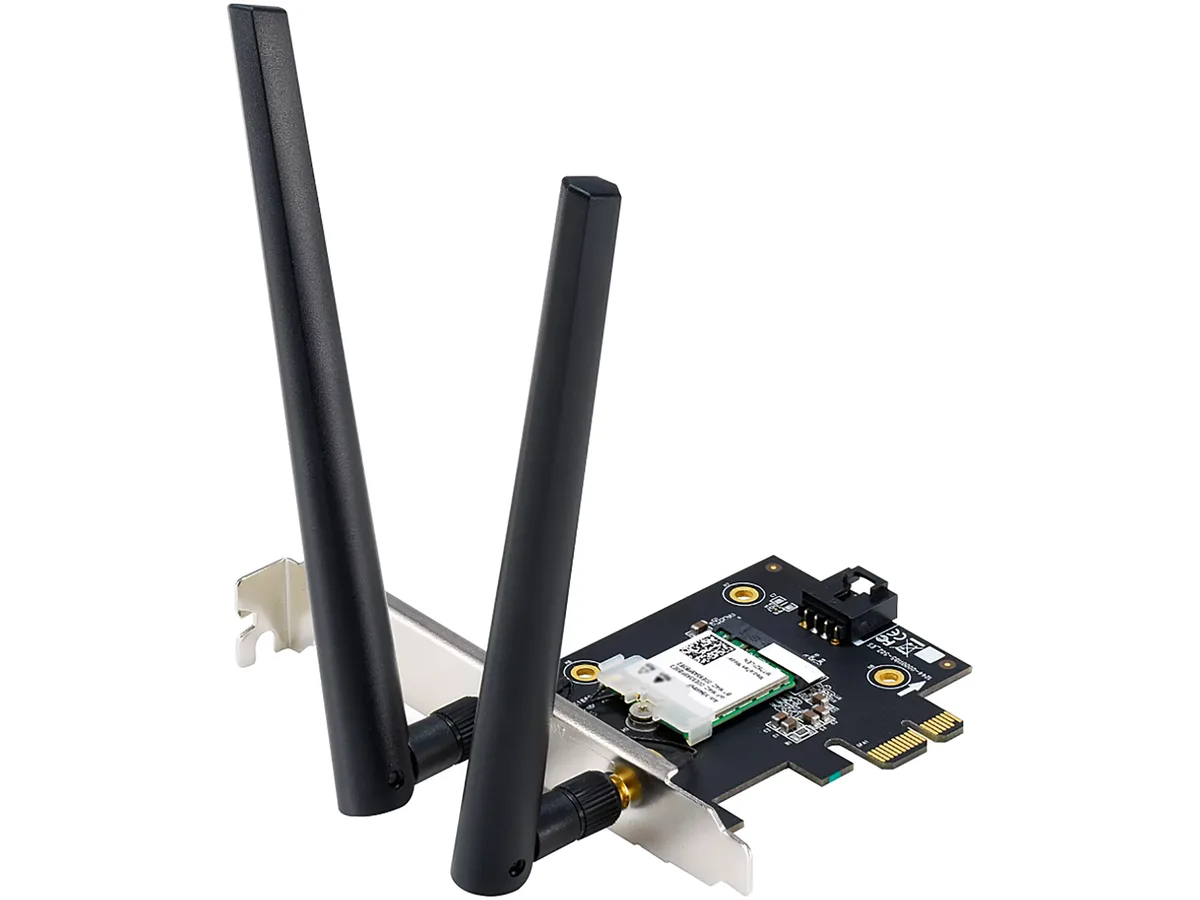


ASUS
PCIe Wi-Fi 6 adapter adding 1800 Mbps wireless and Bluetooth 5.2 to desktops
Options WiFi 6 AX1800 + BT 5.2
취소선으로 표시된 버전은 존재하지만, 이곳에서는 취급하지 않습니다.
The ASUS PCE-AX1800 adds Wi-Fi 6 and Bluetooth 5.2 to a desktop through a PCI Express x1 slot. It supports dual-band operation on 2.4 GHz and 5 GHz with a combined data rate up to 1800 Mbps. The card includes two external antennas for flexible positioning. Windows 10 64-bit is required for driver support.
The adapter draws power directly from the PCIe slot and runs without active cooling. In normal use it adds negligible heat inside the chassis and produces no audible noise. The external antennas keep radio components away from other expansion cards, reducing interference with graphics cards or storage controllers.
Because the radio connects internally, no USB dongle occupies a front or rear port. The two detachable antennas can be placed on the case rear or on a short extension cable for better signal. The x1 slot requirement leaves larger PCIe slots free for GPUs or capture cards. Not suited for systems lacking a spare PCIe x1 slot or running an OS other than Windows 10 64-bit.
| Brand | ASUS |
|---|---|
| Model | PCE-AX1800 |
| Type | PCIE Wi-Fi Adapter |
| Standards | IEEE 802.11ax |
| Wireless Data Rates | WiFi 6 (802.11ax) (2.4GHz) : up to 574 Mbps WiFi 6 (802.11ax) (5GHz) : up to 1201 Mbps |
| WiFi Generation | Wi-Fi 6 |
| Interface | PCI Express |
| Frequency Band | 2.4 GHz / 5 GHz |
| Antenna | External Antenna |
| Bluetooth | Bluetooth 5.2 |
| System Requirements | OS Support : Windows 10 64-bit |
| Features | 1.5X Faster WiFi, Even in Crowded Networks With WiFi 6 (802.11ax) technology, ASUS PCE-AX1800 delivers wireless speeds that are up to 1.5X faster than WiFi 5 (802.11ac) devices. A revolutionary combination of OFDMA and MU-MIMO technologies ensures the most efficient WiFi connection for your PC. * PCE-AX1800 only supports PCI-Express x1 standard, please install the adapter in PCI-e x1 slot. Still Fast, Even In Crowded Network ASUS PCE-AX1800 pairs trusted MU-MIMO connectivity and innovative OFDMA technology to efficiently allocate bandwidth and communicate with multiple devices simult |
| Weight | 0.11 lb. |
| 배송 무게 | 0.23 kg |
| 포장 크기 | 180 × 136 × 52 mm |
Insert the card into any PCI Express x1 slot, secure the bracket screw, then attach the two external antennas before booting; the step most people skip is screwing the antennas on fully so the 2.4 GHz and 5 GHz bands reach their rated 574 Mbps and 1201 Mbps.
The two external antennas are the only moving parts; their RP-SMA connectors can loosen from vibration, so re-tighten them periodically and replace an antenna if the hinge cracks or the cable frays.
Sustained 1800 Mbps aggregate throughput is capped by the single PCI Express x1 lane and the Windows 10 64-bit driver stack, so prolonged heavy transfers will hit the bus ceiling before the radio overheats.
이 진열대의 다른 상품
같은 진열대, 같은 체크아웃 — 코인 8종, 환율 잠금 30분.
결제할 코인과 가격을 확인할 통화입니다.
체크아웃 시 지갑에서 전송됩니다.
표시 전용 — 카탈로그 가격은 달러 기준입니다.
일치하는 통화가 없습니다.
사이트에서 사용할 언어를 선택하십시오.
일치하는 언어가 없습니다.
처음 방문하셨나요?
이미 계정이 있으신가요?
자동 재설정 기능은 없습니다. 이 쇼핑몰은 어떠한 메일도 보내지 않으므로 요청할 일회용 링크 자체가 없습니다. 계정에 등록된 이메일 주소를 그대로 두시면 담당자가 직접 확인해 처리합니다.
요청 접수
받은편지함으로 오는 것은 아무것도 없습니다 — 이 쇼핑몰은 메일을 전혀 보내지 않습니다. 담당자가 직접 확인해 처리합니다.
기억나셨나요?