

SanDisk
SanDisk Cruzer Blade 8 GB USB 2.0 USB flash drive Black SDCZ50-008G-B35
US$391.99
0.00502564BTC
재고 있음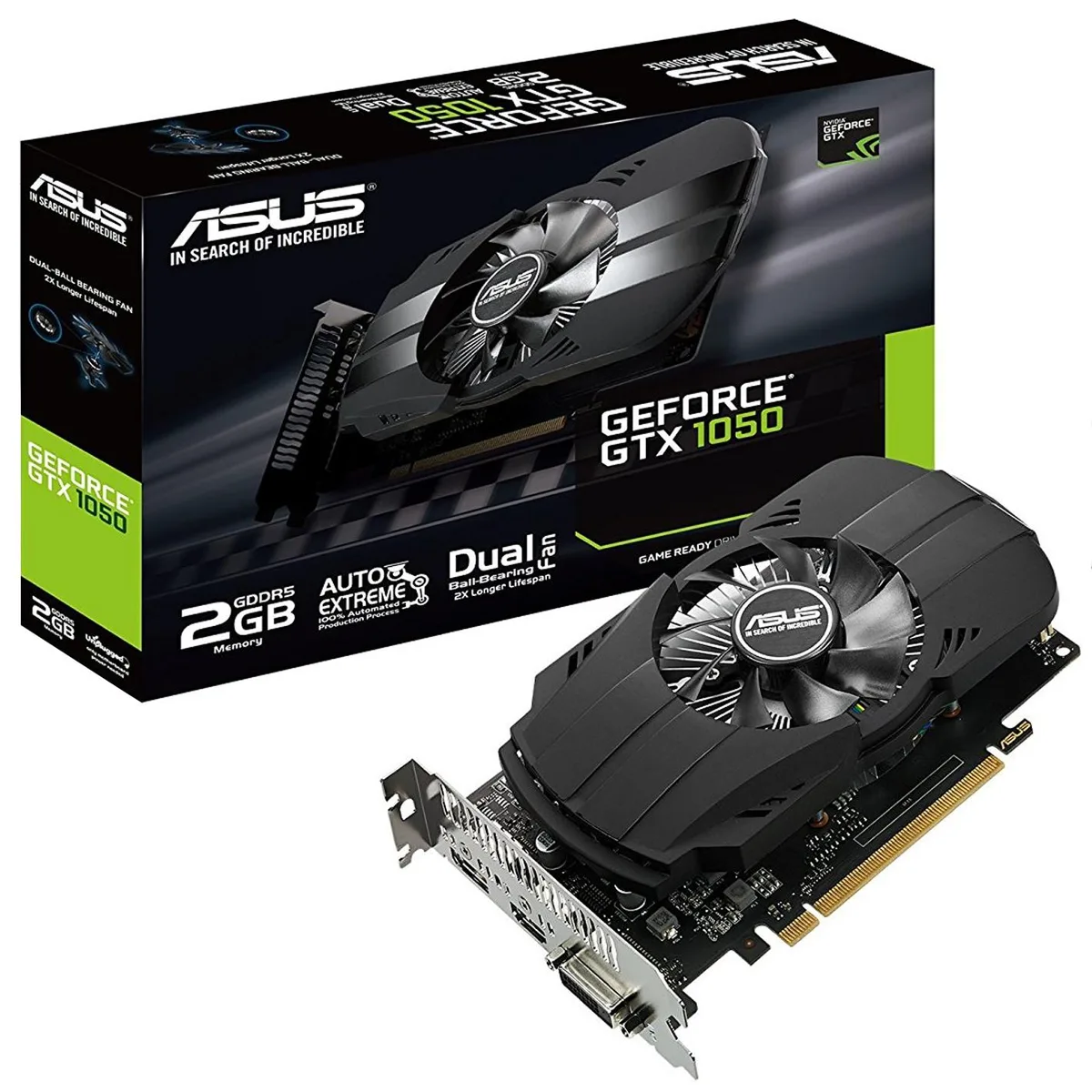


ASUS
Entry-level graphics card with 2 GB GDDR5 memory, PCIe 3.0 interface and DVI-D, HDMI 2.0 and DisplayPort outputs
The ASUS Phoenix GeForce GTX 1050 is a dual-slot graphics card with 2 GB of GDDR5 memory. It targets compact builds that need a discrete GPU for 1080p gaming in titles such as Overwatch, Dota 2, CS:GO and League of Legends. The card draws power from the PCI Express 3.0 slot and requires no external connector.
A dual ball-bearing fan spins to move heat away from the heatsink while lasting twice as long as sleeve-bearing alternatives. Auto-Extreme manufacturing and Super Alloy Power II components reduce power loss and coil noise under load. The fan runs smoothly at idle and ramps up only when the GPU temperature rises during gaming sessions.
One DVI-D, one HDMI 2.0 and one DisplayPort output drive up to three monitors without adapters. The short PCB leaves room for cable routing in small chassis and keeps the primary PCIe slot free on most micro-ATX boards. GPU Tweak II software provides clock monitoring and a streaming overlay for quick adjustments.
| Memory Type | GDDR5 |
|---|
Align the card with the PCI Express 3.0 slot, press firmly until the retention clip clicks, then connect the display cable to the HDMI 2.0, DisplayPort or DVI-D port; the step often missed is securing the rear bracket screw to the chassis.
The dual ball-bearing fan is rated for a 2X longer lifespan than sleeve-bearing designs and does not suffer from oil drying; periodic dust removal with compressed air is the only maintenance required.
The 2GB GDDR5 frame buffer fills first in modern titles at higher texture settings, causing texture streaming stutter before the GPU core or cooling reaches its limit.
이 진열대의 다른 상품
같은 진열대, 같은 체크아웃 — 코인 8종, 환율 잠금 30분.
결제할 코인과 가격을 확인할 통화입니다.
체크아웃 시 지갑에서 전송됩니다.
표시 전용 — 카탈로그 가격은 달러 기준입니다.
일치하는 통화가 없습니다.
사이트에서 사용할 언어를 선택하십시오.
일치하는 언어가 없습니다.
처음 방문하셨나요?
이미 계정이 있으신가요?
자동 재설정 기능은 없습니다. 이 쇼핑몰은 어떠한 메일도 보내지 않으므로 요청할 일회용 링크 자체가 없습니다. 계정에 등록된 이메일 주소를 그대로 두시면 담당자가 직접 확인해 처리합니다.
요청 접수
받은편지함으로 오는 것은 아무것도 없습니다 — 이 쇼핑몰은 메일을 전혀 보내지 않습니다. 담당자가 직접 확인해 처리합니다.
기억나셨나요?



