

SanDisk
SanDisk Cruzer Blade 8 GB USB 2.0 USB flash drive Black SDCZ50-008G-B35
US$391.99
0.00502487BTC
現貨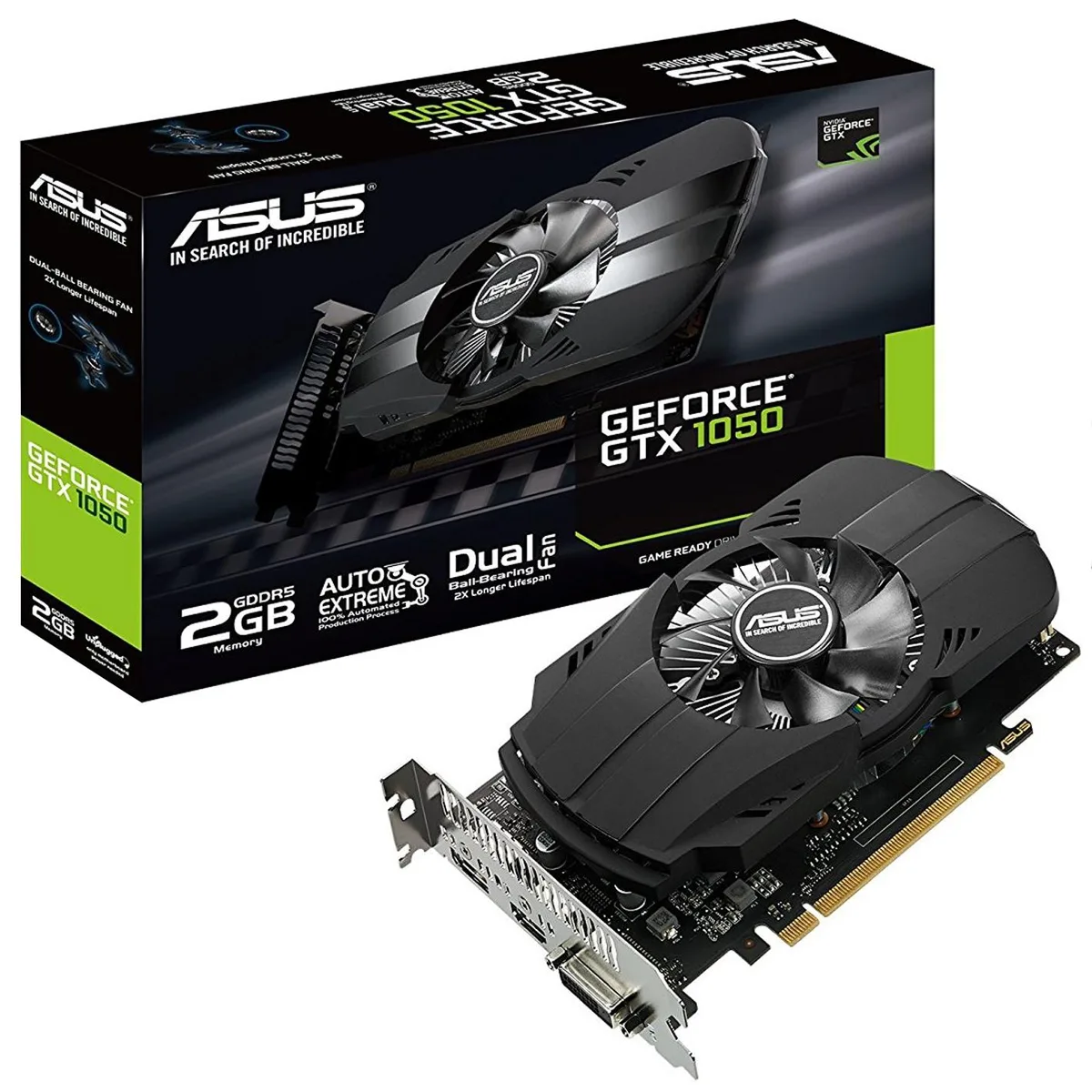


ASUS
Entry-level graphics card with 2 GB GDDR5 memory, PCIe 3.0 interface and DVI-D, HDMI 2.0 and DisplayPort outputs
The ASUS Phoenix GeForce GTX 1050 is a dual-slot graphics card with 2 GB of GDDR5 memory. It targets compact builds that need a discrete GPU for 1080p gaming in titles such as Overwatch, Dota 2, CS:GO and League of Legends. The card draws power from the PCI Express 3.0 slot and requires no external connector.
A dual ball-bearing fan spins to move heat away from the heatsink while lasting twice as long as sleeve-bearing alternatives. Auto-Extreme manufacturing and Super Alloy Power II components reduce power loss and coil noise under load. The fan runs smoothly at idle and ramps up only when the GPU temperature rises during gaming sessions.
One DVI-D, one HDMI 2.0 and one DisplayPort output drive up to three monitors without adapters. The short PCB leaves room for cable routing in small chassis and keeps the primary PCIe slot free on most micro-ATX boards. GPU Tweak II software provides clock monitoring and a streaming overlay for quick adjustments.
| Memory Type | GDDR5 |
|---|
Align the card with the PCI Express 3.0 slot, press firmly until the retention clip clicks, then connect the display cable to the HDMI 2.0, DisplayPort or DVI-D port; the step often missed is securing the rear bracket screw to the chassis.
The dual ball-bearing fan is rated for a 2X longer lifespan than sleeve-bearing designs and does not suffer from oil drying; periodic dust removal with compressed air is the only maintenance required.
The 2GB GDDR5 frame buffer fills first in modern titles at higher texture settings, causing texture streaming stutter before the GPU core or cooling reaches its limit.
同類商品
同一分類,同一套結帳流程 — 支援八種加密貨幣,匯率鎖定 30 分鐘。
您支付所用的幣種,以及查看價格所用的貨幣。
結帳時由您的錢包發送
僅供顯示 — 商品目錄以美元計價
查無符合的貨幣。
請選擇網站使用的語言。
查無符合的語言。
初次造訪?
已經有帳戶了嗎?
本店沒有自動重設密碼的機制:由於不寄送電子郵件,也就沒有一次性連結可供申請。只要將地址留在帳戶中,之後將由專人處理。
請求已收到
不會有任何郵件寄到您的信箱 — 本商店完全不寄送電子郵件。會有人親自處理這些申請。
想起來了嗎?



