

SanDisk
SanDisk Cruzer Blade 8 GB USB 2.0 USB flash drive Black SDCZ50-008G-B35
US$391.99
0.00497241BTC
재고 있음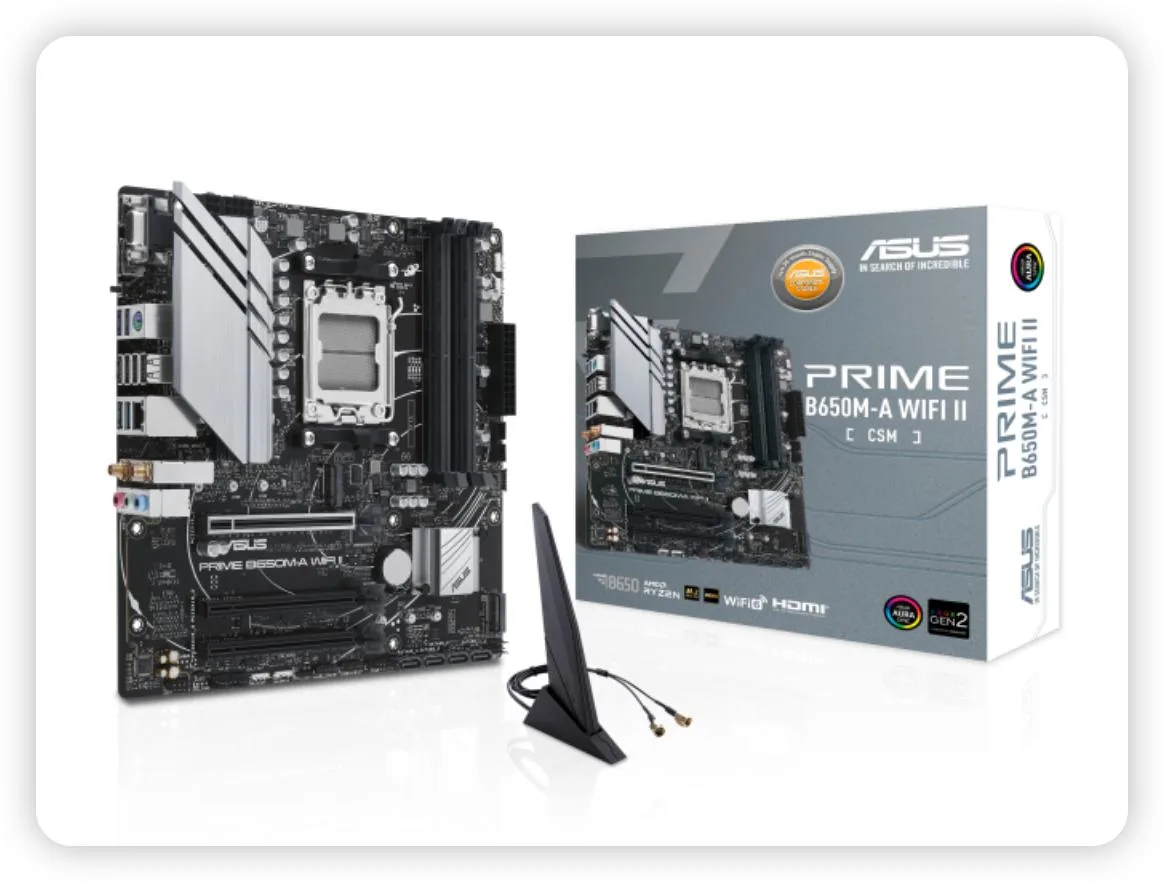


ASUS
An AMD AM5 motherboard with DDR5 support, Wi-Fi 6, 2.5G LAN, PCIe 5.0 M.2 and USB 3.2 Gen 2 for Ryzen 7000 series CPUs
This motherboard targets builders assembling compact AMD systems around the AM5 platform. The Mini-ITX form factor suits small enclosures while still exposing a PCIe 5.0 M.2 slot and DDR5 memory support. It also includes CSM validation for commercial deployment stability.
Cooling relies on dedicated VRM and PCH heatsinks paired with hybrid fan headers controlled through Fan Xpert 2+. The layout aims to keep component temperatures steady during typical desktop workloads without demanding high fan speeds. Acoustic output remains subdued in standard office or home use.
Under prolonged stress the VRM heatsink mass absorbs heat while Fan Xpert 2+ ramps attached fans according to configurable curves. The 2.5 Gb wired link and Wi-Fi 6 maintain network throughput during long transfers. Rear USB 3.2 Gen 2 and front Type-C ports sustain data rates without throttling.
| CPU Socket Type | AM5 |
|---|
Lift the socket lever, align the triangle marker on the Ryzen 7000 CPU with the socket corner, lower the lever until it clicks, then apply thermal paste and mount the cooler before powering on.
Clean dust from the VRM heatsink and PCH heatsink fins every few months using compressed air; replace thermal pads only if temperatures rise after several years of continuous operation.
VRM temperature throttling will trigger before the 2.5 GbE or Wi-Fi 6 interfaces saturate, so ensure case airflow keeps the heatsink below its thermal limit during prolonged heavy workloads.
이 진열대의 다른 상품
같은 진열대, 같은 체크아웃 — 코인 8종, 환율 잠금 30분.
결제할 코인과 가격을 확인할 통화입니다.
체크아웃 시 지갑에서 전송됩니다.
표시 전용 — 카탈로그 가격은 달러 기준입니다.
일치하는 통화가 없습니다.
사이트에서 사용할 언어를 선택하십시오.
일치하는 언어가 없습니다.
처음 방문하셨나요?
이미 계정이 있으신가요?
자동 재설정 기능은 없습니다. 이 쇼핑몰은 어떠한 메일도 보내지 않으므로 요청할 일회용 링크 자체가 없습니다. 계정에 등록된 이메일 주소를 그대로 두시면 담당자가 직접 확인해 처리합니다.
요청 접수
받은편지함으로 오는 것은 아무것도 없습니다 — 이 쇼핑몰은 메일을 전혀 보내지 않습니다. 담당자가 직접 확인해 처리합니다.
기억나셨나요?



