ASUS
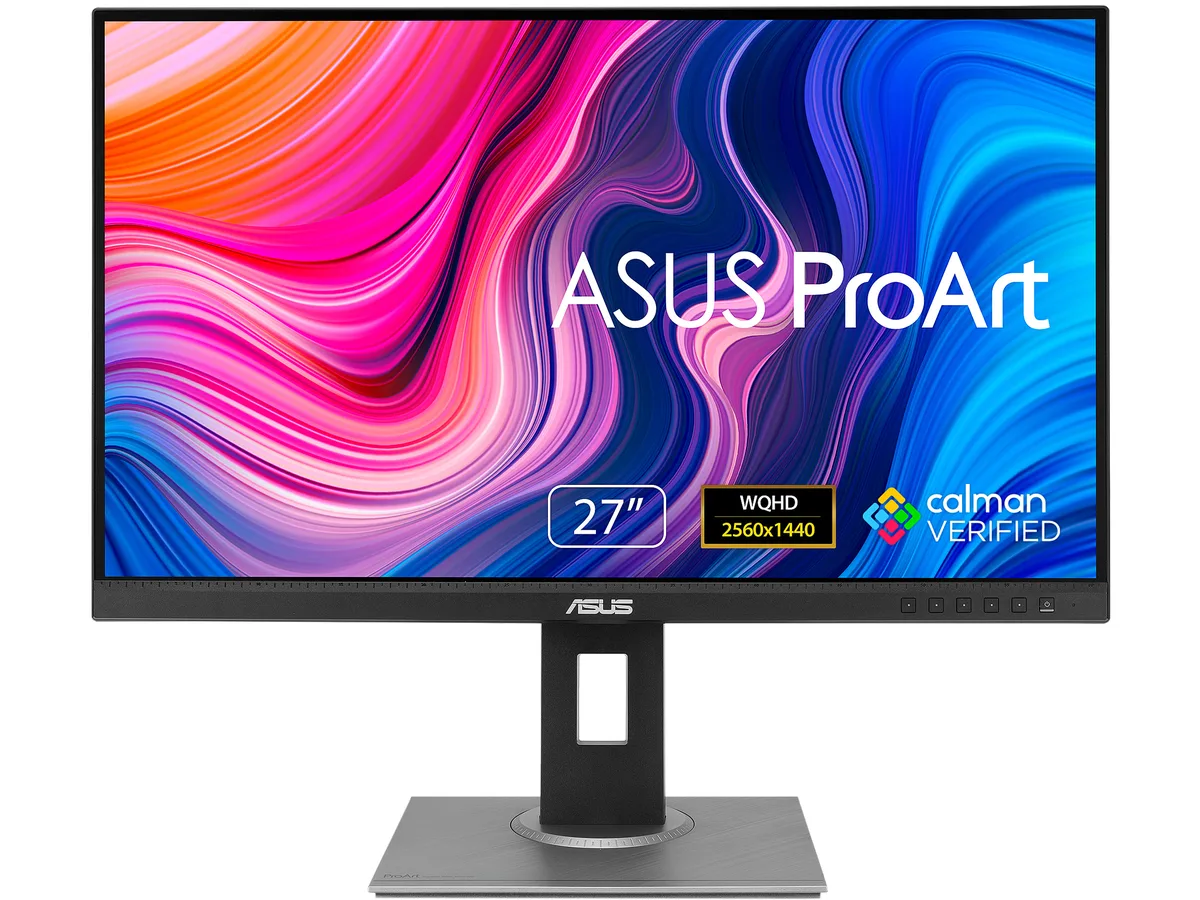
ASUS ProArt PA278QV 27" WQHD 75Hz IPS monitor 90LM05L1-B013B0
- Black / Silver
- 27"
US$188.99
0.00245745BTC
재고 있음


ASUS
24.1-inch 16:10 WUXGA IPS monitor with 100% sRGB and Rec. 709, factory calibrated to Delta E < 2, 75 Hz refresh, FreeSync, and a fully adjustable stand
The ASUS ProArt PA248QV is a 24.1 inch WUXGA monitor aimed at photographers, designers and video editors who need reliable colour reproduction. Its 16:10 IPS panel shows 1920 x 1200 pixels at 75 Hz with a 5 ms grey-to-grey response. Factory calibration achieves Delta E below 2 and covers 100 percent sRGB and 100 percent Rec. 709 gamuts. Calman Verified status and ProArt presets give immediate, repeatable accuracy for professional workflows.
Creative professionals who work in sRGB or Rec. 709 will benefit from the wide viewing angles, ergonomic stand and built-in USB 3.0 hub. The height, tilt, swivel and pivot adjustments suit long editing sessions. Users targeting wider gamuts such as Adobe RGB or DCI-P3, or who need higher refresh rates for gaming, should consider other models. The 300 cd/m² brightness and 1000:1 static contrast are adequate for indoor studio use but not for HDR mastering.
The 16:10 aspect ratio at 1920 x 1200 resolution provides more vertical space than common 1920 x 1200 screens, giving extra timeline and toolroom height for editing applications. If your workflow depends on that additional vertical resolution, this panel fits; if you require 4K pixel density or a wider colour volume, look elsewhere.
| Brand | ASUS |
|---|---|
| Series | ProArt |
| Model | PA248QV |
| Part Number | 90LM05K0-B013B0 |
| Cabinet Color | Black / Silver |
| Screen Size | 24.1" |
| Glare Screen | Non-glare |
| LED Backlight | Yes |
| Widescreen | Yes |
| Resolution | 1920 x 1200 |
| Refresh Rate | 75Hz |
| Viewing Angle | 178° (H) / 178° (V) |
| Monitor Pixel Density | 0.27mm |
| Display Colors | 16.7 Million |
| Brightness | 300 cd/m2 |
| Contrast Ratio | ASCR 100,000,000:1 (1,000:1) |
| Aspect Ratio | 16:10 |
| Response Time | 5 ms (GTG) |
| Panel | IPS |
| Display Type | WUXGA |
| Adaptive Sync Technology | FreeSync (AMD Adaptive Sync) |
| Curved Surface Screen | Flat Panel |
| Video Ports | 1 x D-Sub / 1 x DisplayPort / 1 x HDMI |
| USB Ports | 4 x USB 3.0 Type-A Downstream |
| Input Video Compatibility | Analog RGB, Digital |
| Connectors | D-Sub, HDMI, DisplayPort |
| D-Sub | 1 |
| HDMI | 1 |
| DisplayPort | 1 |
| USB 3.0 | 4 |
| Complies with | ENERGY STAR |
| Power Supply | 100 - 240 VAC, 50/60Hz |
| Power Consumption | Power Consumption:<15W* Power Saving Mode:<0.5W *measuring a screen brightness of 200 nits without audio/ USB/ Card reader connection |
| Regulatory Approvals | Energy Star, BSMI, CB, CCC, CE, CU, ErP, FCC, ISO-9241-307, J-MOSS, KCC, PSB, PSE, RoHS, TCO8.0, TUV-Ergo, TUV-GS, UL/cUL, VCCI, WEEE, WHQL (Windows 10, Windows 7), MEPS, RCM, TUV Flicker-free , KC , eStandby, TUV Low Blue Light, ICES-3, PC recycle, CEC |
| Stand Adjustments | Tilt : -5°~+35° Swivel : +90°~-90° Pivot : +90°~-90° Height Adjustment : 0~130 mm |
| Built-in Speakers | 2 x 2W |
| Built-in Webcam | No |
| HDCP Support | Yes, 1.4 |
| VESA Compatibility - Mountable | 100 x 100mm |
| Features | Trace Free Technology : Yes ProArt Preset : 9 Modes(sRGB Mode/Rec. 709 Mode/Scenery Mode/Standard Mode/Rapid Rendering/User Mode 1/User Mode 2/Reading Mode/Darkroom Mode) ProArt Palette : Yes Skin-Tone Selection : 3 Modes Color Temperature Selection : 4 Modes Color Accuracy : ?E< 2 Gamma adjustment : Yes (Support Gamma 1.8/2.0/2.2/2.4/2.6 ) Color Adjustment : 6-axis adjustment(R,G,B,C,M,Y) QuickFit (modes) : Yes (Alignment Grid/Paper/Ruler Modes) Low Blue Light : Yes HDCP support : Yes, 1.4 Adaptive-Sync supported :Yes Motion Sync: Yes Flicker free : Yes Quick Release Stand Design : |
| Dimensions | 14.76" - 19.88" x 20.98" x 8.31" w/ stand 14.17" x 20.98" x 1.85" w/o stand |
| Weight | 13.45 lbs. w/ stand 8.60 lbs. w/o stand |
| Package Contents | Accessories: Power cord, HDMI cable, USB cable, Calibration Report, Quick Start Guide, Warranty Card, Welcome Card |
| Consumer Alert | To activate Rapid Rendering needs turn off Adaptive-Sync and only be activated at 75Hz. Brightness, Blue Light Filter, ASCR, Trace Free cannot be adjusted when using this function. |
| 배송 무게 | 7.98 kg |
| 포장 크기 | 663 × 478 × 191 mm |
이 모델의 다른 버전
같은 제품군에서 메모리·쿨러·클럭이 다릅니다 — 결정 전에 비교해 보세요.
The 1920 x 1200 resolution on a 24.1-inch IPS panel gives you 16:10 aspect ratio and 0.27 mm pixel pitch, so you gain extra vertical space for timelines and code compared with 16:9 alternatives.
At 75 Hz the screen redraws 75 times per second, and combined with 5 ms GTG response and FreeSync adaptive sync it keeps motion smooth during video scrubbing and light gaming without tearing.
Use the DisplayPort or HDMI port; both support the native 1920 x 1200 resolution at 75 Hz, while the D-Sub connector is limited to lower refresh rates at this resolution.
이 진열대의 다른 상품
같은 진열대, 같은 체크아웃 — 코인 8종, 환율 잠금 30분.
결제할 코인과 가격을 확인할 통화입니다.
체크아웃 시 지갑에서 전송됩니다.
표시 전용 — 카탈로그 가격은 달러 기준입니다.
일치하는 통화가 없습니다.
사이트에서 사용할 언어를 선택하십시오.
일치하는 언어가 없습니다.
처음 방문하셨나요?
이미 계정이 있으신가요?
자동 재설정 기능은 없습니다. 이 쇼핑몰은 어떠한 메일도 보내지 않으므로 요청할 일회용 링크 자체가 없습니다. 계정에 등록된 이메일 주소를 그대로 두시면 담당자가 직접 확인해 처리합니다.
요청 접수
받은편지함으로 오는 것은 아무것도 없습니다 — 이 쇼핑몰은 메일을 전혀 보내지 않습니다. 담당자가 직접 확인해 처리합니다.
기억나셨나요?