ASUS
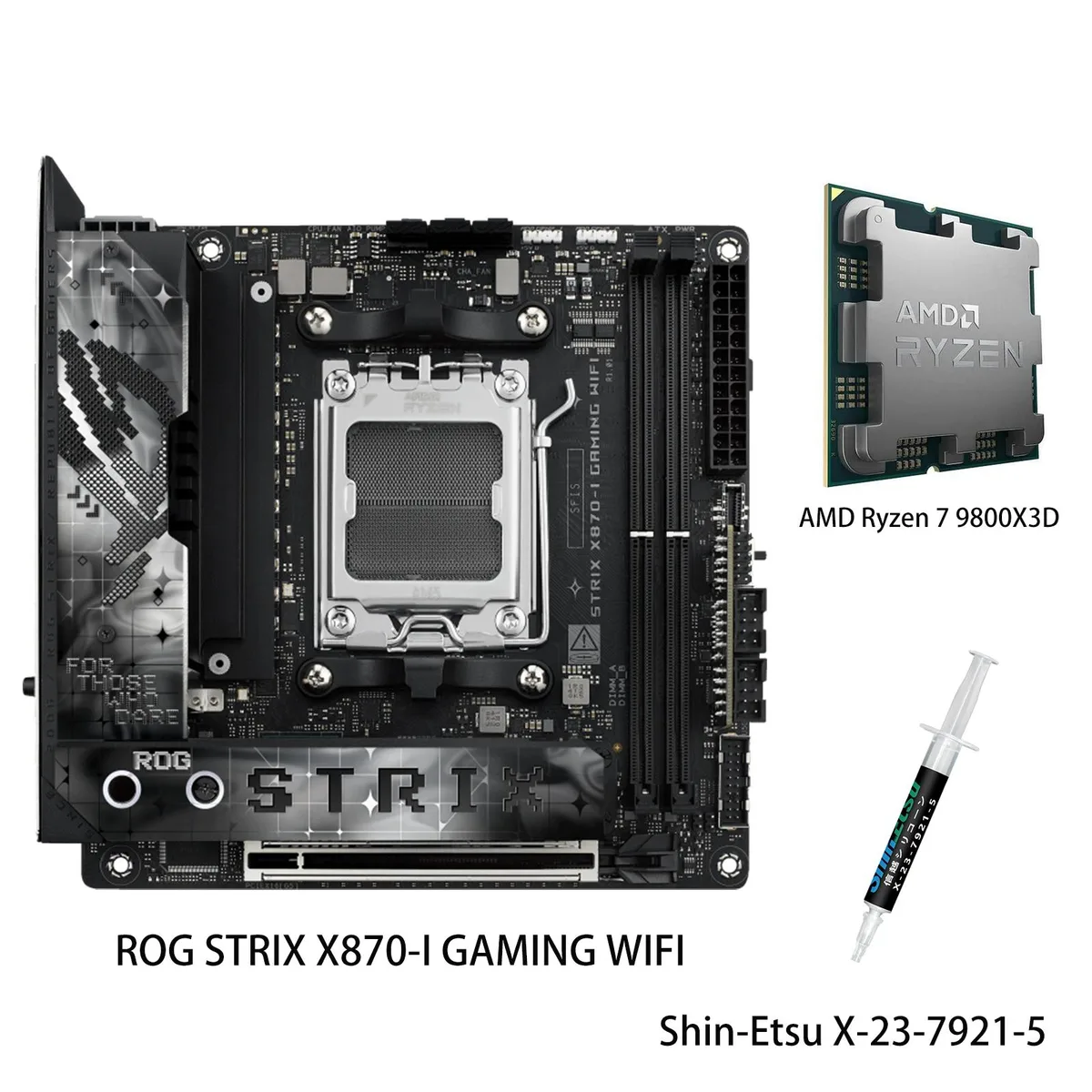
ASUS FF4D516G6000HC38ADC01 AMD motherboard with Ryzen 7 9800X3D
- AMD X870
- 4x288pin (DDR5)
US$1,111.99
0.01425445BTC
재고 있음


ASUS
AM5 motherboard and 12-core Ryzen 9 9900X CPU with dual USB4, 10 Gb and 2.5 Gb LAN, WiFi 7, PCIe 5.0 graphics slots and four DDR5 memory slots supporting 256 GB
model PROART X870E-CREATOR WIFI
+CPU + Ryzen 9 9900X
This bundle pairs the ASUS ProArt X870E-CREATOR WIFI motherboard with the AMD Ryzen 9 9900X processor. It targets content creators and engineers who need a high-core-count platform with extensive I/O for AI workloads and media production.
The jump is worth it when workloads demand 12 cores, 24 threads and DDR5 memory bandwidth beyond 4400 MT/s. The new platform adds dual USB4 ports, 10 Gb Ethernet and WiFi 7 for faster asset transfer and remote collaboration.
The second PCIe 5.0 x16 slot shares bandwidth with the M.2_2 slot, so both cannot run at full speed simultaneously. USB4 throughput depends on the attached device and cable quality, while WiFi 7 performance requires a compatible router and regulatory approval.
| Brand | ASUS |
|---|---|
| Model | PROART X870E-CREATOR WIFI+R9 9900X |
| CPU Socket Type | AM5 |
| Chipset | AMD X870 |
| Number of Memory Slots | 4x288pin (DDR5) |
| Memory Standard | DDR5 4400 |
| Maximum Memory Supported | 256GB |
| ECC Supported | Yes |
| Buffer Supported | Un-buffered |
| Memory Feature | Dual Channel Memory Architecture Supports AMD Extended Profiles for Overclocking (EXPO) OptiMem II * Non-ECC, Un-buffered DDR5 Memory supports On-Die ECC function. |
| PCI Express 5.0 x16 | AMD Ryzen 7000 & 8000 & 9000 Series Desktop Processors 2 x PCIe 5.0 x16 slots (support x16 or x8/x8 modes)** ** PCIEX16(G5)_2 shares bandwidth with M.2_2 slot. |
| PCI Express 4.0 x16 | AMD X870 Chipset 1 x PCIe 4.0 x16 slot (supports x4 mode) |
| Serial ATA (SATA) | 4 x SATA 6Gb/s |
| M.2 | AMD Ryzen 7000 & 8000 & 9000 Series Desktop Processors* M.2_1 slot (Key M), type 2242/2260/2280 (supports PCIe 5.0 x4 mode) M.2_2 slot (Key M), type 2242/2260/2280 (supports PCIe 5.0 x4 mode)** AMD X870 Chipset M.2_3 slot (Key M), type 2242/2260/2280 (supports PCIe 4.0 x4 mode) M.2_4 slot (Key M), type 2242/2260/2280/22110 (supports PCIe 4.0 x4 mode) ** PCIEX16(G5)_2 slot shares bandwidth with M.2_2. |
| SATA RAID | *AMD RAIDXpert2 Technology supports both NVMe RAID 0/1/10 and SATA RAID 0/1/10. |
| Audio Chipset | Realtek S1220A 7.1 Surround Sound High Definition Audio CODEC* - Impedance sense for front and rear headphone outputs - Internal audio Amplifier to enhance the highest quality sound for headphone and speakers - Supports: Jack-detection, Multi-streaming, Front Panel Jack-retasking - High quality 120 dB SNR stereo playback output and 113 dB SNR recording input (Line-in) - Supports up to 32-Bit/192 kHz playback* Audio Features - Audio Shielding - Premium audio capacitors - Dedicated audio PCB layers - Unique de-pop circuit * Due to limitations in HDA bandwidth, 32-Bit/192 kHz is not sup |
| Audio Channels | 7.1 Channels |
| Max LAN Speed | 1 x Marvell AQtion 10Gb Ethernet 1 x Intel 2.5Gb Ethernet ASUS LANGuard |
| Wireless LAN | Bluetooth 5.4 |
| Bluetooth | Yes |
| Back I/O Ports | 2 x USB4 (40Gbps) with ASMedia ASM4242 USB4 controller ports (2 x USB Type-C) 1 x USB 20Gbps port(s) (1 x USB Type-C) 7 x USB 10Gbps port(s) (7 x Type-A) 1 x USB 2.0 port (1 x Type-A) 1 x DisplayPort (Input only) 1 x HDMI port 1 x Wi-Fi Module 1 x Marvell AQtion 10Gb Ethernet 1 x Intel 2.5Gb Ethernet 3 x Audio jacks 1 x BIOS FlashBack button 1 x Clear CMOS button |
| Onboard USB | 1 x USB 20Gbps connector (supports USB Type-C) 1 x USB 5Gbps header(s) support(s) 2 additional USB 3.2 Gen 1 ports 3 x USB 2.0 headers support 6 additional USB 2.0 ports |
| Other Connectors | Fan and Cooling related 1 x 4-pin CPU Fan header 1 x 4-pin CPU OPT Fan header 1 x 4-pin AIO Pump header 5 x 4-pin Chassis Fan headers Miscellaneous 3 x Addressable Gen 2 headers 1 x Chassis Intrusion header 1 x COM Port header 1 x CPU Over Voltage jumper 1 x Front Panel Audio header (F_AUDIO) 1 x 10⁻¹ pin System Panel header 1 x Thermal Sensor header |
| Form Factor | ATX |
| Dimensions (W x L) | 12.0" x 9.6" |
| Power Pin | 1 x 24-pin Main Power connector 2 x 8-pin +12V CPU Power connector |
| BIOS Feature | 256 Mb Flash ROM, UEFI AMI BIOS |
| Features | ASUS 5X PROTECTION III - DIGI+ VRM (- Digital power design) - Enhanced DRAM Overcurrent Protection - ESD Guards - LANGuard - Overvoltage Protection - Safeslot - Stainless-Steel Back I/O ASUS Q-Design - M.2 Q-Latch - M.2 Q-Release - M.2 Q-Slide - PCIe Slot Q-Release Slim (with PCIe SafeSlot) - Q-Antenna - Q-Connector - Q-DIMM - Q-LED (CPU [red], DRAM [yellow], VGA [white], Boot Device [yellow green]) - Q-Slot ASUS Thermal Solution - M.2 heatsink backplate - M.2 heatsinks - VRM heatsink design ASUS EZ DIY - BIOS FlashBack button - BIOS FlashBack LED - ProCool - Pre-mounted I/O shield - |
| Package Contents | 1 x AMD Ryzen 9 9900X CPU 1 x Shin-Etsu X-23-7921-5 (1.8g) Cables 1 x DisplayPort cable 4 x SATA 6Gb/s cables Miscellaneous 1 x ASUS Wi-Fi moving antennas 1 x Q-connector 1 x M.2 Q-Latch package(s) 1 x M.2 Q-Latch Q-Slide package for M.2 backplate 2 x Rubber Packages for M.2 1 x ProArt ruler Documentation 1 x Quick start guide 1 x ACC Express Activation Key Card 1 x User guide |
이 모델의 다른 버전
같은 제품군에서 메모리·쿨러·클럭이 다릅니다 — 결정 전에 비교해 보세요.
The board uses an ATX form factor and ProCool II power connectors; ensure your case fits ATX and your PSU provides the matching 8-pin plus 8-pin or 8-pin plus 4-pin CPU power cables.
After placing the CPU, the lever must be lowered fully until it clicks; skipping the final click leaves the processor unsecured and prevents POST.
Dust can accumulate in the 288-pin slots over time; use compressed air to clean them if the system fails to recognise memory modules during later upgrades.
이 진열대의 다른 상품
같은 진열대, 같은 체크아웃 — 코인 8종, 환율 잠금 30분.
결제할 코인과 가격을 확인할 통화입니다.
체크아웃 시 지갑에서 전송됩니다.
표시 전용 — 카탈로그 가격은 달러 기준입니다.
일치하는 통화가 없습니다.
사이트에서 사용할 언어를 선택하십시오.
일치하는 언어가 없습니다.
처음 방문하셨나요?
이미 계정이 있으신가요?
자동 재설정 기능은 없습니다. 이 쇼핑몰은 어떠한 메일도 보내지 않으므로 요청할 일회용 링크 자체가 없습니다. 계정에 등록된 이메일 주소를 그대로 두시면 담당자가 직접 확인해 처리합니다.
요청 접수
받은편지함으로 오는 것은 아무것도 없습니다 — 이 쇼핑몰은 메일을 전혀 보내지 않습니다. 담당자가 직접 확인해 처리합니다.
기억나셨나요?