ASUS
ASUS RNUC14RVSU500000I barebone mini PC, Core Ultra 5 125H, 64GB DDR5, 2TB
- Silver
- Slim
US$1,500.99
0.01909049BTC
재고 있음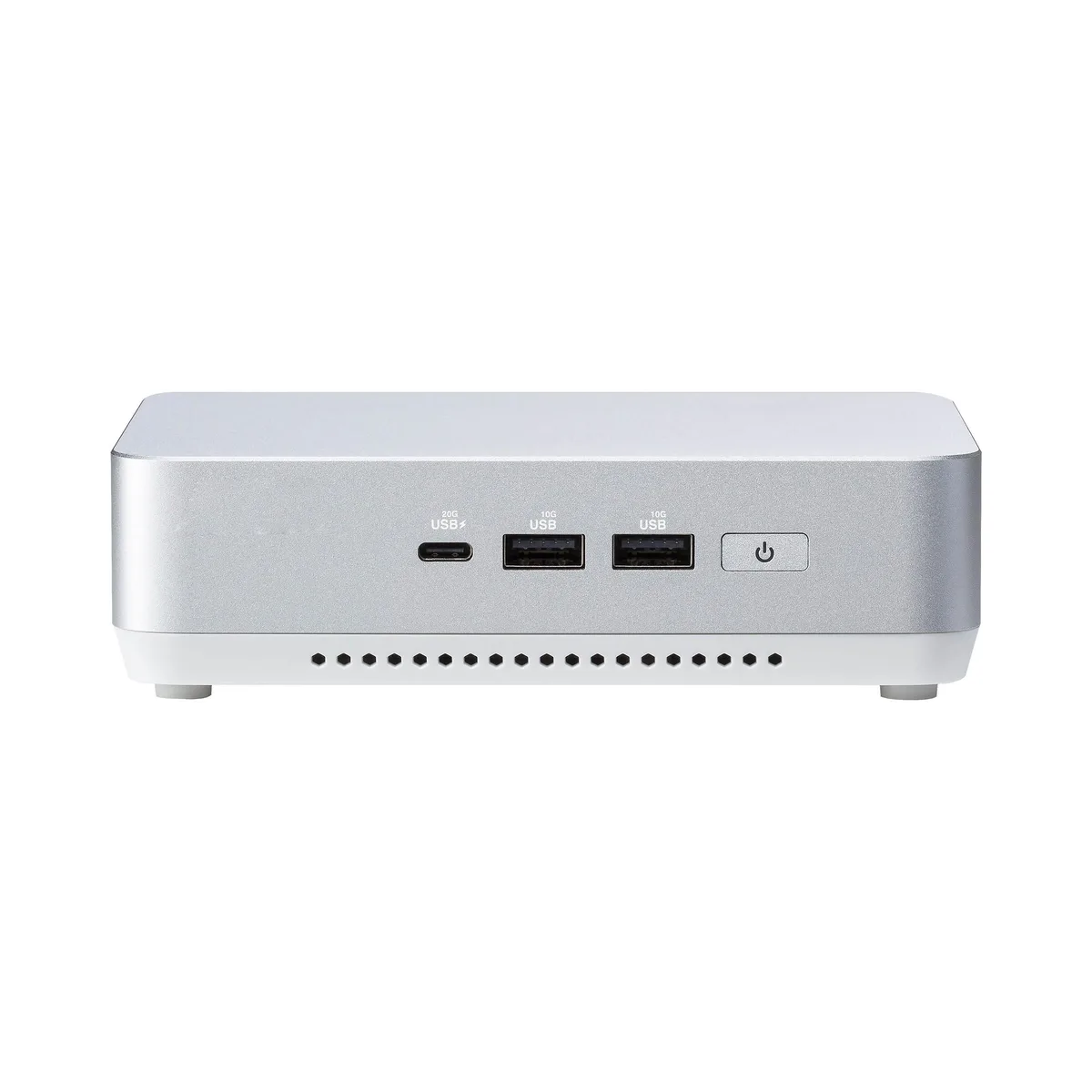


ASUS
A compact barebone mini PC with a Core Ultra 7 155H processor, 64 GB of DDR5 memory, a 2 TB SSD and Intel Arc graphics, ready for four-display setups
Group 64G RAM / 2TB SSD
The ASUS NUC 14 Pro+ barebone ships with an Intel Core Ultra 7 155H processor and 64 GB of DDR5 5600 memory already installed. A 2 TB M.2 PCIe 4.0 drive provides the primary storage. The aluminium chassis measures 14 cm on each side and includes a US power cord. It targets professionals who need vPro Enterprise manageability and AI-ready compute in a space-constrained environment.
The slim form factor relies on an integrated active cooler to handle the processor and the Intel Arc graphics under sustained loads. Fan speed ramps with temperature, so acoustic output rises during heavy AI or graphics workloads but remains low at idle. The 2.5 GbE Intel i226V controller and Wi-Fi 6E radio add minimal thermal contribution. Power enters through the DC-in jack; no internal power-supply unit occupies volume.
Two SO-DIMM slots support up to 96 GB of DDR5 5600 in dual-channel mode, leaving one slot free for expansion. A second M.2 2242 PCIe 4.0 socket is available for additional storage. Video output options comprise two HDMI 2.1 ports and two Thunderbolt 4 ports with DisplayPort 1.4 alt-mode, enabling up to four simultaneous displays. Front and rear USB 3.2 Gen 2 Type-A, USB 2.0 Type-A and a Kensington lock round out connectivity. Buyers who need discrete GPU performance or more than two M.2 drives should look elsewhere.
| Brand | ASUS |
|---|---|
| Series | NUC 14 PRO+ |
| Model | RNUC14RVSU700000I |
| Form Factor | Slim |
| AI Features | AI Ready |
| Integrated Graphics | Intel Arc Graphics |
| Wireless LAN | 802.11ax |
| Bluetooth | Bluetooth 5.3 |
| LAN | Intel i226V |
| Max LAN Speed | 2.5Gbps |
| WiFi Generation | Wi-Fi 6E |
| HDMI | 2 x HDMI 2.1 (up to 4K@60Hz) |
| Thunderbolt | 2 x Thunderbolt 4 (with DP1.4 / 5V/3A, 40Gbps) |
| Rear USB | 1 x USB 3.2 Gen2 Type-A (5V/0.9A, 10Gbps) 1 x USB 2.0 Type-A (5V/0.5A, 480Mbps) |
| RJ45 | 1 x Intel 2.5G LAN (RJ45) |
| Other Rear Ports | 1 x Kensington 1 x DC-in |
| Memory slot | 2 x 262Pin SO-DIMM |
| Memory Type Supported | DDR5 5600 |
| Max Memory Supported | 96GB |
| Dual Channel Memory Supported | Yes |
| Memory installed | 64GB |
| CPU Type | Intel Core Ultra 7 155H |
| Onboard Audio | Integrated |
| Channel | 7.1 Channel |
| Storage Installed | 2T |
| M.2 Slot | 1 x M.2 2280 NVMe PCIe G4x4 SSD 1 x M.2 2242 NVMe PCIe x4 SSD |
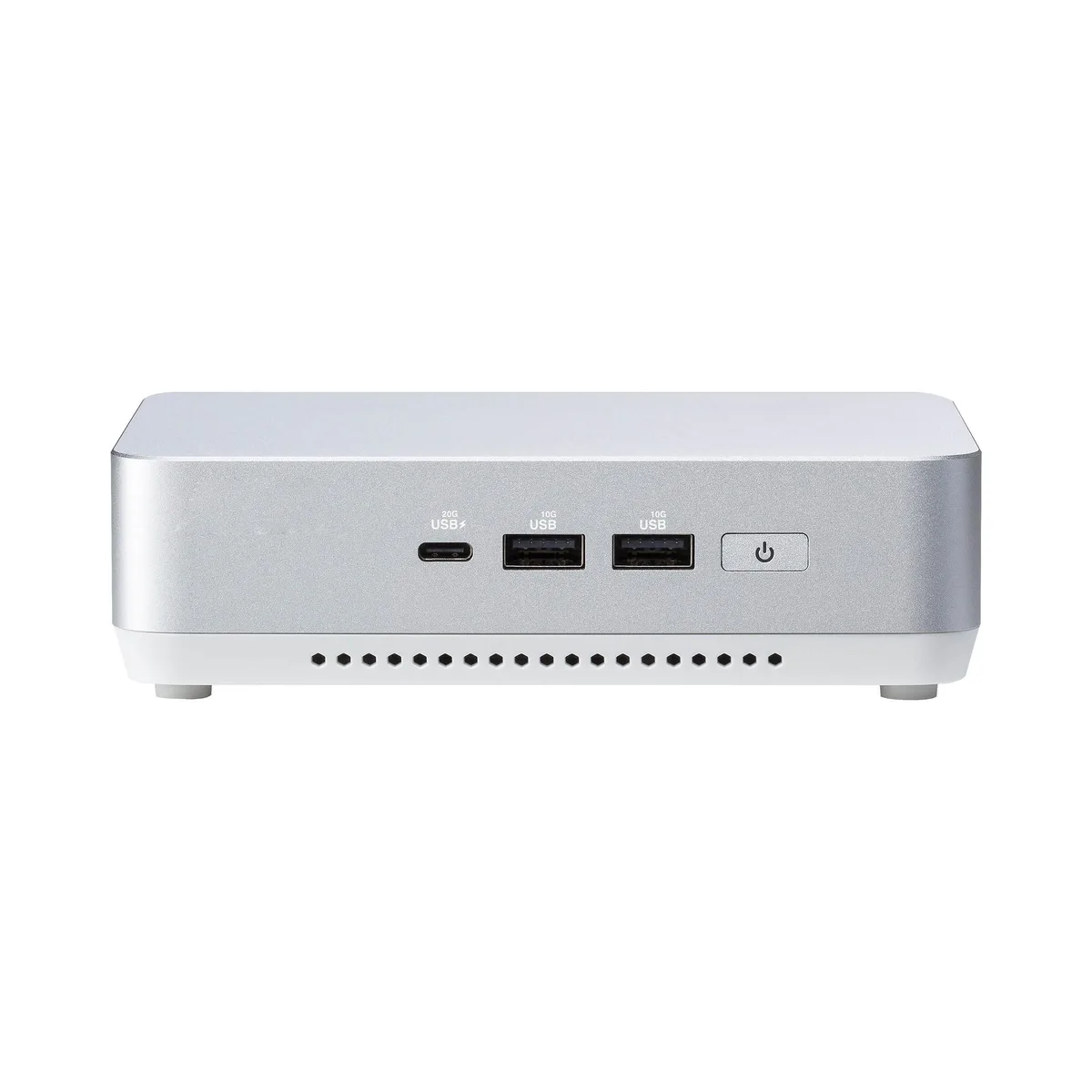
| Front USB | 1 x USB 3.2 Gen2x2 Type-C 2 x USB 3.2 Gen2 Type-A |
| Input | 19VDC, 6.32A |
| Power Supply | 120W |
| Dimensions | 144mm x 112mm x 41mm |
| Weight | 600g |
| Packaging | VESA Mount & Screws / AC Power Adapter/ Power Cord |
이 모델의 다른 버전
같은 제품군에서 메모리·쿨러·클럭이 다릅니다 — 결정 전에 비교해 보세요.
Power off, remove the bottom cover, insert both 262-pin modules at 45° until they click, then press down firmly; the step often missed is seating both sticks fully to enable dual-channel 5600 MHz operation.
The slots accept standard M.2 drives; you can add or swap a 2280 or 2242 module at any time without proprietary parts, just reinstall the OS or clone the existing 2 TB drive.
The processor will hit its package power limit and throttle clock speeds before the chassis reaches its thermal ceiling, so sustained performance settles below the peak turbo frequency.
이 진열대의 다른 상품
같은 진열대, 같은 체크아웃 — 코인 8종, 환율 잠금 30분.
결제할 코인과 가격을 확인할 통화입니다.
체크아웃 시 지갑에서 전송됩니다.
표시 전용 — 카탈로그 가격은 달러 기준입니다.
일치하는 통화가 없습니다.
사이트에서 사용할 언어를 선택하십시오.
일치하는 언어가 없습니다.
처음 방문하셨나요?
이미 계정이 있으신가요?
자동 재설정 기능은 없습니다. 이 쇼핑몰은 어떠한 메일도 보내지 않으므로 요청할 일회용 링크 자체가 없습니다. 계정에 등록된 이메일 주소를 그대로 두시면 담당자가 직접 확인해 처리합니다.
요청 접수
받은편지함으로 오는 것은 아무것도 없습니다 — 이 쇼핑몰은 메일을 전혀 보내지 않습니다. 담당자가 직접 확인해 처리합니다.
기억나셨나요?