ASUS
ASUS RNUC14RVSU500000I barebone mini PC, Core Ultra 5 125H, 64GB DDR5, 2TB
- Silver
- Slim
$1,500.99
0.01914919BTC
In stockWe take cryptocurrency — so the coins you hold can buy real hardware.Pay in crypto, spend it on real hardware. Free insured shipping worldwide over $399. Plain, unbranded boxes, sent from Germany.Free insured shipping over $399. Your rate is locked for 30 minutes once checkout opens.Rate locked 30 minutes. Every item sealed, serial-checked and covered by a 24-month warranty.Sealed, 24-month warranty.


ASUS
A compact barebone mini PC with a Core Ultra 7 155H processor, 64 GB of DDR5 memory, a 2 TB SSD and Intel Arc graphics, ready for four-display setups
Group 64G RAM / 2TB SSD
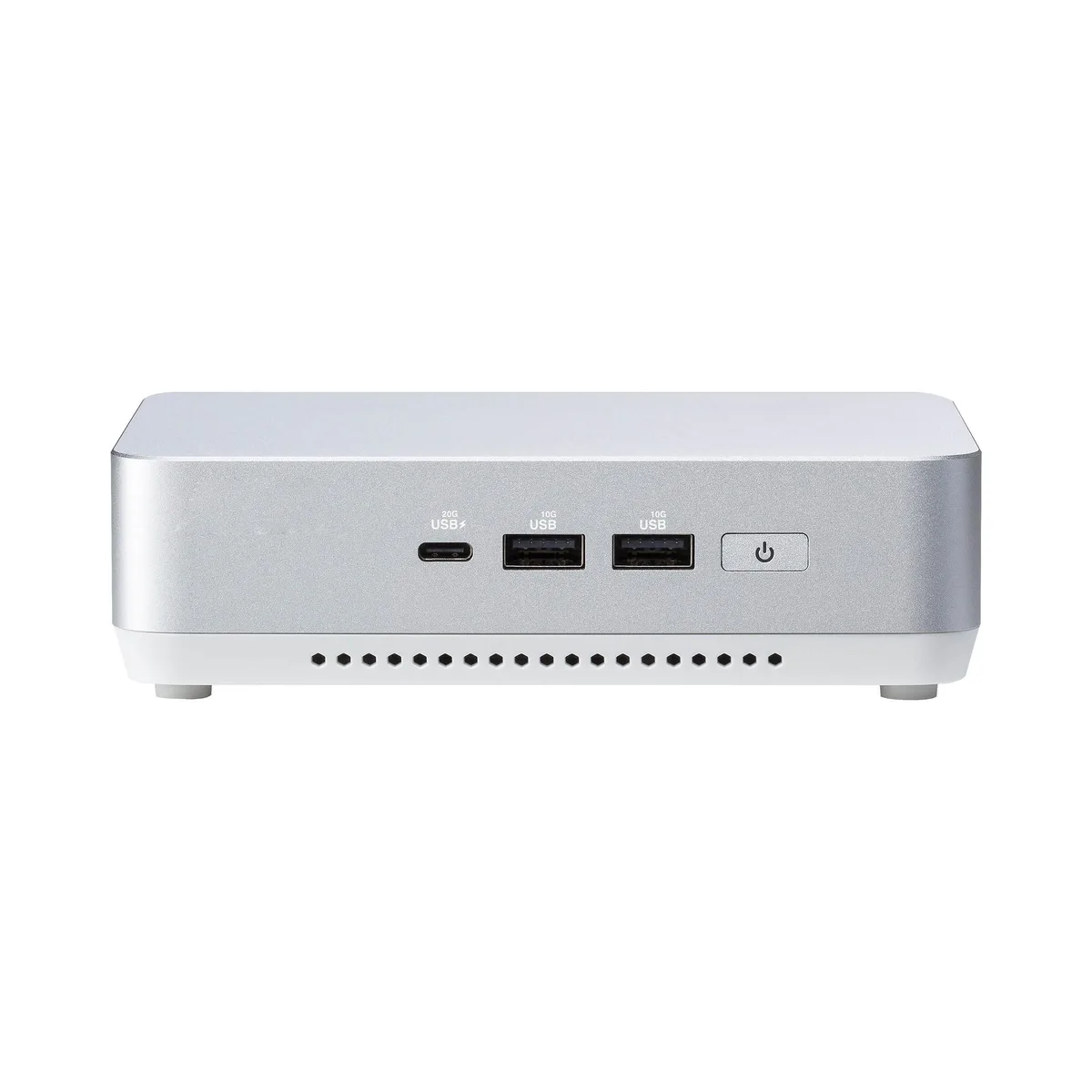
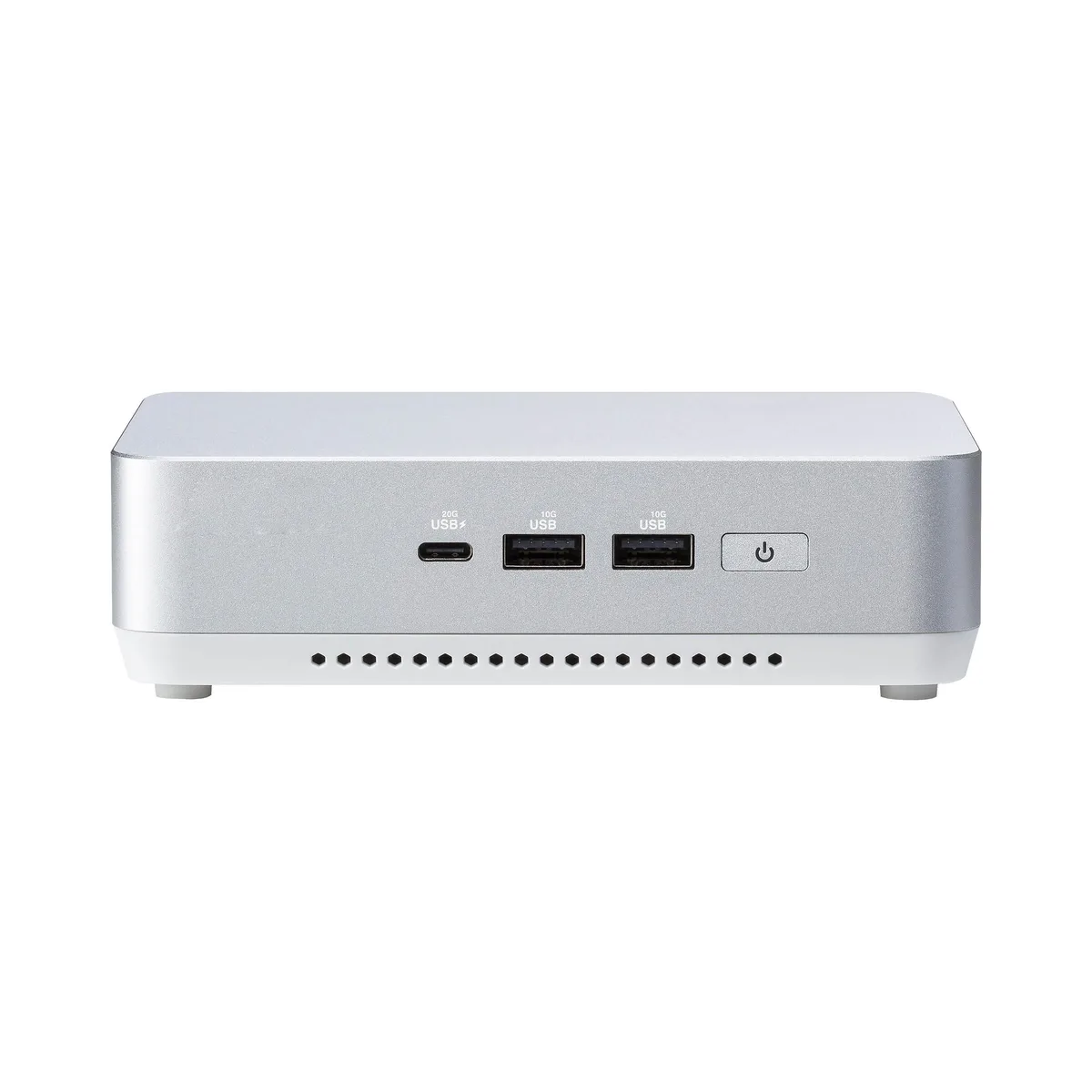
The ASUS NUC 14 Pro+ barebone ships with an Intel Core Ultra 7 155H processor and 64 GB of DDR5 5600 memory already installed. A 2 TB M.2 PCIe 4.0 drive provides the primary storage. The aluminium chassis measures 14 cm on each side and includes a US power cord. It targets professionals who need vPro Enterprise manageability and AI-ready compute in a space-constrained environment.
The slim form factor relies on an integrated active cooler to handle the processor and the Intel Arc graphics under sustained loads. Fan speed ramps with temperature, so acoustic output rises during heavy AI or graphics workloads but remains low at idle. The 2.5 GbE Intel i226V controller and Wi-Fi 6E radio add minimal thermal contribution. Power enters through the DC-in jack; no internal power-supply unit occupies volume.
Two SO-DIMM slots support up to 96 GB of DDR5 5600 in dual-channel mode, leaving one slot free for expansion. A second M.2 2242 PCIe 4.0 socket is available for additional storage. Video output options comprise two HDMI 2.1 ports and two Thunderbolt 4 ports with DisplayPort 1.4 alt-mode, enabling up to four simultaneous displays. Front and rear USB 3.2 Gen 2 Type-A, USB 2.0 Type-A and a Kensington lock round out connectivity. Buyers who need discrete GPU performance or more than two M.2 drives should look elsewhere.
| Brand | ASUS |
|---|---|
| Series | NUC 14 PRO+ |
| Model | RNUC14RVSU700000I |
| Form Factor | Slim |
| AI Features | AI Ready |
| Integrated Graphics | Intel Arc Graphics |
| Wireless LAN | 802.11ax |
| Bluetooth | Bluetooth 5.3 |
| LAN | Intel i226V |
| Max LAN Speed | 2.5Gbps |
| WiFi Generation | Wi-Fi 6E |
| HDMI | 2 x HDMI 2.1 (up to 4K@60Hz) |
| Thunderbolt | 2 x Thunderbolt 4 (with DP1.4 / 5V/3A, 40Gbps) |
| Rear USB | 1 x USB 3.2 Gen2 Type-A (5V/0.9A, 10Gbps) 1 x USB 2.0 Type-A (5V/0.5A, 480Mbps) |
| RJ45 | 1 x Intel 2.5G LAN (RJ45) |
| Other Rear Ports | 1 x Kensington 1 x DC-in |
| Memory slot | 2 x 262Pin SO-DIMM |
| Memory Type Supported | DDR5 5600 |
| Max Memory Supported | 96GB |
| Dual Channel Memory Supported | Yes |
| Memory installed | 64GB |
| CPU Type | Intel Core Ultra 7 155H |
| Onboard Audio | Integrated |
| Channel | 7.1 Channel |
| Storage Installed | 2T |
| M.2 Slot | 1 x M.2 2280 NVMe PCIe G4x4 SSD 1 x M.2 2242 NVMe PCIe x4 SSD |
| Front USB | 1 x USB 3.2 Gen2x2 Type-C 2 x USB 3.2 Gen2 Type-A |
| Input | 19VDC, 6.32A |
| Power Supply | 120W |
| Dimensions | 144mm x 112mm x 41mm |
| Weight | 600g |
| Packaging | VESA Mount & Screws / AC Power Adapter/ Power Cord |
Other versions of this model
Same family, different memory, cooler or clock — compare before you commit.
Power off, remove the bottom cover, insert both 262-pin modules at 45° until they click, then press down firmly; the step often missed is seating both sticks fully to enable dual-channel 5600 MHz operation.
The slots accept standard M.2 drives; you can add or swap a 2280 or 2242 module at any time without proprietary parts, just reinstall the OS or clone the existing 2 TB drive.
The processor will hit its package power limit and throttle clock speeds before the chassis reaches its thermal ceiling, so sustained performance settles below the peak turbo frequency.
Also in this aisle
Same shelf, same checkout — eight coins and a 30-minute rate lock.
What you pay in, and what you read prices in.
Sent from your wallet at checkout
Display only — the catalogue is priced in USD
No currency matches that.
Pick the language the site speaks to you in.
New here?
Already have one?
There is no automatic reset: this shop sends no mail, so there is no one-time link to ask for. Leave the address on the account and it gets picked up by hand.
Request noted
Nothing is on its way to your inbox — this shop sends no mail at all. Someone picks these up by hand.
Remembered it?