


DELL
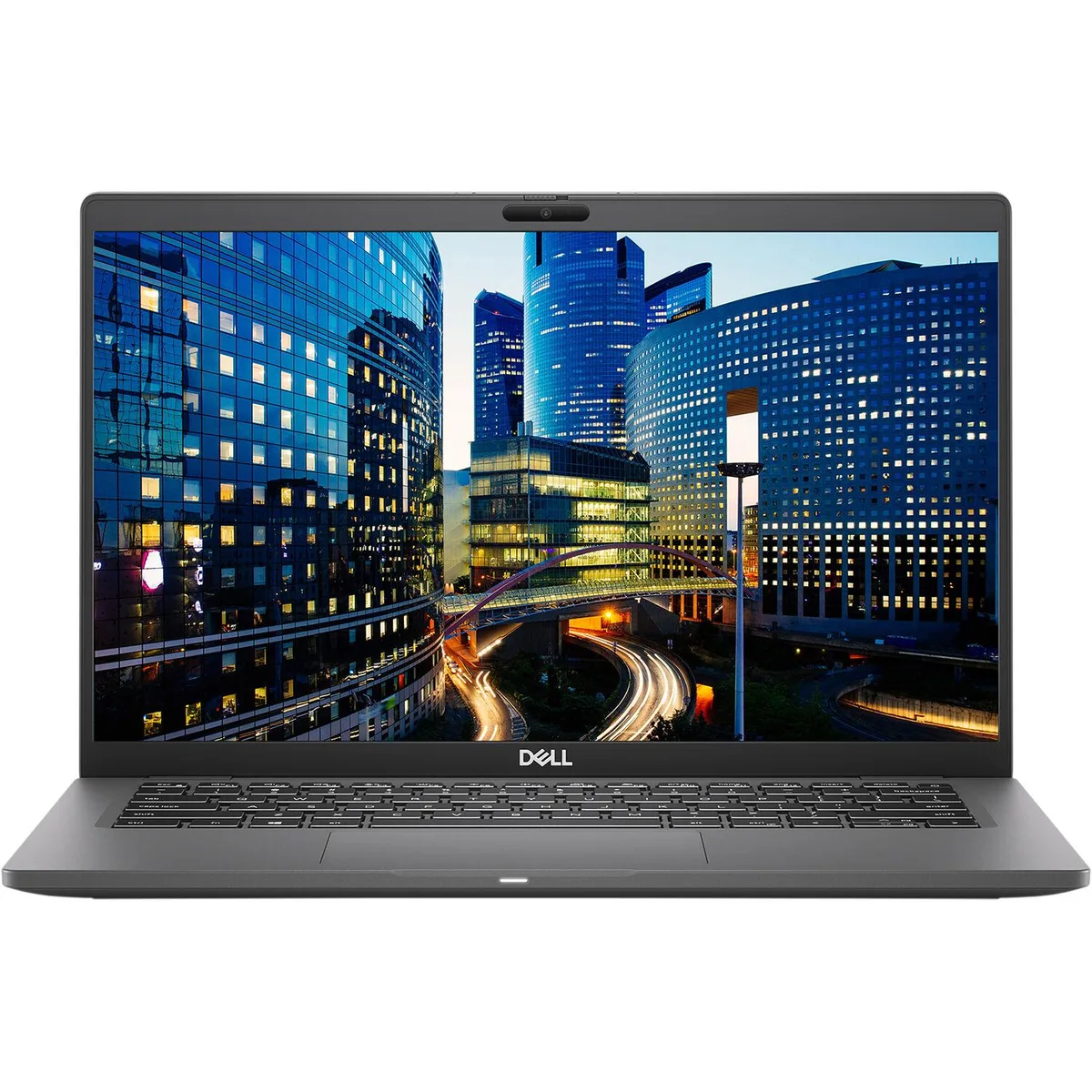
DELL Latitude 7410 14" FHD i7-10610U 1.8GHz 16GB 256GB SSD laptop
A 14-inch Full HD business laptop with an Intel Core i7 10th Gen processor, 16 GB DDR4 memory, 256 GB SSD and Windows 10 Pro
- ColorBlack
- Operating SystemWindows 10 Pro
- CPU TypeIntel Core i7 10th Gen
- Screen Size14.0"
- Resolution1920 x 1080
- Video MemoryShared system memory
- 14-inch FHD screen with Corning Gorilla Glass for durability
- Intel Core i7-10610U processor at 1.8 GHz for responsive performance
- 16 GB DDR4 memory soldered for reliable multitasking
- 256 GB SSD storage for fast boot and load times
- Thunderbolt 3 over USB-C for versatile connectivity
Latitude 7410 14" FHD business laptop
The Dell Latitude 7410 is a 14-inch Full HD laptop built for mobile professionals who need reliable performance in a compact chassis. It runs Windows 10 Pro on an Intel Core i7 10th Gen processor with 16 GB of DDR4 memory and a 256 GB SSD. Integrated Intel UHD Graphics handles everyday visual tasks. The non-touch display uses Corning Gorilla Glass for added durability.
Soldered memory, Thunderbolt 3 and port variety
Memory is soldered to the system board with no upgrade slots, so the 16 GB configuration is fixed although the platform supports up to 32 GB maximum. Two USB 3.2 Gen 2 Type-C ports provide Thunderbolt 3, Power Delivery and DisplayPort alt mode for docking and external displays. A single HDMI 2.0 port, one USB 3.2 Gen 1 Type-A port with PowerShare, a micro-SD reader and a universal audio jack complete the physical I/O. Bluetooth 5.1 and Intel Wireless-AC 9560 handle wireless connectivity.
Verify memory needs and docking plans before
Because memory cannot be expanded after purchase, confirm that 16 GB meets your workload requirements. The USB-C ports serve as the primary docking interface, so ensure your existing dock or monitors support Thunderbolt 3 or DisplayPort over USB-C. The 720p webcam and lithium-ion battery are integrated; the battery is guaranteed to hold a charge. A wedge-shaped lock slot provides physical security.
주요 특징
- 14-inch FHD screen with Corning Gorilla Glass for durability
- Intel Core i7-10610U processor at 1.8 GHz for responsive performance
- 16 GB DDR4 memory soldered for reliable multitasking
- 256 GB SSD storage for fast boot and load times
- Thunderbolt 3 over USB-C for versatile connectivity
사양
| Brand | DELL |
|---|---|
| Series | Latitude |
| Model | 7410 |
| Color | Black |
| Operating System | Windows 10 Pro |
| CPU Type | Intel Core i7 10th Gen |
| Screen Size | 14.0" |
| Resolution | 1920 x 1080 |
| Video Memory | Shared system memory |
| Graphic Type | Integrated |
| SSD | 256GB |
| HDD | No |
| Memory | 16GB |
| Memory Slot (Total) | Memory soldered to systemboard, no slots |
| Max Memory Supported | 32 GB |
| Optical Drive Type | No |
| Bluetooth | Bluetooth 5.1 |
| HDMI | 1 |
| Backlit Keyboard | Full Size |
| Webcam | Yes |
| Style | Standard |
| Type | Mainstream |
| Usage | Business |
| AC Adapter/Charger | Yes |
| Battery | Lithium Ion |
| Dimensions (W x D x H) | Height 0.690 x Length 8.700 x Width 13.030 |
| Weight | 3.1100 |
| Software Included | A fresh Windows 10 is installed and no additional software is included |
| Package Content | DELL Latitude 7410, Pre installed Windows 10 Pro 64Bit, and Power Adapter |
| Consumer Alert | Grade A Refurbished |
이 상품에 대한 질문
What does the Thunderbolt 3 port on the Latitude 7410 actually deliver in daily use?
The two USB 3.2 Gen 2 Type‑C ports carry Thunderbolt 3, DisplayPort over USB‑C and Power Delivery, so one cable can drive external monitors, transfer data and charge the laptop.
What physical space and screw pattern does the 256 GB SSD need in this chassis?
The drive uses an M.2 2280 slot inside the case; there is no 2.5‑inch bay and the memory is soldered, so only the single M.2 socket is available for storage upgrades.
What is the correct order to install Windows 10 Pro on the bare 256 GB SSD?
Boot from a Windows 10 Pro 64‑bit USB installer, choose the unallocated 256 GB SSD, let Setup create its partitions, then install the Intel Wireless‑AC 9560 and Thunderbolt drivers from Dell’s support site.
이 진열대의 다른 상품
고객들이 함께 비교한 상품
같은 진열대, 같은 체크아웃 — 코인 8종, 환율 잠금 30분.


Microsoft
Microsoft Surface 3 1657 128GB CRB 2-in-1 laptop
- Silver
- Windows 10 Pro
US$244.99
0.00315847BTC
재고 있음
Microsoft
Microsoft Surface Pro FGG-2D-00001-RFB 2-in-1 laptop 16 GB 512 GB 12.0" touchscreen 2736 x 1824 refurbished
- 12.0"
- Touch Screen
US$687.99
0.00886974BTC
재고 있음
Lenovo
Lenovo Chromebook 500e Gen 5 M89 83TA0004US 12.2" MediaTek 8GB 64GB
- 12.2"
US$392.99US$420.99−7%
0.00506652BTC
재고 있음