
HP
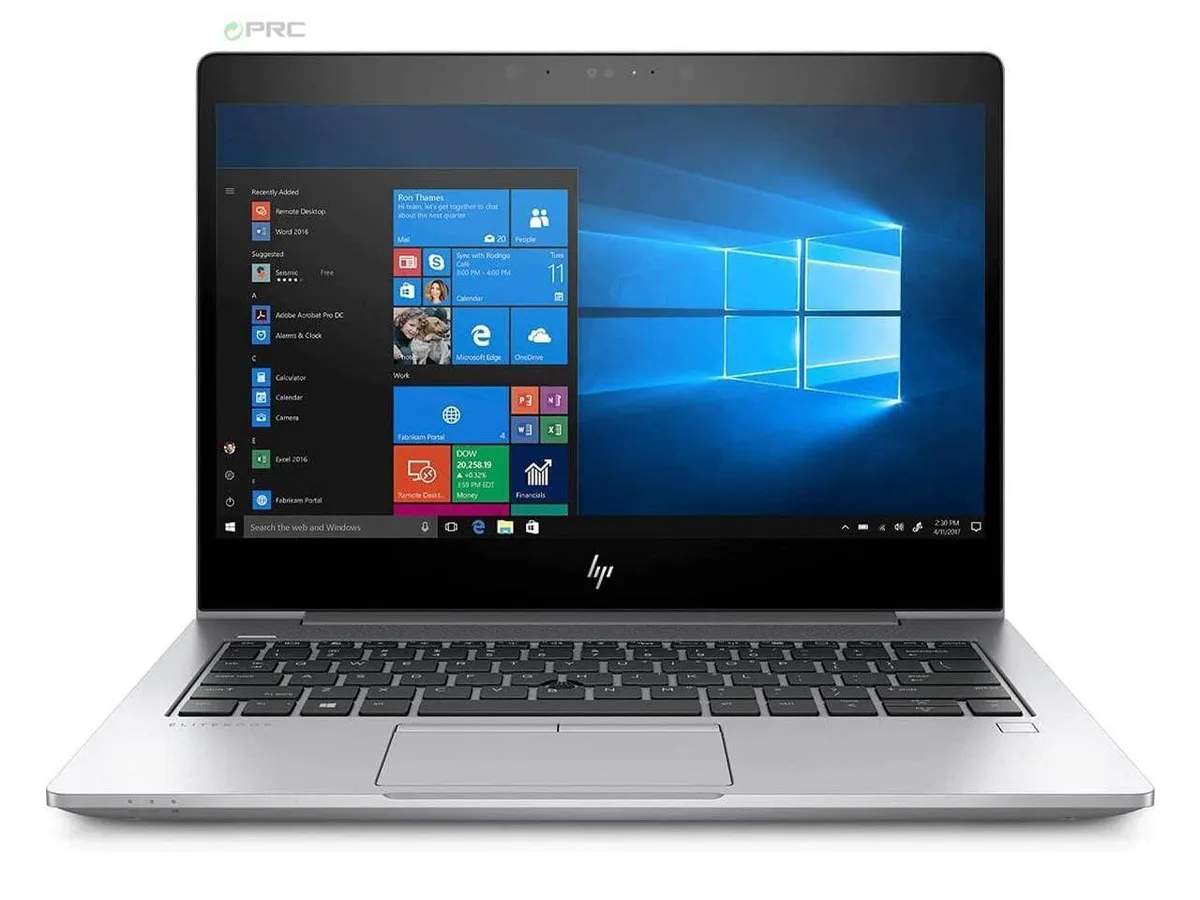
HP EliteBook 830 G6 G5 laptop i5-8350U 512 GB SSD 8 GB DDR4 13.3" FHD
- Silver
- Windows 10 Pro
US$256.99
0.00330593BTC
재고 있음


HP
14-inch FHD business laptop with quad-core i5-8350U, 16 GB DDR4 and 512 GB SSD
Options 16GB/512GB W10P
The HP EliteBook 840 G5 is a new 14.0-inch business laptop powered by an Intel Core i5-8350U quad-core processor with Intel UHD Graphics 620. It ships with 16 GB of DDR4 memory in a dual-channel configuration and a 512 GB PCIe M.2 SSD. Windows 10 Pro is pre-installed, making it ready for managed enterprise environments that rely on Intel vPro and HP Sure Start security features.
The chassis provides USB 3.0 ports and USB Type-C ports with DisplayPort functionality for external monitors and peripherals. Intel Dual Band Wireless and Bluetooth 4.1 handle wireless connectivity, while integrated Gigabit Ethernet supports wired networks. A front-facing webcam and a headphone jack complete the I/O set. The non-touch FHD panel keeps the focus on productivity without the weight penalty of a digitiser.
The 512 GB SSD offers ample space for operating system, applications and active project files, while the 16 GB DDR4 configuration handles multitasking across browser tabs, office suites and video calls. Memory can be expanded up to 32 GB if workloads grow beyond the factory fit. Buyers who need dedicated graphics for rendering or larger local datasets will find the integrated GPU and single-drive layout limiting.
| Brand | HP |
|---|---|
| Series | EliteBook |
| Model | 840 (G5) |
| Part Number | 840 (G5) |
| Color | Silver |
| Operating System | Windows 10 Pro |
| CPU Type | Intel Core i5 8th Gen |
| Processor Name | Intel Core i5-8350U |
| Number of Cores | Quad-core Processor |
| Screen Size | 14.0" |
| Touchscreen | Non-Touch Screen |
| Display Type | FHD |
| Resolution | 1920 x 1080 |
| GPU/VPU | Intel UHD Graphics |
| Graphic Type | Integrated Card |
| SSD | 512GB |
| HDD | No |
| Storage Spec | 512 GB SSD |
| Memory | 16GB |
| Memory Spec | 8 GB x 2 |
| Memory Slot (Total) | 2 |
| Memory Slot (Available) | 0 |
| Max Memory Supported | 32 GB |
| Optical Drive Type | No |
| LAN | 10/100/1000Mbps |
| WiFi Generation | Wi-Fi 4 and earlier generation |
| Bluetooth | Yes |
| USB | 3 |
| HDMI | 1 x HDMI |
| Ethernet | 1 x RJ-45 |
| Docking Connector | 1 |
| Audio Ports | 1 x Headphone/Microphone Combo Jack |
| Audio | Integrated Sound card |
| Speaker | Internal Speakers |
| Touchpad | Yes |
| Webcam | Yes |
| Style | Ultrabook |
| Type | Work / Business |
| Usage | Business |
| AC Adapter/Charger | Yes |
| Weight | 2 - 2.9 lbs. |
이 모델의 다른 버전
같은 제품군에서 메모리·쿨러·클럭이 다릅니다 — 결정 전에 비교해 보세요.
The quad-core i5-8350U runs at 1.7 GHz base and can reach 3.6 GHz with Turbo Boost, but sustained clocks depend on the cooling solution and workload intensity.
Fan noise and surface temperature rise with continuous CPU or graphics load; the silver aluminium chassis helps spread heat but exact acoustics vary by workload.
You need a USB-C to DisplayPort or USB-C to HDMI cable or adapter; the ports carry native DisplayPort signalling so no dock is required for video output.
이 진열대의 다른 상품
같은 진열대, 같은 체크아웃 — 코인 8종, 환율 잠금 30분.
결제할 코인과 가격을 확인할 통화입니다.
체크아웃 시 지갑에서 전송됩니다.
표시 전용 — 카탈로그 가격은 달러 기준입니다.
일치하는 통화가 없습니다.
사이트에서 사용할 언어를 선택하십시오.
일치하는 언어가 없습니다.
처음 방문하셨나요?
이미 계정이 있으신가요?
자동 재설정 기능은 없습니다. 이 쇼핑몰은 어떠한 메일도 보내지 않으므로 요청할 일회용 링크 자체가 없습니다. 계정에 등록된 이메일 주소를 그대로 두시면 담당자가 직접 확인해 처리합니다.
요청 접수
받은편지함으로 오는 것은 아무것도 없습니다 — 이 쇼핑몰은 메일을 전혀 보내지 않습니다. 담당자가 직접 확인해 처리합니다.
기억나셨나요?



