
HP
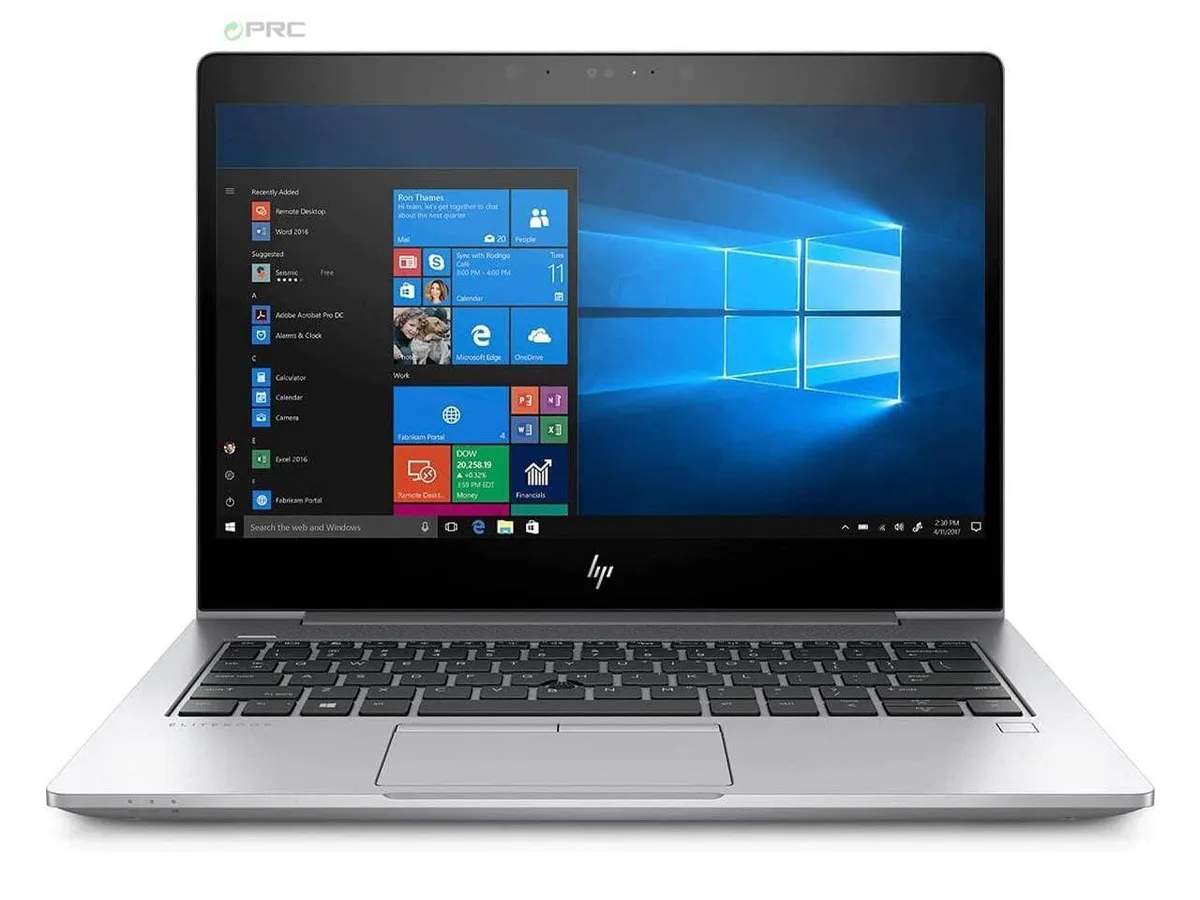
HP EliteBook 830 G6 G5 laptop i5-8350U 512 GB SSD 8 GB DDR4 13.3" FHD
- Silver
- Windows 10 Pro
US$256.99
0.00329957BTC
現貨


HP
14-inch FHD business laptop with quad-core i5-8350U, 16 GB DDR4 and 512 GB SSD
Options 16GB/512GB W10P
The HP EliteBook 840 G5 is a new 14.0-inch business laptop powered by an Intel Core i5-8350U quad-core processor with Intel UHD Graphics 620. It ships with 16 GB of DDR4 memory in a dual-channel configuration and a 512 GB PCIe M.2 SSD. Windows 10 Pro is pre-installed, making it ready for managed enterprise environments that rely on Intel vPro and HP Sure Start security features.
The chassis provides USB 3.0 ports and USB Type-C ports with DisplayPort functionality for external monitors and peripherals. Intel Dual Band Wireless and Bluetooth 4.1 handle wireless connectivity, while integrated Gigabit Ethernet supports wired networks. A front-facing webcam and a headphone jack complete the I/O set. The non-touch FHD panel keeps the focus on productivity without the weight penalty of a digitiser.
The 512 GB SSD offers ample space for operating system, applications and active project files, while the 16 GB DDR4 configuration handles multitasking across browser tabs, office suites and video calls. Memory can be expanded up to 32 GB if workloads grow beyond the factory fit. Buyers who need dedicated graphics for rendering or larger local datasets will find the integrated GPU and single-drive layout limiting.
| Brand | HP |
|---|---|
| Series | EliteBook |
| Model | 840 (G5) |
| Part Number | 840 (G5) |
| Color | Silver |
| Operating System | Windows 10 Pro |
| CPU Type | Intel Core i5 8th Gen |
| Processor Name | Intel Core i5-8350U |
| Number of Cores | Quad-core Processor |
| Screen Size | 14.0" |
| Touchscreen | Non-Touch Screen |
| Display Type | FHD |
| Resolution | 1920 x 1080 |
| GPU/VPU | Intel UHD Graphics |
| Graphic Type | Integrated Card |
| SSD | 512GB |
| HDD | No |
| Storage Spec | 512 GB SSD |
| Memory | 16GB |
| Memory Spec | 8 GB x 2 |
| Memory Slot (Total) | 2 |
| Memory Slot (Available) | 0 |
| Max Memory Supported | 32 GB |
| Optical Drive Type | No |
| LAN | 10/100/1000Mbps |
| WiFi Generation | Wi-Fi 4 and earlier generation |
| Bluetooth | Yes |
| USB | 3 |
| HDMI | 1 x HDMI |
| Ethernet | 1 x RJ-45 |
| Docking Connector | 1 |
| Audio Ports | 1 x Headphone/Microphone Combo Jack |
| Audio | Integrated Sound card |
| Speaker | Internal Speakers |
| Touchpad | Yes |
| Webcam | Yes |
| Style | Ultrabook |
| Type | Work / Business |
| Usage | Business |
| AC Adapter/Charger | Yes |
| Weight | 2 - 2.9 lbs. |
其他版本
同系列產品,記憶體、散熱器或時脈不同 — 下單前請先比較。
The quad-core i5-8350U runs at 1.7 GHz base and can reach 3.6 GHz with Turbo Boost, but sustained clocks depend on the cooling solution and workload intensity.
Fan noise and surface temperature rise with continuous CPU or graphics load; the silver aluminium chassis helps spread heat but exact acoustics vary by workload.
You need a USB-C to DisplayPort or USB-C to HDMI cable or adapter; the ports carry native DisplayPort signalling so no dock is required for video output.
同類商品
同一分類,同一套結帳流程 — 支援八種加密貨幣,匯率鎖定 30 分鐘。
您支付所用的幣種,以及查看價格所用的貨幣。
結帳時由您的錢包發送
僅供顯示 — 商品目錄以美元計價
查無符合的貨幣。
請選擇網站使用的語言。
查無符合的語言。
初次造訪?
已經有帳戶了嗎?
本店沒有自動重設密碼的機制:由於不寄送電子郵件,也就沒有一次性連結可供申請。只要將地址留在帳戶中,之後將由專人處理。
請求已收到
不會有任何郵件寄到您的信箱 — 本商店完全不寄送電子郵件。會有人親自處理這些申請。
想起來了嗎?



