


HP
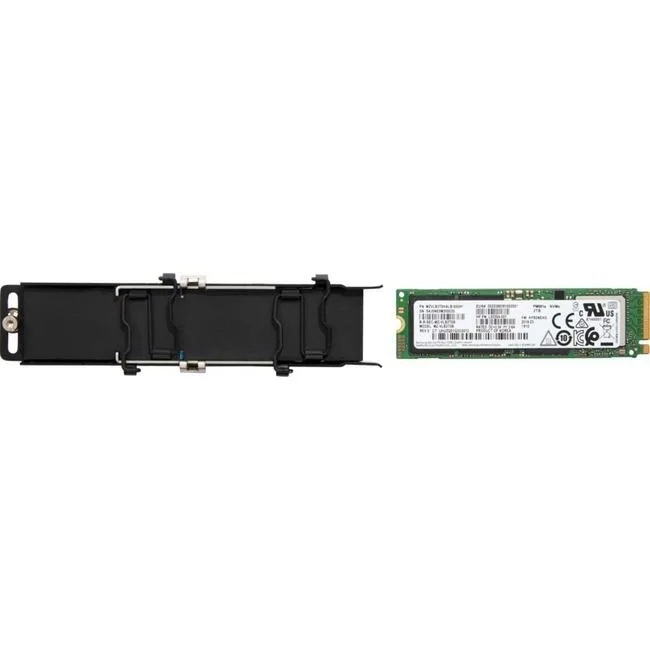
HP Z Turbo 2 TB Internal Solid State Drive M.2 2280 PCIe 4.0
2 TB M.2 2280 PCIe 4.0 x4 internal SSD designed for workstation workloads
- Capacity2TB
- 2 TB capacity stores large project files
- M.2 2280 form factor fits compact workstation slots
- PCI Express 4.0 x4 interface enables fast data transfer
- Designed for HP workstation compatibility
- New condition ensures full manufacturer quality
HP Z Turbo 2 TB M.2 2280 PCIe 4.0
This HP Z Turbo solid-state drive provides 2 TB of internal storage in an M.2 2280 form factor. It connects through a PCI Express 4.0 x4 interface and is validated for workstation devices. The drive is supplied new with retail or OEM packing that may vary.
Suits workstations with M.2 2280 slots supporting
Builders upgrading compatible HP workstations or other systems with matching M.2 2280 PCIe 4.0 x4 slots can use this drive. It is not for platforms limited to PCIe 3.0 or earlier generations. Buyers needing a different capacity or a 2.5-inch form factor should look elsewhere.
Deciding spec: PCI Express 4.0 x4 interface
The PCI Express 4.0 x4 connection determines whether this drive fits and performs in the target system. Verify the motherboard or workstation manual lists an M.2 2280 slot wired for PCIe 4.0 x4 before purchase.
주요 특징
- 2 TB capacity stores large project files
- M.2 2280 form factor fits compact workstation slots
- PCI Express 4.0 x4 interface enables fast data transfer
- Designed for HP workstation compatibility
- New condition ensures full manufacturer quality
사양
| Brand | HP |
|---|---|
| Capacity | 2TB |
이 상품에 대한 질문
What slot size does the M.2 2280 drive require?
It fits a standard M.2 2280 slot measuring 22 mm wide by 80 mm long on the motherboard.
How is the PCIe 4.0 x4 drive installed and what step is often missed?
Insert the drive at an angle into the M.2 socket, press it flat, and secure it with the retention screw; the step often missed is fastening that screw so the drive stays seated.
When will the 2 TB drive need replacement?
Replace it when the drive health monitoring tools report excessive wear or the available spare blocks are exhausted, which varies by workload.
이 진열대의 다른 상품
고객들이 함께 비교한 상품
같은 진열대, 같은 체크아웃 — 코인 8종, 환율 잠금 30분.


Microsemi
Microsemi 2291700-R SmartRAID 3101-4i RAID controller
- 2291700-R
- Low Profile
US$347.99US$373.99−7%
0.00448054BTC
재고 있음
Avolusion
Avolusion PRO-H1 Series 14TB 7200RPM USB 3.2 Gen2 External Hard Drive
- White
- USB 3.2
US$253.99
0.00327024BTC
재고 있음
Avolusion
Avolusion PRO-H1 12TB 7200RPM USB 3.2 Gen2 White external hard drive
- White
- USB 3.2
US$238.99
0.00307711BTC
재고 있음