


HP
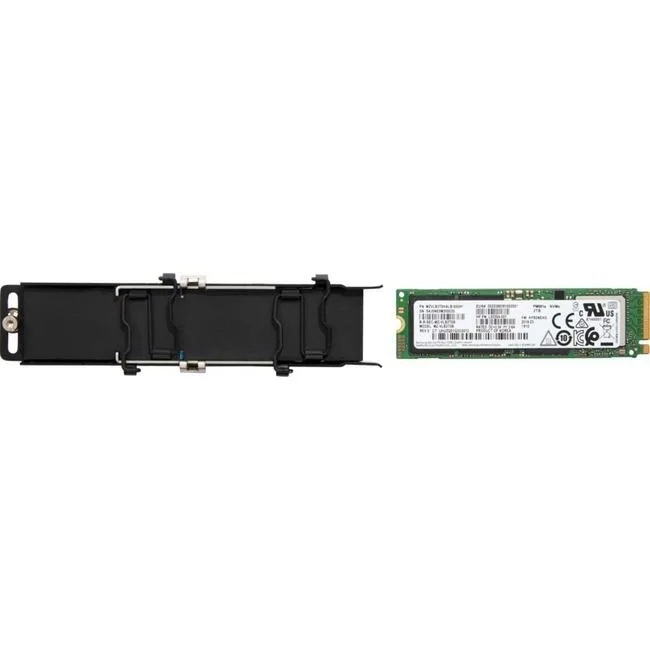
HP Z Turbo 2 TB Internal Solid State Drive M.2 2280 PCIe 4.0
2 TB M.2 2280 PCIe 4.0 x4 internal SSD designed for workstation workloads
- Capacity2TB
- 2 TB capacity stores large project files
- M.2 2280 form factor fits compact workstation slots
- PCI Express 4.0 x4 interface enables fast data transfer
- Designed for HP workstation compatibility
- New condition ensures full manufacturer quality
HP Z Turbo 2 TB M.2 2280 PCIe 4.0
This HP Z Turbo solid-state drive provides 2 TB of internal storage in an M.2 2280 form factor. It connects through a PCI Express 4.0 x4 interface and is validated for workstation devices. The drive is supplied new with retail or OEM packing that may vary.
Suits workstations with M.2 2280 slots supporting
Builders upgrading compatible HP workstations or other systems with matching M.2 2280 PCIe 4.0 x4 slots can use this drive. It is not for platforms limited to PCIe 3.0 or earlier generations. Buyers needing a different capacity or a 2.5-inch form factor should look elsewhere.
Deciding spec: PCI Express 4.0 x4 interface
The PCI Express 4.0 x4 connection determines whether this drive fits and performs in the target system. Verify the motherboard or workstation manual lists an M.2 2280 slot wired for PCIe 4.0 x4 before purchase.
商品特色
- 2 TB capacity stores large project files
- M.2 2280 form factor fits compact workstation slots
- PCI Express 4.0 x4 interface enables fast data transfer
- Designed for HP workstation compatibility
- New condition ensures full manufacturer quality
商品規格
| Brand | HP |
|---|---|
| Capacity | 2TB |
商品問答
What slot size does the M.2 2280 drive require?
It fits a standard M.2 2280 slot measuring 22 mm wide by 80 mm long on the motherboard.
How is the PCIe 4.0 x4 drive installed and what step is often missed?
Insert the drive at an angle into the M.2 socket, press it flat, and secure it with the retention screw; the step often missed is fastening that screw so the drive stays seated.
When will the 2 TB drive need replacement?
Replace it when the drive health monitoring tools report excessive wear or the available spare blocks are exhausted, which varies by workload.
同類商品
顧客也比較過
同一分類,同一套結帳流程 — 支援八種加密貨幣,匯率鎖定 30 分鐘。




Western Digital
Western Digital G-DRIVE ArmorATD 5TB portable hard drive SDPH81G005TGBA1D
US$298.99
0.0038283BTC
現貨
OWC
OWC Gemini Ultra X6 12TB Thunderbolt portable SSD (OWCTB3GMA6X12)
- 12TB
- Thunderbolt
US$2,645.99
0.03387951BTC
現貨