

SanDisk
SanDisk Cruzer Blade 8 GB USB 2.0 USB flash drive Black SDCZ50-008G-B35
US$391.99
0.00502487BTC
재고 있음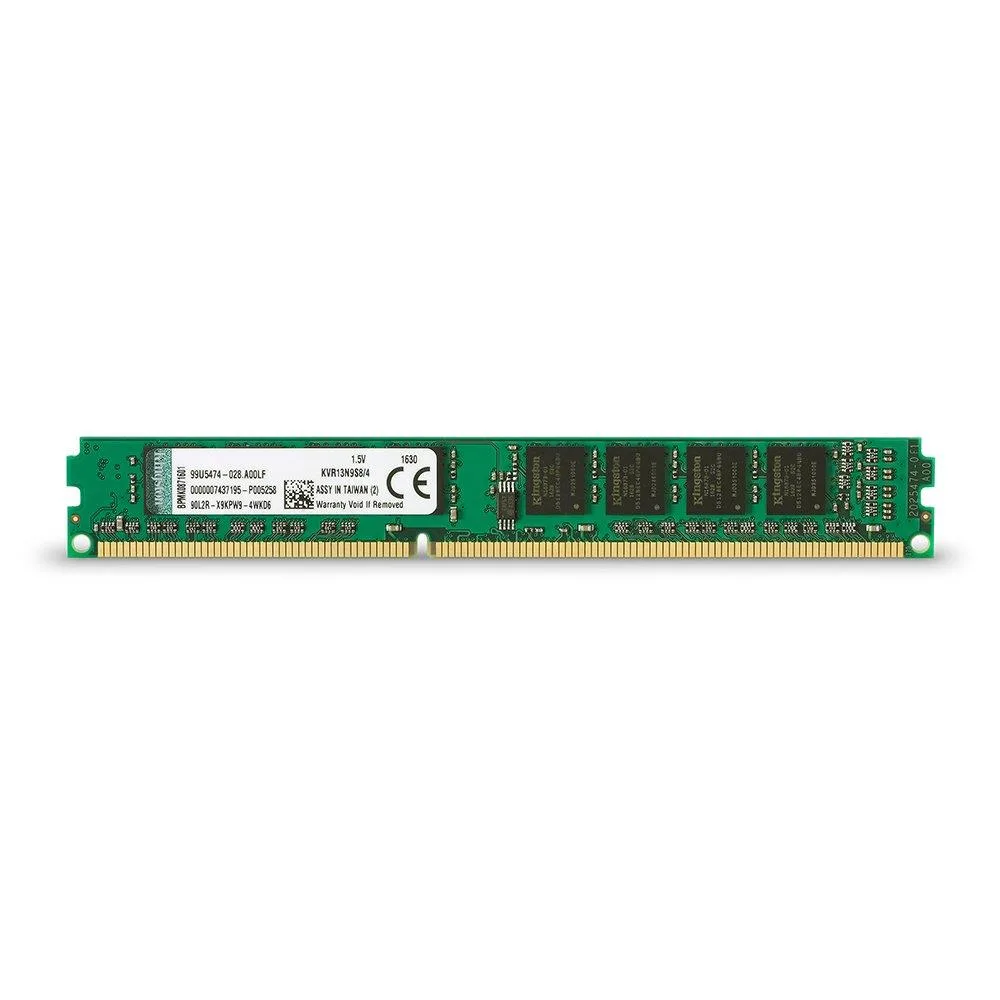


Kingston Technology Corp.
A 4 GB DDR3 desktop memory module running at 1333 MHz with a 240-pin unbuffered design
This Kingston Value RAM module provides 4GB of DDR3 memory for desktop systems. It is intended for users who need a straightforward capacity increase for everyday computing tasks. The single DIMM suits white-box builds and system integrators who buy by specification rather than brand features. Buyers who want more storage or higher speeds should consider other options.
The module uses a standard 240-pin unbuffered DIMM form factor with gold contacts. It is built to industry-standard specifications and is 100-percent tested during production. The non-ECC design with CL9 latency fits typical consumer motherboards. No additional mounting hardware or special connectors are required.
The memory operates at 1.5V, keeping power draw modest for a DDR3 module. With no active cooling on the DIMM, it runs silently and relies on case airflow for heat dissipation. Normal desktop workloads will not stress the thermal limits of this standard-density module.
이 상품에 대해 아직 공개된 사양이 없습니다.
The module runs at 1333 MHz with CL9 latency on the standard DDR3 interface, providing the bandwidth defined by that speed grade for desktop systems.
It fits a standard 240-pin DDR3 DIMM socket; the single notch aligns with the motherboard key so the module can only seat one way.
Power off the PC, open the case, align the notch with the slot key, press firmly until both side clips click shut, then verify the capacity in BIOS.
이 진열대의 다른 상품
같은 진열대, 같은 체크아웃 — 코인 8종, 환율 잠금 30분.
결제할 코인과 가격을 확인할 통화입니다.
체크아웃 시 지갑에서 전송됩니다.
표시 전용 — 카탈로그 가격은 달러 기준입니다.
일치하는 통화가 없습니다.
사이트에서 사용할 언어를 선택하십시오.
일치하는 언어가 없습니다.
처음 방문하셨나요?
이미 계정이 있으신가요?
자동 재설정 기능은 없습니다. 이 쇼핑몰은 어떠한 메일도 보내지 않으므로 요청할 일회용 링크 자체가 없습니다. 계정에 등록된 이메일 주소를 그대로 두시면 담당자가 직접 확인해 처리합니다.
요청 접수
받은편지함으로 오는 것은 아무것도 없습니다 — 이 쇼핑몰은 메일을 전혀 보내지 않습니다. 담당자가 직접 확인해 처리합니다.
기억나셨나요?



