

ASUS
ASUS CR1104FTA-YZ84T Chromebook 11.6" Touch N150 8GB 64GB Mineral Gray
- 11.6"
US$414.99
0.00528091BTC
재고 있음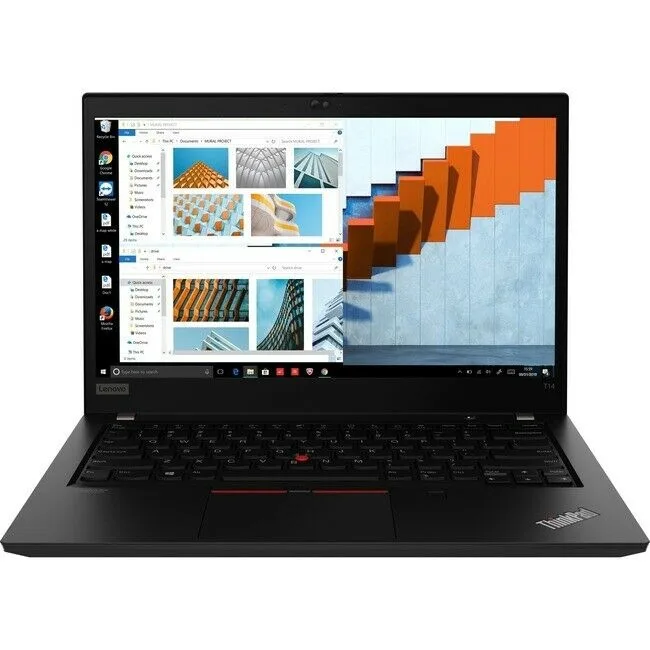
Lenovo
14-inch business laptop with Ryzen 5 processor, 8 GB RAM and 256 GB SSD running Windows 10 Pro
This 14.0 inch laptop runs on an AMD Ryzen 5 Pro processor at 2.10 GHz with 8 GB of memory and a 256 GB SSD. It ships with Windows 10 Pro and a 1920 x 1080 display. The chassis includes a backlit keyboard and Touch ID for login.
The six-core design handles multitasking and light creative work that overwhelms older two-thread machines. The jump is worth it when you regularly run virtual machines, compile code or edit documents while video calls are active. Integrated graphics limit 3D tasks.
The solid-state drive boots the OS and loads typical office suites in seconds, leaving room for project files and a modest media library. Eight gigabytes keeps dozens of browser tabs and background services responsive. Large video timelines or heavy datasets will exhaust both capacity and memory.
| Screen Size | 14.0" |
|---|
The T14 is a notebook with no VESA mount; it sits on a desk or fits a 14" sleeve.
Remove the bottom-case Torx screws, lift the cover, then unscrew the single M.2 retention screw before sliding the drive out.
Replace the SSD when SMART tools report reallocated sectors or when free space drops below 10 % and the drive is full.
이 진열대의 다른 상품
같은 진열대, 같은 체크아웃 — 코인 8종, 환율 잠금 30분.
결제할 코인과 가격을 확인할 통화입니다.
체크아웃 시 지갑에서 전송됩니다.
표시 전용 — 카탈로그 가격은 달러 기준입니다.
일치하는 통화가 없습니다.
사이트에서 사용할 언어를 선택하십시오.
일치하는 언어가 없습니다.
처음 방문하셨나요?
이미 계정이 있으신가요?
자동 재설정 기능은 없습니다. 이 쇼핑몰은 어떠한 메일도 보내지 않으므로 요청할 일회용 링크 자체가 없습니다. 계정에 등록된 이메일 주소를 그대로 두시면 담당자가 직접 확인해 처리합니다.
요청 접수
받은편지함으로 오는 것은 아무것도 없습니다 — 이 쇼핑몰은 메일을 전혀 보내지 않습니다. 담당자가 직접 확인해 처리합니다.
기억나셨나요?


